
 Share
Share
 Print
Print
TRAX MANUALS > Orders > Orders Switches > PNOTESPONLY - Only Display P/O Notes via the P/O Detail P/N Notes Tab
|
|
|
|
|


PNOTESPONLY - Only Display P/O Notes via the P/O Detail P/N Notes Tab
Only Display P/O Notes via the P/O Detail P/N Notes Tab
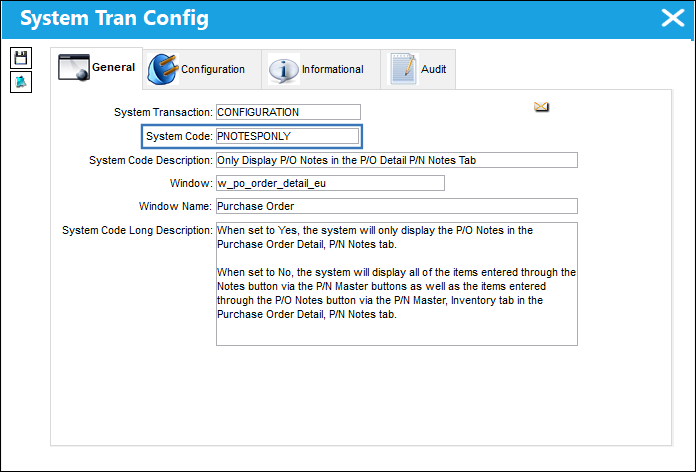
Setup:
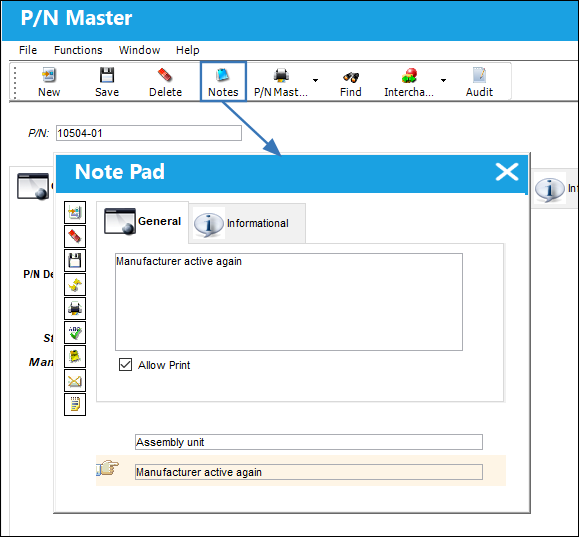
From the P/N Master, the following notes are added to this part number.
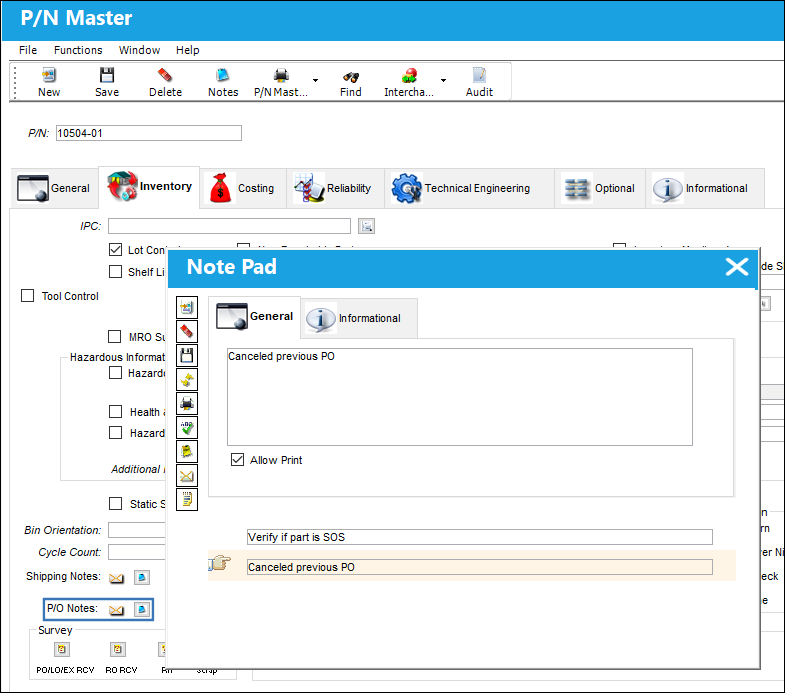
From the P/N Master, Inventory tab, the following P/O notes are also added to the part number.
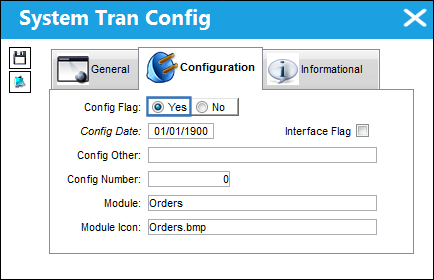
Switch Set to Yes:
When set to Yes, the system will only display the P/O Notes in the Purchase Order Detail, P/N Notes tab.
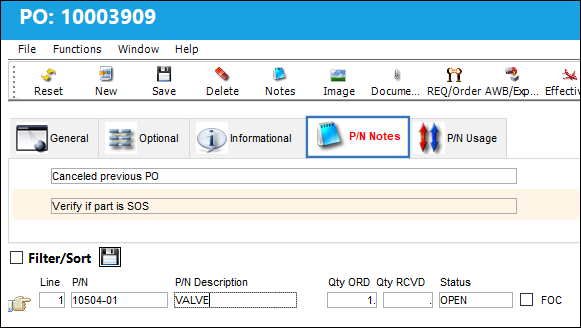
In the Purchase Order Detail, P/N Notes tab, only the P/O notes are available.
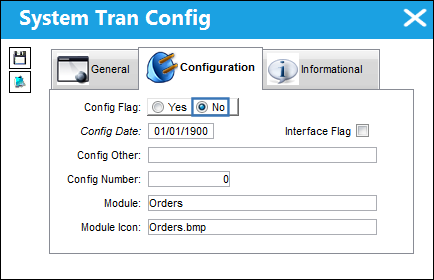
Switch Set to No:
When set to No, the system will display all of the items entered through the Notes button via the P/N Master buttons as well as the items entered through the P/O Notes button via the P/N Master, Inventory tab in the Purchase Order Detail, P/N Notes tab.
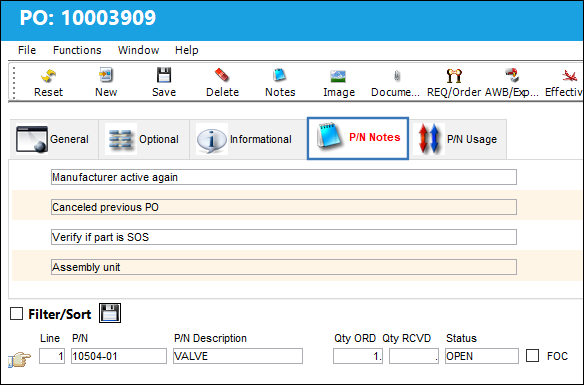
In the Purchase Order Detail, P/N Notes tab, the P/O notes are available as well as the P/N notes.
Share
Print
|
©1997-2026 Trax USA Corp. All rights reserved. This manual may not be copied, photocopied, reproduced, translated, or converted to any electronic or machine-readable form, in whole or in part, without prior written approval from Trax USA Corp. |
 |