
 Share
Share
 Print
Print
|
|
|
|
|


ROLINE1 - Repair Orders Can Only Have 1 Line Item
Repair Orders Can Only Have 1 Line Item
Affected Window: w_ro_order_detail_eu
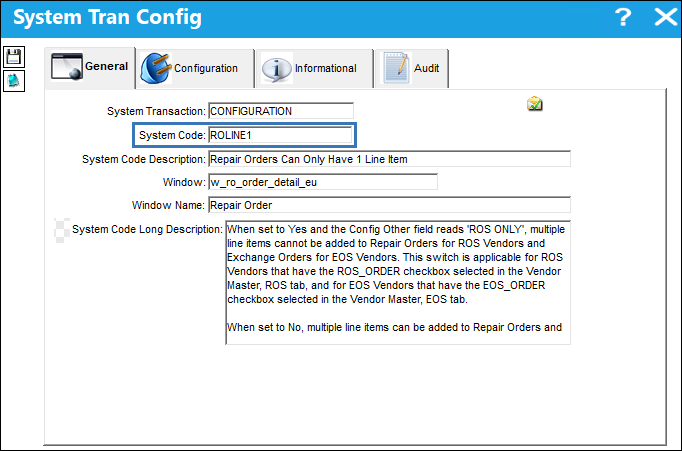
Switch Set to Yes:
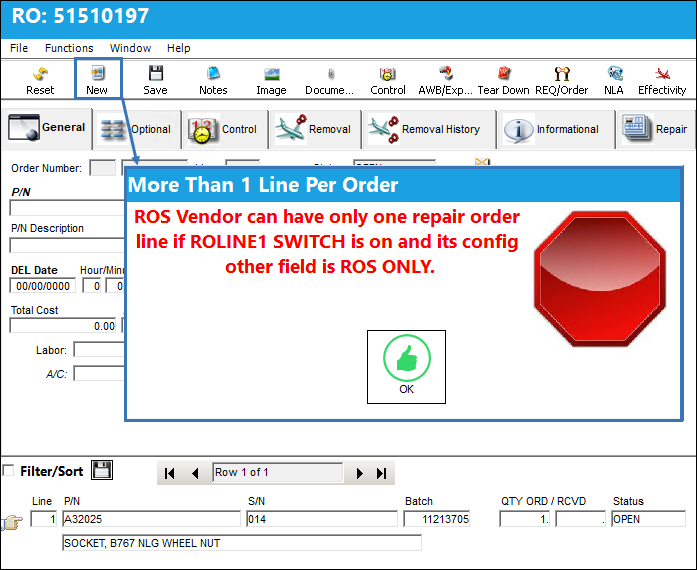
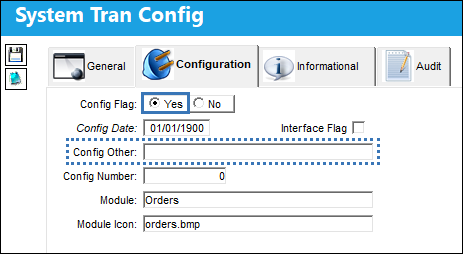
When set to Yes and the Config Other field reads 'ROS ONLY', multiple line items cannot be added to Repair Orders for ROS Vendors and Exchange Orders for EOS Vendors. This switch is applicable for ROS Vendors that have the ROS_ORDER checkbox selected in the Vendor Master, ROS tab, and for EOS Vendors that have the EOS_ORDER checkbox selected in the Vendor Master, EOS tab.
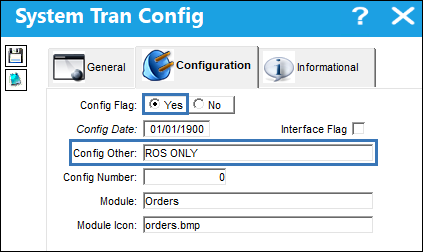
For example, a new Repair Order is created for a ROS capable Vendor.
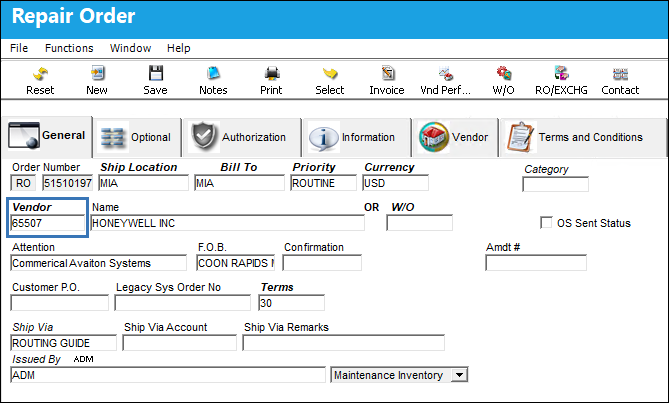
A line item is added to the R/O.
When a user tries to add a new line item, the following warning message pops up and prohibits new line items from being added.
If the Config Other field of the switch does not read 'ROS ONLY', users will be allowed to add multiple line items to a R/O.
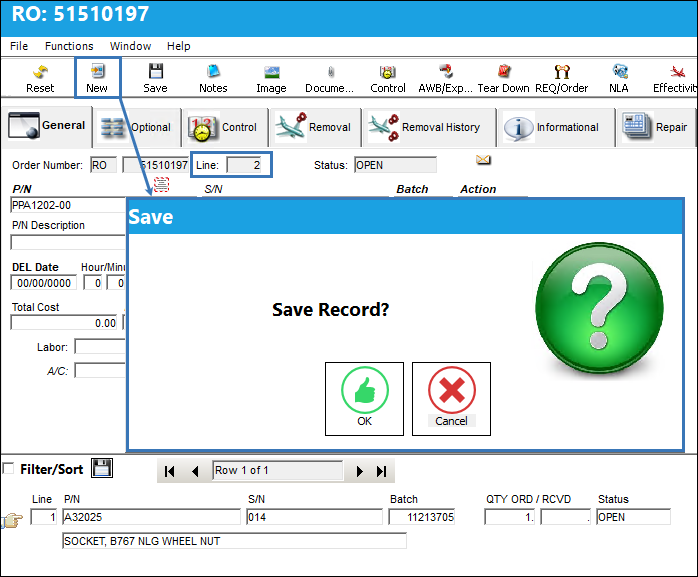
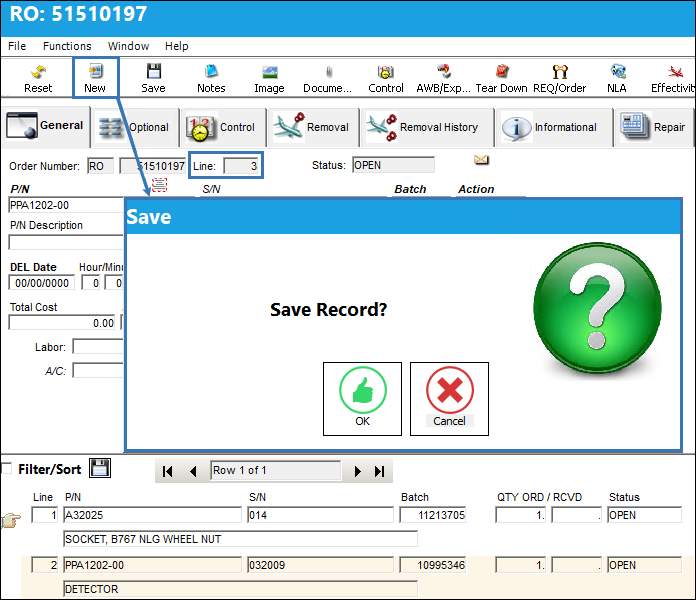
When the New  button is selected from the R/O detail window, users are allowed to save multiple line items.
When the switch is set to Yes and the Config Other field reads 'ROS ONLY', if the ROS Vendor does not have the ROS_ORDER checkbox selected in the Vendor Master, ROS tab, multiple line items can be added to the R/O.
From the Vendor Master, ROS tab, notice that the ROS_ORDER checkbox is not selected for the ROS Vendor.
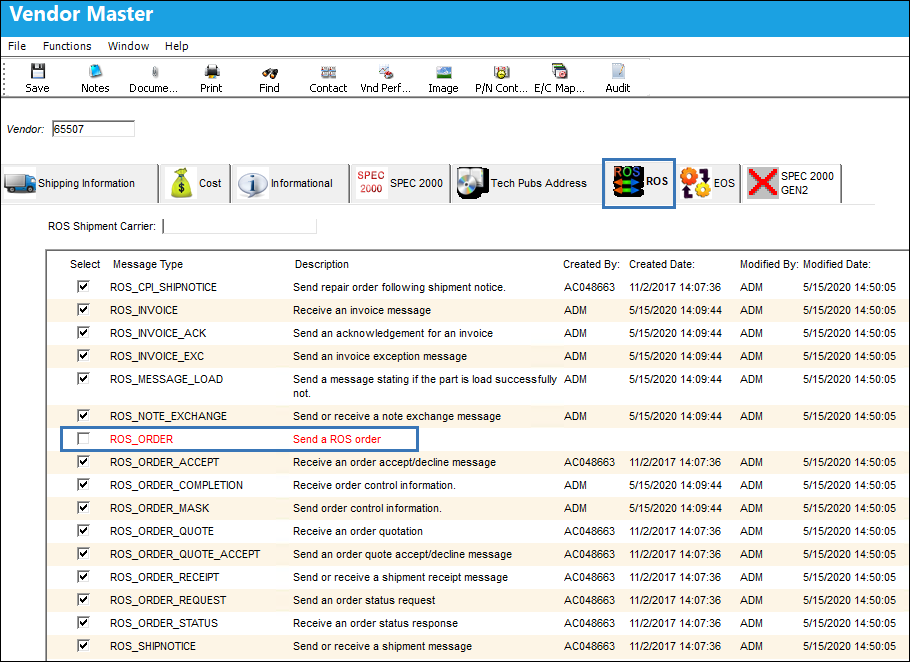
Because the ROS_ORDER checkbox is not selected above, users are allowed to add multiple line items to a ROS Vendor's Repair Order.
Switch Set to No:
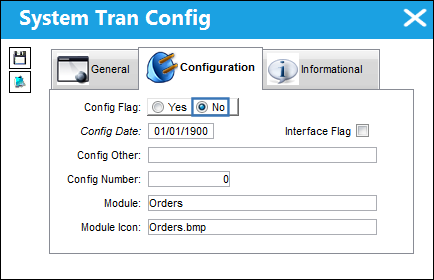
When set to No, multiple line items can be added to Repair Orders for ROS Vendors and Exchange Orders for EOS Vendors.
For example, a new Repair Order is created for a ROS capable Vendor.
When the New button is selected from the R/O detail window, users are allowed to save multiple line items.
Share
Print
|
©1997-2026 Trax USA Corp. All rights reserved. This manual may not be copied, photocopied, reproduced, translated, or converted to any electronic or machine-readable form, in whole or in part, without prior written approval from Trax USA Corp. |
 |