
 Share
Share
 Print
Print
|
|
|
|
|


PNBIRTHDAY - Activate Birth Date for P/N Calendar Days Calculation

Activate Birth Date for P/N Calendar Days Calculation
Affected Window: w_pn_inventory_ri_eu
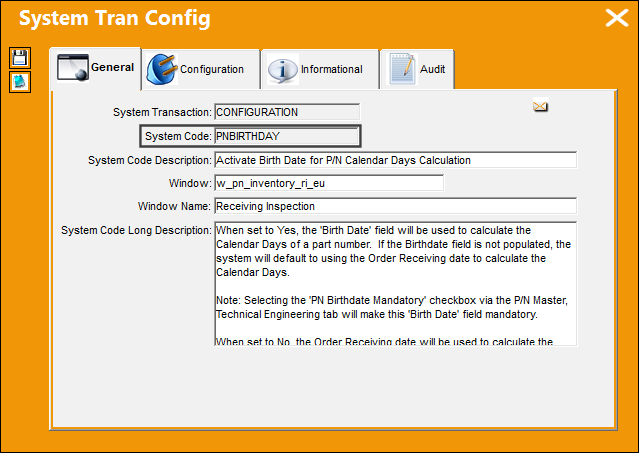
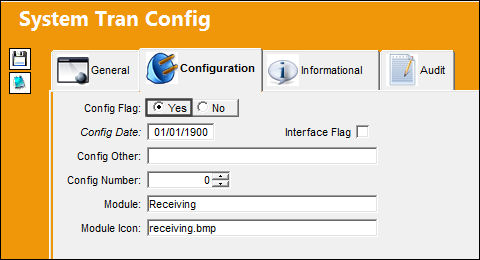
 Configuration Switch
  PNBIRTHDAY
Switch Set to Yes:
When set to Yes, the 'Birth Date' field will be used to calculate the Calendar Days of a part number. If the Birthdate field is not populated, the system will default to using the Order Receiving date to calculate the Calendar Days.
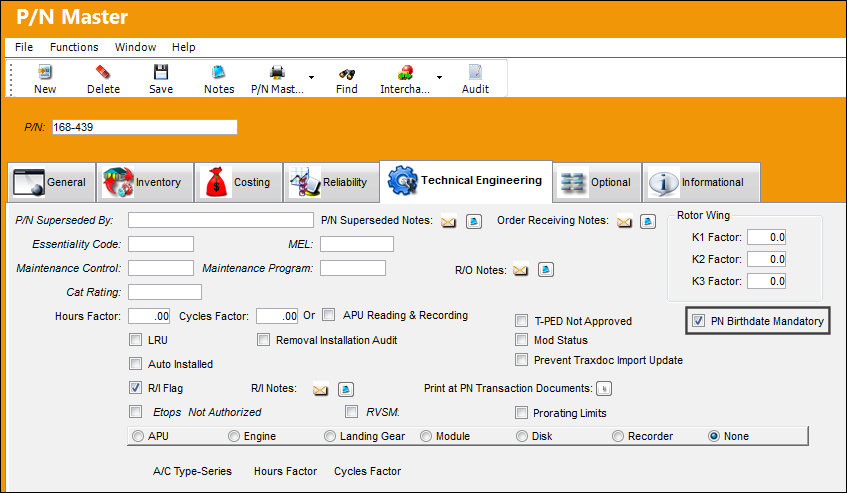
Selecting the 'PN Birthdate Mandatory' checkbox via the P/N Master, Technical Engineering tab will make this 'Birth Date' field mandatory.
The PN Birthdate Mandatory checkbox is selected via the P/N Master, Technical Engineering tab. This makes the Birthdate field mandatory in all of the windows where this field exists.
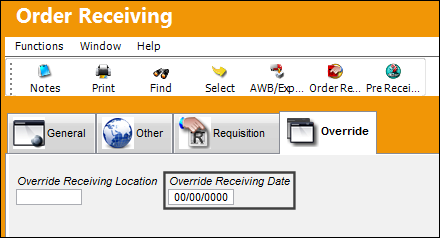
Go to Order Receiving. If the Birth Date of the part is not populated and the Override Receiving Date is populated, the system will use the Override Receiving Date to calculate the Calendar Days of the part number. If the Birth Date is populated and the Override Receiving Date is also populated, the Birth Date will override the Override Receiving Date.
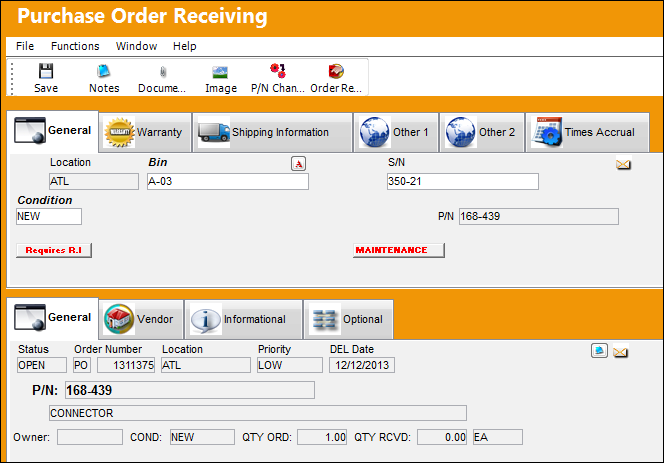
Complete a Purchase Order Receiving transaction.
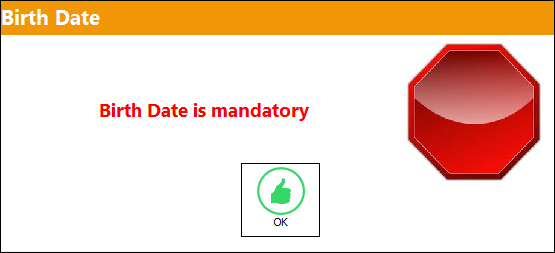
Upon saving the transaction, the following pop up appears. Select 'OK.'
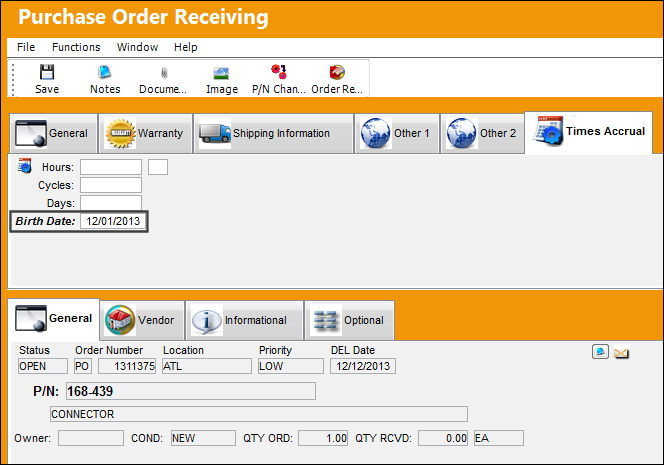
The user is taken to the Purchase Order Receiving, Times Accrual tab. Populate the Birth Date of the part number and save.
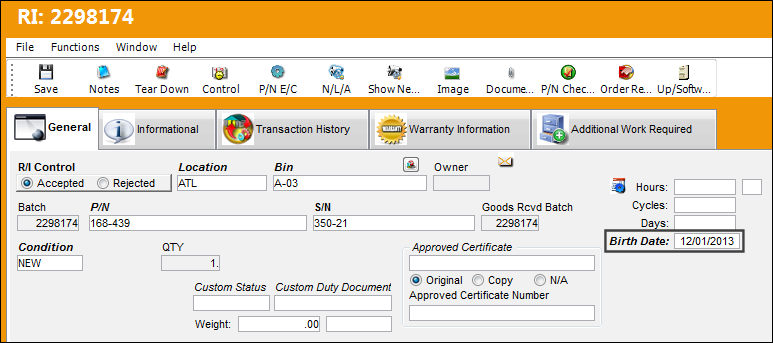
Complete the Receiving Inspection of the part number. Notice that the Birth Date field appears and is auto populated with the date specified in Purchase Order Receiving.
 Note: When a P/N E/C is planned using the Calendar Days option and Total Days (via the Engineering Control, Schedule Tab), the applicable part's Birth Date is used to track the P/N E/C's due date.
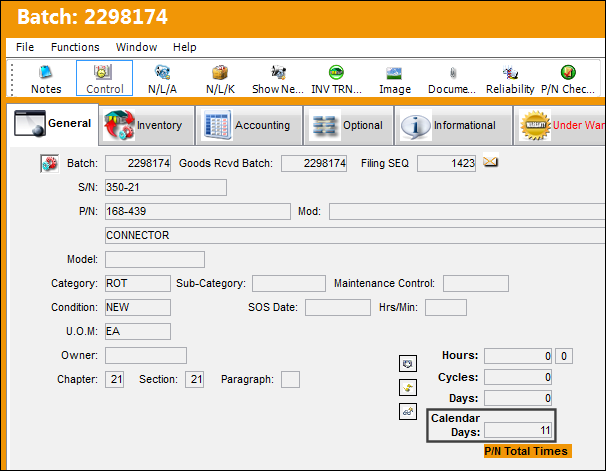
Go to Inventory Transaction Detail, General tab. The Calendar Days have been updated to 11 days. Today's date is 12/12/2013 and the Birth Date of the part is 12/01/2013. This makes the Calendar Days 11.
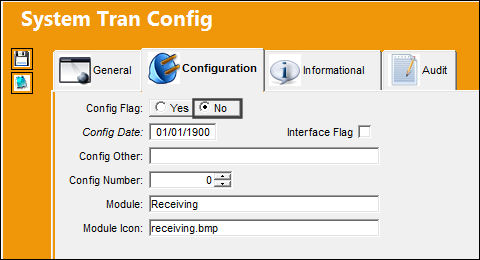
Switch Set to No:
When set to No, the P/N Birthdate functionality will be disabled and the system will utilize the Order Receiving date to calculate the Calendar Days of a part number.
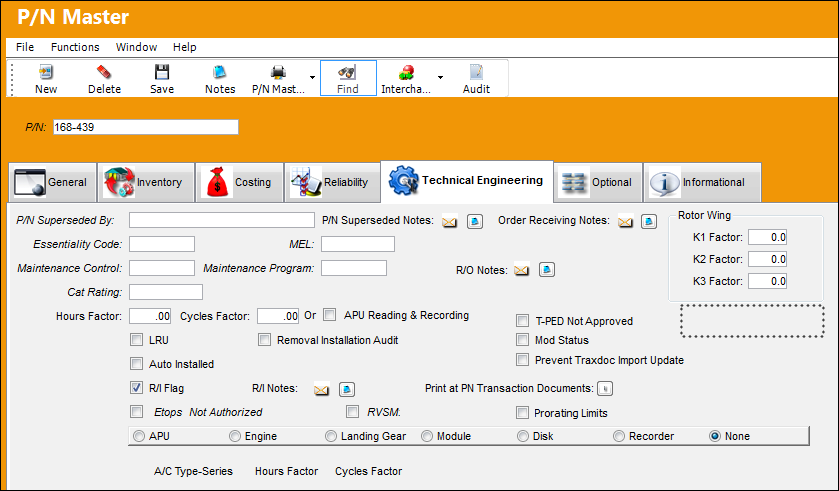
The PN Birthdate Mandatory checkbox is not available in the P/N Master, Technical Engineering tab.
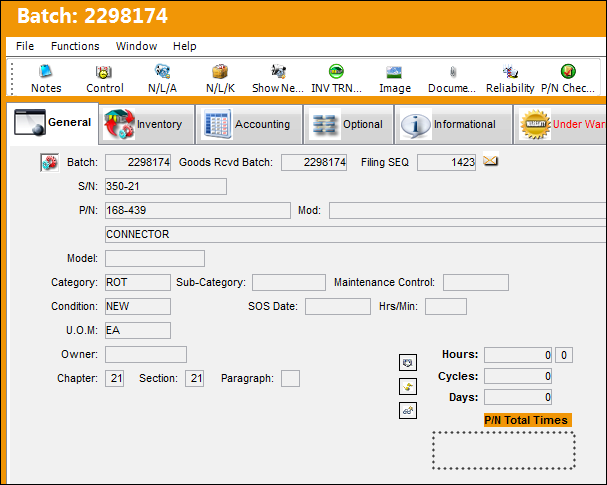
The Calendar Days field does not appear in the Inventory Transaction Detail, General tab.
Share
Print
|
©1997-2026 Trax USA Corp. All rights reserved. This manual may not be copied, photocopied, reproduced, translated, or converted to any electronic or machine-readable form, in whole or in part, without prior written approval from Trax USA Corp. |
 |