
 Share
Share
 Print
Print
|
|
|
|
|


Missing Parts Queue

The Missing Parts Queue window provides the user the option to Query for Missing parts by Location, P/N, S/N, Batch, and/or Bin. From this window, the missing part can be scrapped or deemed Lost or Found, removing the Missing flag on the P/N in Inventory Transaction.
The P/N Missing  button is utilized to flag a part as missing, or not physically in the appropriate location/bin, in Inventory Transaction and as a part of its Transaction History. Upon being flagged as Missing, the P/N can be found in the Missing Parts Queue window. From there, the part can be Scrapped or deemed Lost or Found.
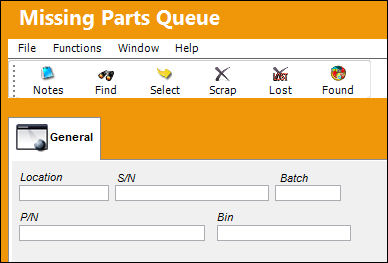
 This window is security controlled via Inventory/Update/Missing Parts Queue. For more information refer to the Security Explorer via the System Administration Training Manual.
Query:
Enter/update the following information and select the Find  button:
_____________________________________________________________________________________
Location
The Location for maintenance events, inventory stores, orders, transactions, or training events.
P/N
The Part Number reference for the aircraft part.
S/N
The Serial Number for the specific serialized part.
Batch
The inventory number that is currently associated with a part or group of parts. A part's Batch number can change after various types of transactions take place.
Bin
The specific storage bin within the inventory location.
_____________________________________________________________________________________
Confirm that the Hand  pointer is pointing to the record to be selected.
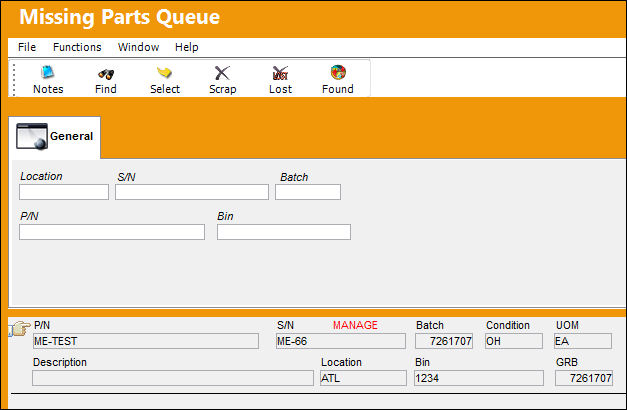
Additional information can be included through the Notes  button.
To Scrap the P/N, removing it from Inventory Transaction, select the Scrap  button. For more information, refer to
  Scrap Subprocess.
To deem the P/N as Lost, removing it from Inventory Transaction and adding the action to the part's Transaction History, select the Lost  button.
To deem the P/N as Found, removing the Missing flag from Inventory Transaction and restoring the part's quantities, select the Found  button.
Share
Print
|
©1997-2026 Trax USA Corp. All rights reserved. This manual may not be copied, photocopied, reproduced, translated, or converted to any electronic or machine-readable form, in whole or in part, without prior written approval from Trax USA Corp. |
 |