Publication Date: 8/17/2026 Share Print

Previous Topic

Next Topic

Book Contents

Book Index

AUTOTSKPRIORITY - Enable Auto Task Priority Functionality

but_11.5 big switch

Enable Auto Task Priority Functionality
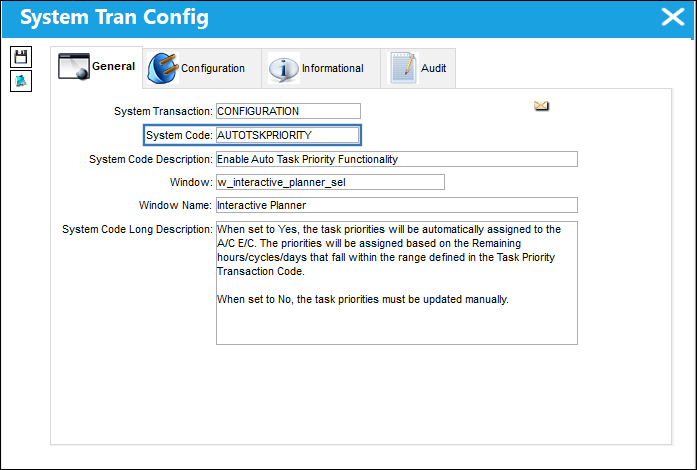
Switch Set to Yes

When set to Yes, the task priorities will be automatically assigned to the A/C E/C. The priorities will be assigned based on the Remaining hours/cycles/days that fall within the range defined in the Task Priority Transaction Code.
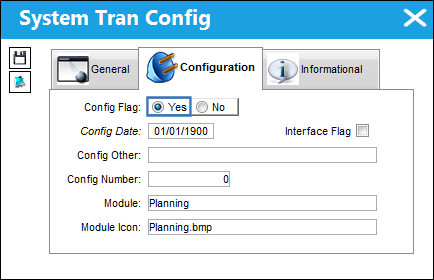
12_Planning_Yes

Select the Auto Priority Setup button. The Auto Task Priority Set Up window is displayed. From this window, customized days can be set-up for each Priority for each A/C Type-Series. These Priorities are created via the Task Priority Transaction Code, via the Production Transaction Codes.
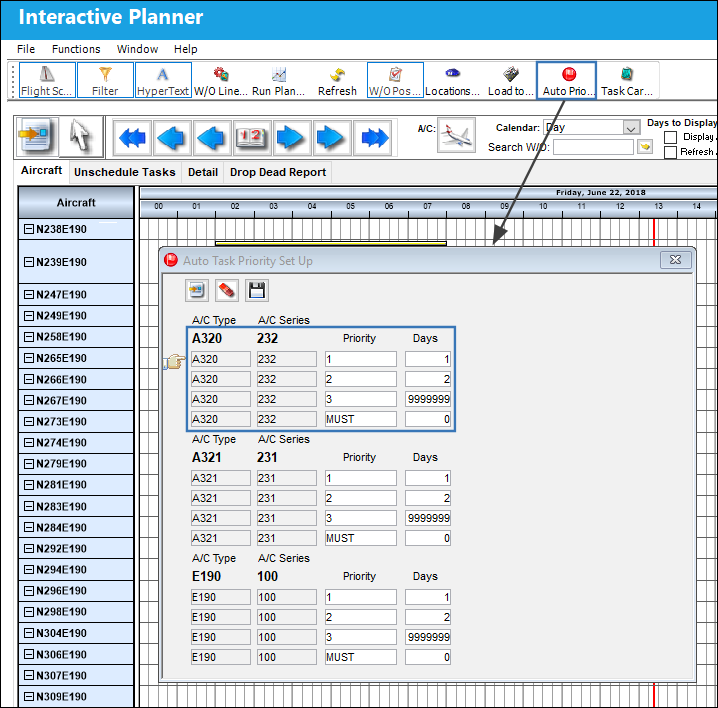
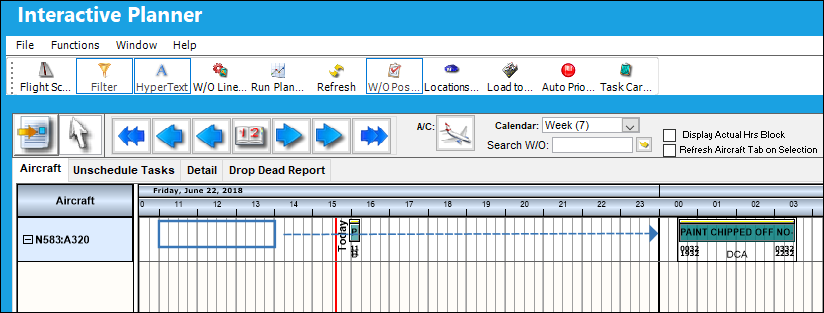
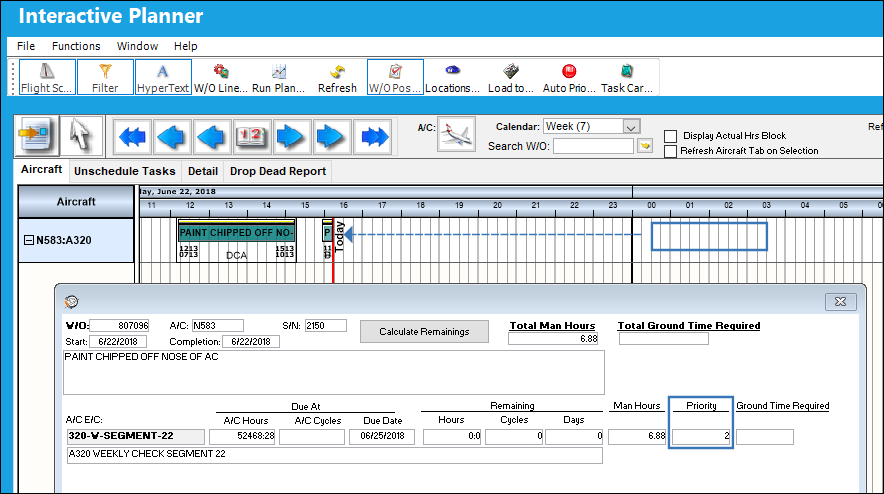
The Work Order in this example has an E/C that is due 06/25/2018. The current date is 06/22/18. The E/C will be due in 3 days, therefore Priority 3 is auto assigned to the E/C.

Note: The Calculate Remainings button can be selected to update the information in this window.
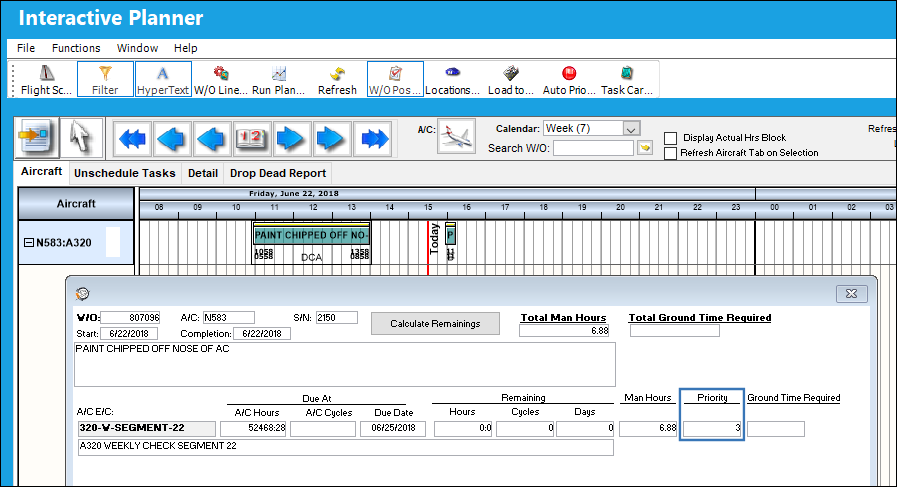
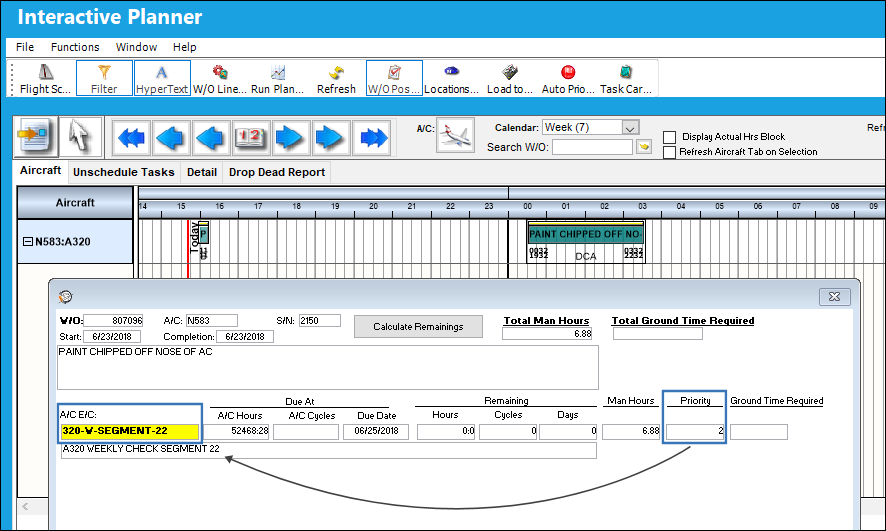
The Work Order is moved to the following day, which is 2 days from the Due Date of the attached E/C.
The Priority is automatically updated to 2. Notice the color of the E/C has been updated as well.
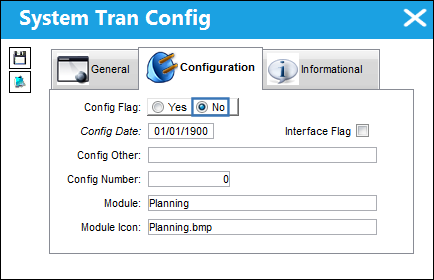
Switch Set to No

When set to No, the task priorities must be updated manually.
12_Planning_No

The following Work Order is scheduled for 06/23/18. The E/C for this Work Order is due in 2 days, therefore Priority 2 is auto assigned to the E/C.
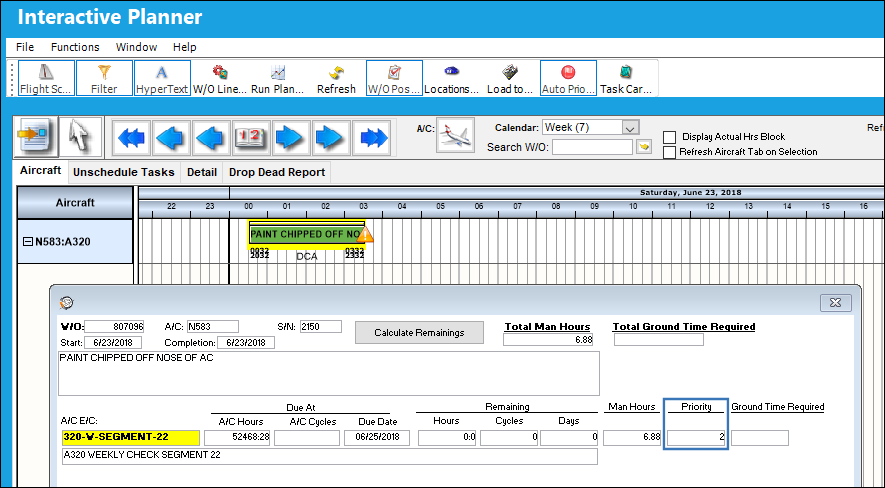
The Work Order is moved to the previous day, which is 3 days from the Due Date of the attached E/C. Notice that the Priority of the Work Order E/C has not been updated to Priority 3.
See Also

Planning Switches

ACPLANQ - A/C Planning Query Fast Mode

ACROLAVG - Use A/C Rolling Average for Mean Hours and Cycles

ALWMULTTSK - Prevent Element from being Added to a Work Order

APUMEAN - Mean APU Calculation

AUTOWONHADESC - Enables Auto W/Os generated via Planning to automatically include NHA P/N, S/N and Position Info

AUTOMANHOURSCHEDULE - Allow AUTO_MANHOUR_SCHEDULE_JOB to Appear in Trax Database Jobs

CHILDECNOSH - Show Child E/Cs With No Schedule in A/C Planning Query

CPYSCHFROMTRANS - Use Planning Transaction Schedule for TCs on Work Orders with a Line Status

DUEATPRJCT - Project the Due At Hours and Cycles using the mean hours and cycles

EMPATTSEQ - Employee Attendance Sign-On / Sign-Off Next Sequence

INTERACTPLANMANHOURS - Interactive Planner Displays Daily Man Hours per Location/Site

LBRBYHCNT - System Labor by Head Count

LivePlan - Enables the Live Planning Functionality

MANHOURSAUTOCOMP - Auto complete certain fields in Man Hours Schedule Override

MANPLNDLF - Default Man Hour Schedule Planner to Location/Site of the Employee

MELDEFLOC - Deferred Defect Convert Reported/Deferred day to Local Time Zone

OVNDATADAYS - Define Number of Days to Display in Overnight Station Report Tab

OVNTACMS - Overnight Station Default

PASTASCH - Create Past Absence Record

PLANBY - DO NOT CHANGE FROM NO Capacity Planning By: Week = (YES) or Month = (NO)

PLANDEPT - Planning Department and Planning Sub Department fields Mandatory

PLANDUE% - Planning Warning When Percent Due

PLANPNSEQ - Planning P/N Next Sequence Number

PLNAUTO7D - Activate Seven Day Forecast Automatically at Set Interval

PLNHISTML - Determine Planning History Time Limit

PLNJBDFLT - Default Planning Job Checkbox

PLNJOBACNO - Run Planning Jobs by Program Instead of Oracle Scheduler

PLNJOBQUE - Activate Planning Job by Java Queue

PLNTRNNO - Planning Transactions Sequence Number can only be changed by the TRAX Application

PLNWSHDCHLD - Hide Child E/C on Planning Control Workscope by Default

PN_EC_INSTDAYS - Count P/N E/Cs by E/C's Calendar Days or Part's Installed Days

SCHEDULEWORKG - Allow Work Group Selection Filter

SELFSCHLM - Self Assignment Schedule Date Range Limit

SHOPCAPNOT - Do Not Validate Against Shop Capability in the Shop Resource/Tasks Planner

SHPPLNDLF - Default Shops Resource/Tasks Planner to the Location/Site in Employee Master

STREAMLINE - Clean Up Employee Schedules

TOEXITMS - Turn Off Exit Pop Up Message in Planning Query

TOOLWARN - Issues warning if tool expires during W/O scheduled date range

Top of Page Publication Date: 8/17/2026 Share Print