
 Share
Share
 Print
Print
|
|
|
|
|


OVNTACMS - Overnight Station Default
Overnight Station Default
Affected Window: w_ac_planning_qry
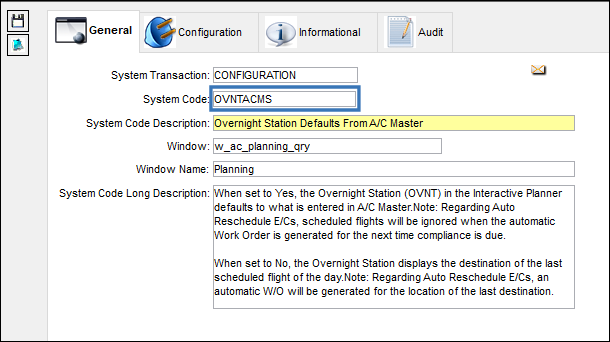
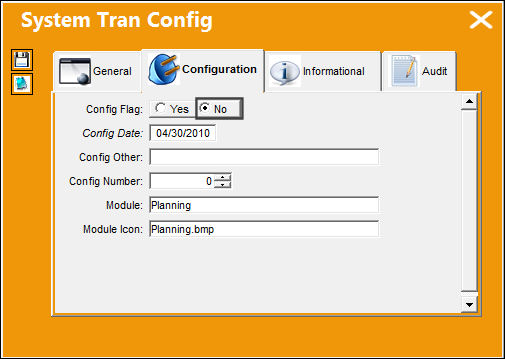
Switch Set to Yes
When set to Yes, the Overnight Station (OVNT) in the Interactive Planner defaults to what is entered in the A/C Master.
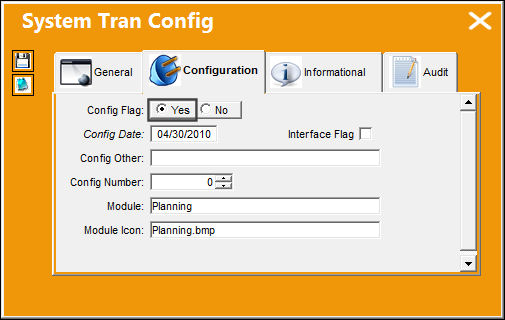
Note: Regarding Auto Reschedule E/Cs, scheduled flights will be ignored when the automatic Work Order is generated once the next compliance is due.
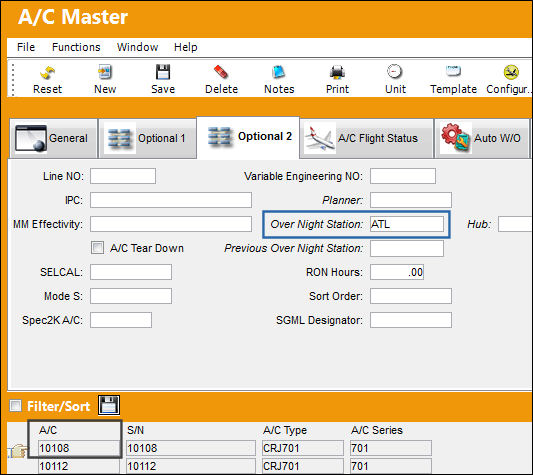
The following A/C Master has been set to have a particular overnight station.
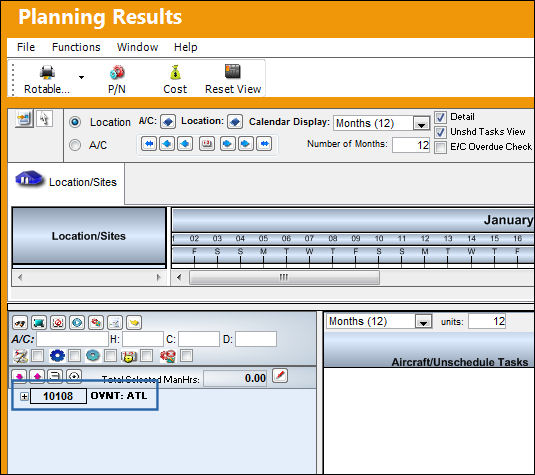
Notice in the Interactive Planner, the OVNT is set to that of the A/C Master.
When set to Yes, the W/O's Site will come from the Over Night Site field entered in the A/C Master, Auto W/O tab.
Switch Set to No:
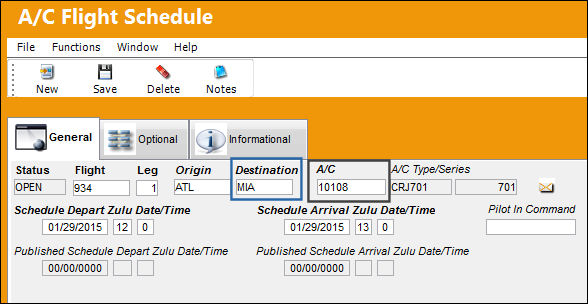
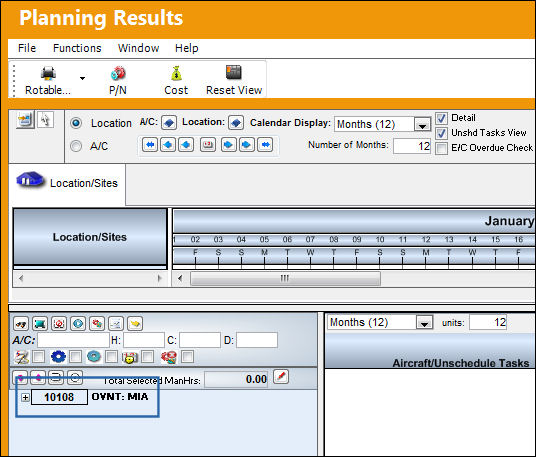
When set to No, the Overnight Station (OVNT) in the Interactive Planner displays the destination of the last scheduled flight of the day from the A/C Flight Schedule.
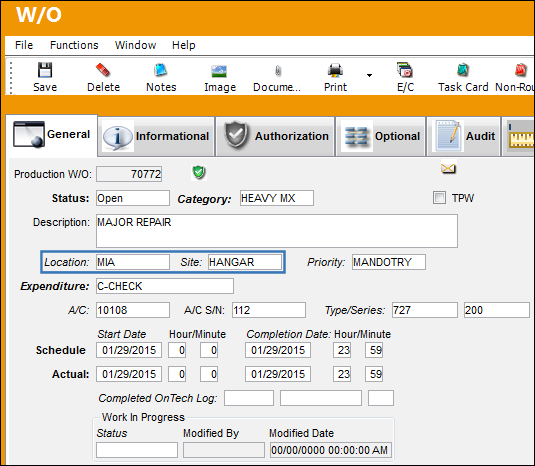
Regarding Auto Reschedule E/Cs, an automatic W/O will be generated for the location of the last destination. For more information on the E/C Auto Reschedule functionality, refer to the Auto Reschedule Functionality via the Engineering Training Manual.
The following A/C Flight Schedule has been set to have a particular destination and is the last scheduled flight of the day.
Notice in the Interactive Planner, the OVNT is set to that of the last destination of the A/C Flight Schedule.
Subsequently, the Work Order was created for the overnight station that was the aircraft's last destination for the day. This is only if there is sufficient time for the work to be completed in between scheduled flights. If there is not enough time, the system will look for a scheduled available down time where compliance can be completed. Refer to the Auto Reschedule Functionality for more information.
Share
Print
|
©1997-2026 Trax USA Corp. All rights reserved. This manual may not be copied, photocopied, reproduced, translated, or converted to any electronic or machine-readable form, in whole or in part, without prior written approval from Trax USA Corp. |
 |