Publication Date: 8/17/2026 Share Print

Previous Topic

Next Topic

Book Contents

Book Index

PASTASCH - Create Past Absence Record

Create Past Absence Record

Affected Window: w_vacation_schedule_eu
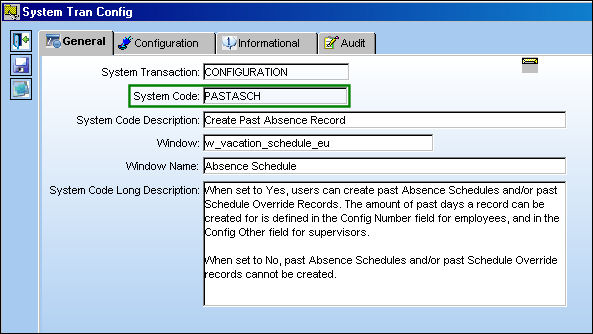
PASTASCH


Set Up:

The Config Other field is set at 3 and the Config Number field is set at 1:
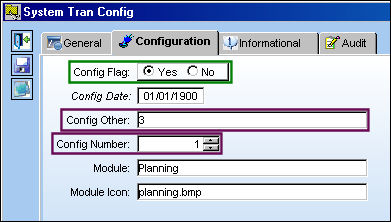
PASTASCH_yes1

The current date:

PASTASCH_yes3


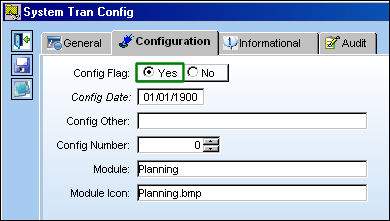
Switch Set to Yes:

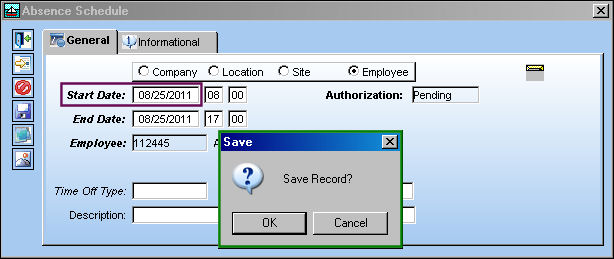
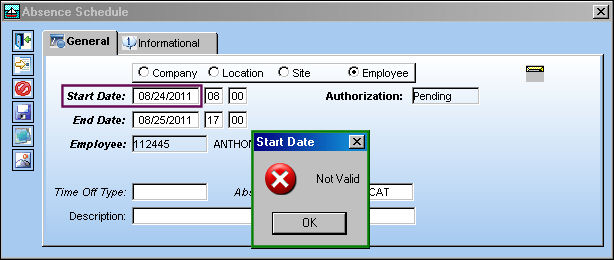
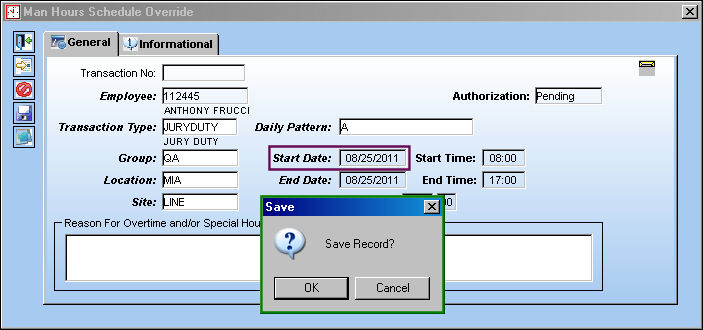
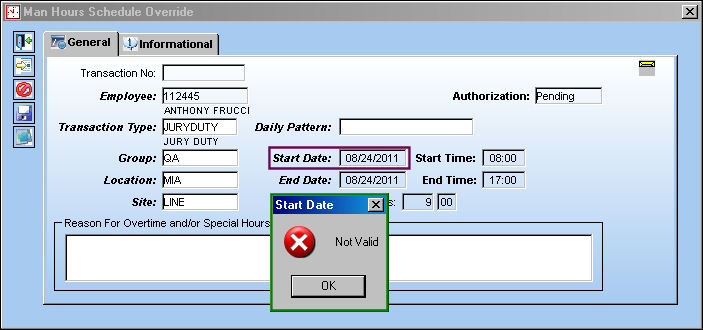
When set to Yes, users can create past Absence Schedules and/or past Schedule Override Records. The amount of past days a record can be created for is defined in the Config Number field for employees, and in the Config Other field for supervisors.
The employee is able to save an absence one day prior to the current date:
PASTASCH_yes2

The employee is unable to create an absence two days prior to the current date:
PASTASCH_yes4

The employee is able to override their schedule one day prior to the current date:
PASTASCH_yes5

The employee is unable to override their absence two days prior to the current date:
PASTASCH_yes6

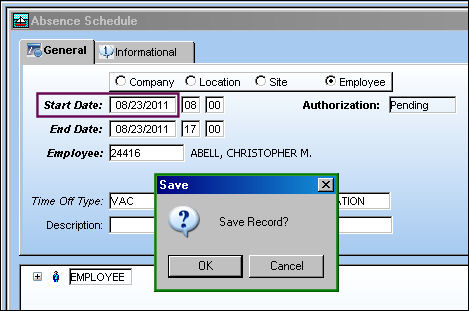
The supervisor is able to create an absence three days prior to the current date:
PASTASCH_yes7

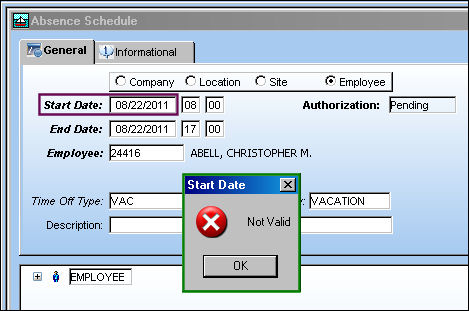
The supervisor is unable to create an absence four days prior to the current date:
PASTASCH_yes8

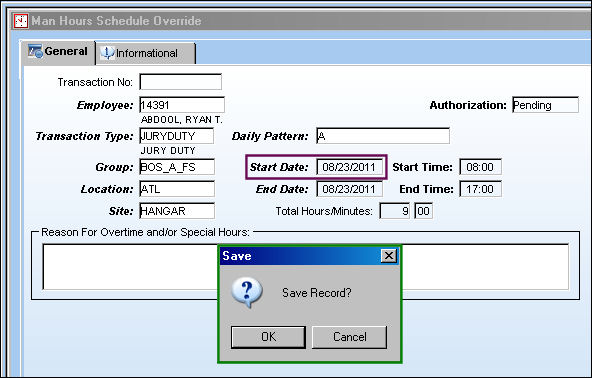
The supervisor is able to override an absence three days prior to the current date:
PASTASCH_yes9

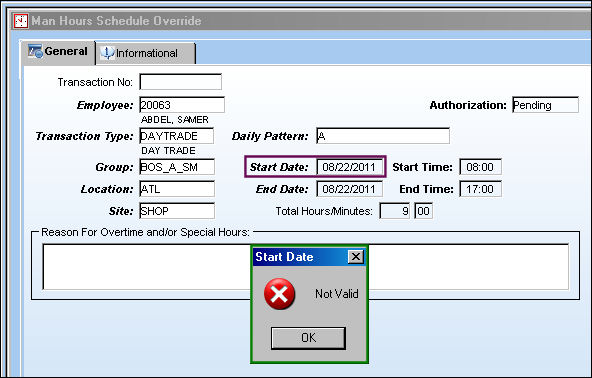
The supervisor is unable to override an absence four days prior to the current date:
PASTASCH_yes10


Switch Set to No:

When set to No, past Absence Schedules and/or past Schedule Override records cannot be created by employees or supervisors.
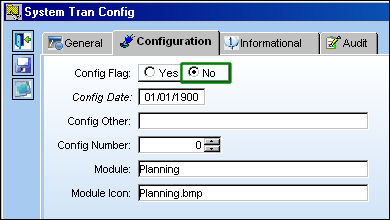
PLAN_switch no

The employee is unable to create an absence one day prior to the current date:

The same applies to the Man Hours Schedule Override.
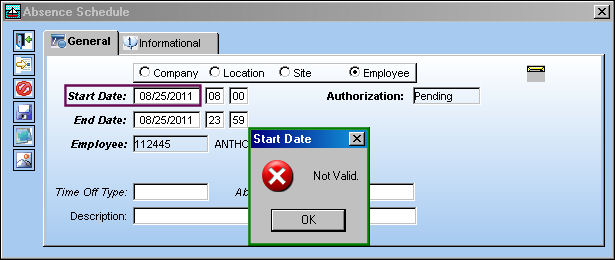
PASTASCH_no1

The supervisor is unable override an absence three days prior to the current date:

The same applies to the Man Hours Schedule Override.
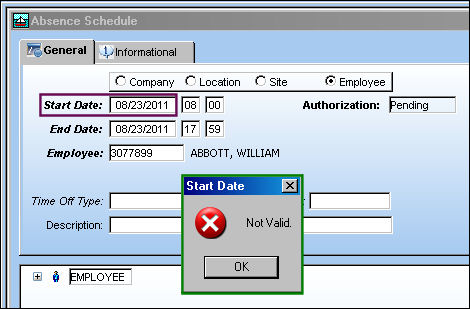
PASTASCH_no2

See Also

Planning Switches

ACPLANQ - A/C Planning Query Fast Mode

ACROLAVG - Use A/C Rolling Average for Mean Hours and Cycles

ALWMULTTSK - Prevent Element from being Added to a Work Order

APUMEAN - Mean APU Calculation

AUTOWONHADESC - Enables Auto W/Os generated via Planning to automatically include NHA P/N, S/N and Position Info

AUTOMANHOURSCHEDULE - Allow AUTO_MANHOUR_SCHEDULE_JOB to Appear in Trax Database Jobs

AUTOTSKPRIORITY - Enable Auto Task Priority Functionality

CHILDECNOSH - Show Child E/Cs With No Schedule in A/C Planning Query

CPYSCHFROMTRANS - Use Planning Transaction Schedule for TCs on Work Orders with a Line Status

DUEATPRJCT - Project the Due At Hours and Cycles using the mean hours and cycles

EMPATTSEQ - Employee Attendance Sign-On / Sign-Off Next Sequence

INTERACTPLANMANHOURS - Interactive Planner Displays Daily Man Hours per Location/Site

LBRBYHCNT - System Labor by Head Count

LivePlan - Enables the Live Planning Functionality

MANHOURSAUTOCOMP - Auto complete certain fields in Man Hours Schedule Override

MANPLNDLF - Default Man Hour Schedule Planner to Location/Site of the Employee

MELDEFLOC - Deferred Defect Convert Reported/Deferred day to Local Time Zone

OVNDATADAYS - Define Number of Days to Display in Overnight Station Report Tab

OVNTACMS - Overnight Station Default

PLANBY - DO NOT CHANGE FROM NO Capacity Planning By: Week = (YES) or Month = (NO)

PLANDEPT - Planning Department and Planning Sub Department fields Mandatory

PLANDUE% - Planning Warning When Percent Due

PLANPNSEQ - Planning P/N Next Sequence Number

PLNAUTO7D - Activate Seven Day Forecast Automatically at Set Interval

PLNHISTML - Determine Planning History Time Limit

PLNJBDFLT - Default Planning Job Checkbox

PLNJOBACNO - Run Planning Jobs by Program Instead of Oracle Scheduler

PLNJOBQUE - Activate Planning Job by Java Queue

PLNTRNNO - Planning Transactions Sequence Number can only be changed by the TRAX Application

PLNWSHDCHLD - Hide Child E/C on Planning Control Workscope by Default

PN_EC_INSTDAYS - Count P/N E/Cs by E/C's Calendar Days or Part's Installed Days

SCHEDULEWORKG - Allow Work Group Selection Filter

SELFSCHLM - Self Assignment Schedule Date Range Limit

SHOPCAPNOT - Do Not Validate Against Shop Capability in the Shop Resource/Tasks Planner

SHPPLNDLF - Default Shops Resource/Tasks Planner to the Location/Site in Employee Master

STREAMLINE - Clean Up Employee Schedules

TOEXITMS - Turn Off Exit Pop Up Message in Planning Query

TOOLWARN - Issues warning if tool expires during W/O scheduled date range

Top of Page Publication Date: 8/17/2026 Share Print