
 Share
Share
 Print
Print
|
|
|
|
|


SAVEASEC - Save As Prompt Box for Old E/C Effectivity
Save As Prompt Box for Old E/C Effectivity
Affected Window: w_mass_authorization_eu
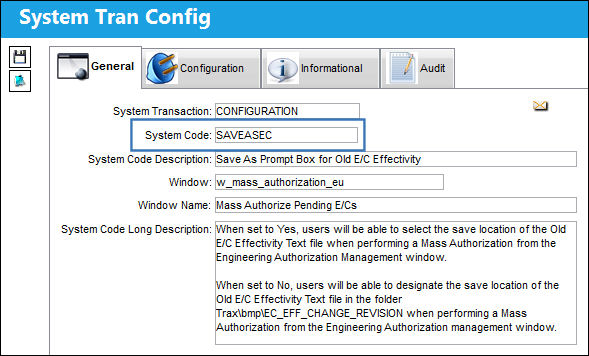
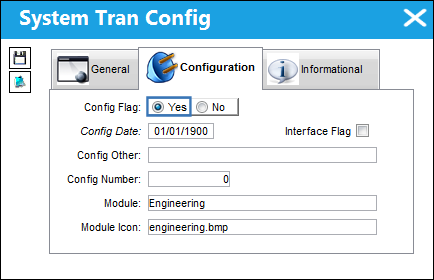
Switch Set to Yes:
When set to Yes, users will be able to select the save location of the Old E/C Effectivity Text file when performing a Mass Authorization from the Engineering Authorization Management window.
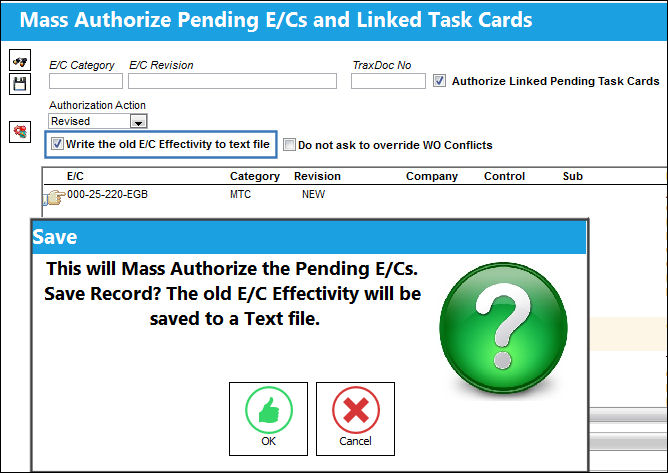
The following displays a Mass Authorization from the Engineering Authorization Management window. After selecting the ‘Write the old E/C Effectivity to text file’ checkbox and selecting the Save button, notice the save prompt indicating that the old E/C Effectivity will be saved to a Text file.
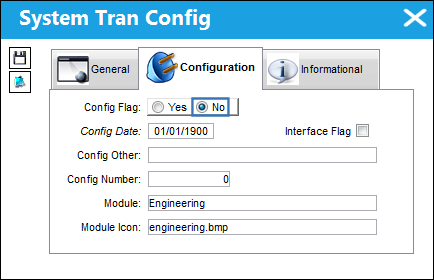
Switch Set to No:
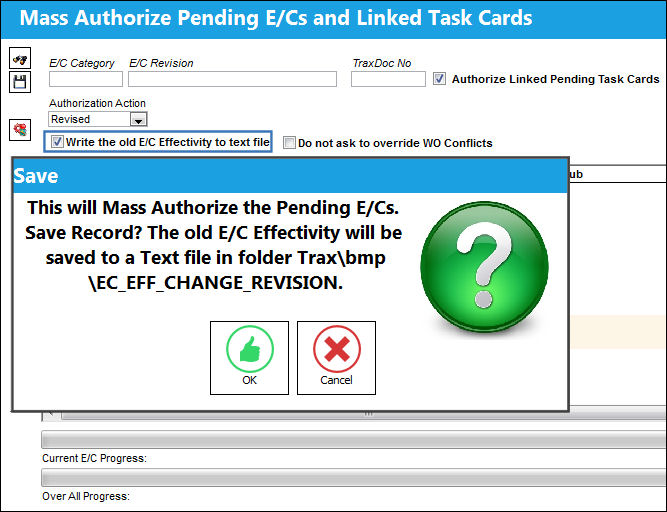
When set to No, users will be able to designate the save location of the Old E/C Effectivity Text file in the folder Trax\bmp\EC_EFF_CHANGE_REVISION when performing a Mass Authorization from the Engineering Authorization management window.
The following displays a Mass Authorization from the Engineering Authorization Management window. After selecting the ‘Write the old E/C Effectivity to text file’ checkbox and selecting the Save button, notice the save prompt indicating that the old E/C Effectivity will be saved to a Text file in the folder Trax\bmp\EC_EFF_CHANGE_REVISION.
Share
Print
|
©1997-2026 Trax USA Corp. All rights reserved. This manual may not be copied, photocopied, reproduced, translated, or converted to any electronic or machine-readable form, in whole or in part, without prior written approval from Trax USA Corp. |
 |