Publication Date: 8/17/2026 Share Print

Previous Topic

Next Topic

Book Contents

Book Index

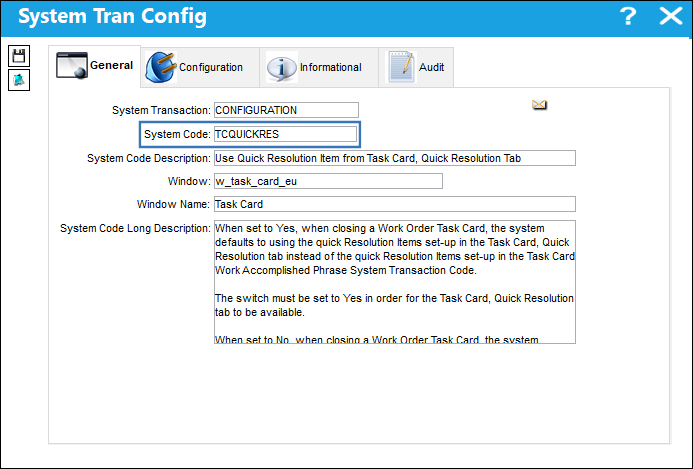
TCQUICKRES - Task Card Quick Resolution Available

Use Quick Resolution Items from Task Card, Quick Resolution Tab

Available Window: w_task_card_eu
Note: The configuration of switch TCWORKACC will affect the functionality of switch TCQUICKRES.


Switch Set to Yes:

When set to Yes, when closing a Work Order Task Card, the system defaults to using the quick Resolution Items set-up in the Task Card, Quick Resolution tab instead of the quick Resolution Items set-up in the Task Card Work Accomplished Phrase System Transaction Code.

The switch must be set to Yes in order for the Task Card, Quick Resolution tab to be available.
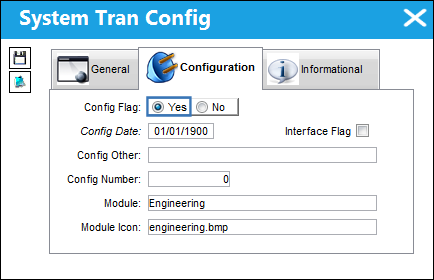
12_Engineering_Yes

For example, multiple resolutions have been added to a Task Card via the Task Card, Quick Resolution tab. These resolutions only apply to the specific T/C they were created for.
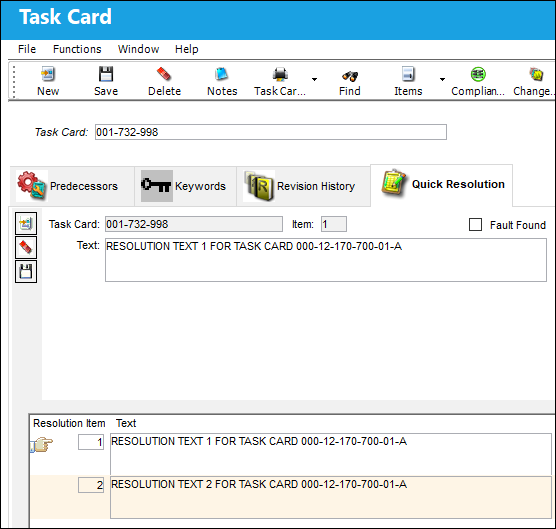
Note: This tab is not available when the switch is set to No. For more information refer to the Task Card, Quick Resolution Tab via the Engineering - T/C Training Manual.

Via the T/C Work but_tc work (small) button of the W/O window, notice the above T/C is associated to the W/O. Select into the T/C to close it.
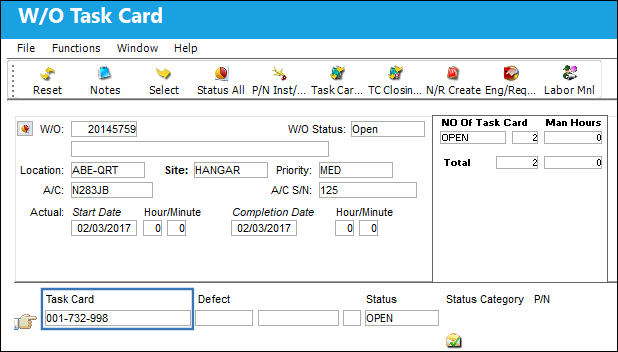
Notice the quick Resolution Items available for the Work Accomplished field contain the text entered against the T/C via the Task Card, Quick Resolution tab (above). Enter all pertinent information then save. This closes the T/C.
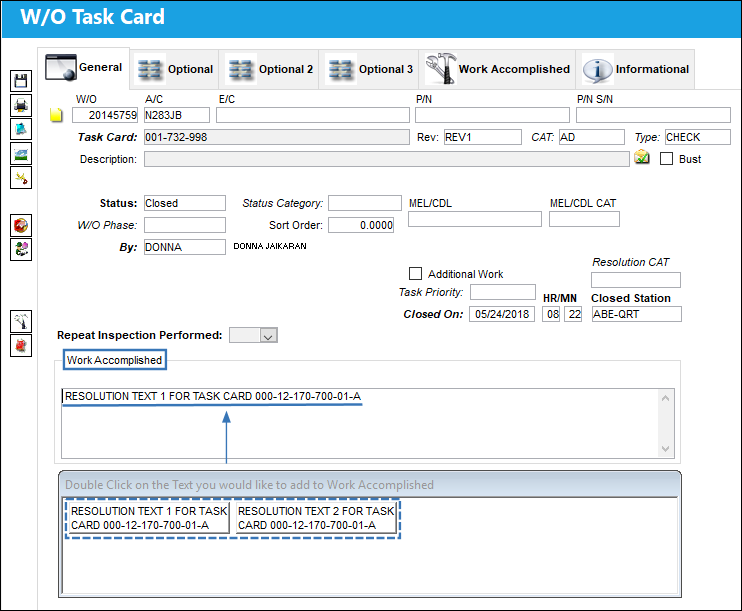
From the W/O Task Card, Work Accomplished tab, notice the Work Accomplished has been saved.
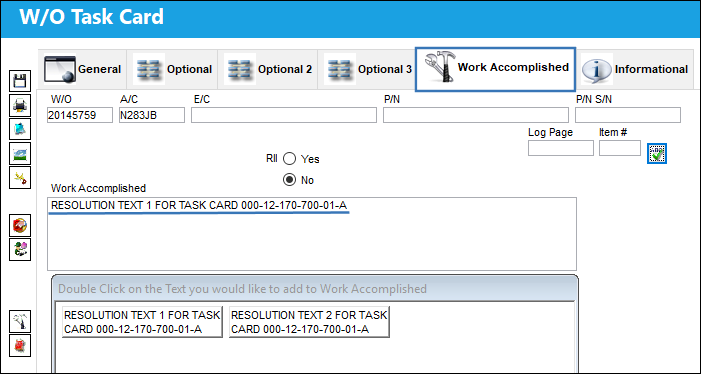
These quick Resolution Items are also available from the W/O Task Card Assignment Workshop window.


Switch Set to No:

When set to No, when closing a Work Order Task Card, the system defaults to using the quick Resolution Items set-up in the Task Card Work Accomplished Phrase System Transaction Code instead of the quick Resolution Items set-up in the Task Card, Quick Resolution tab.
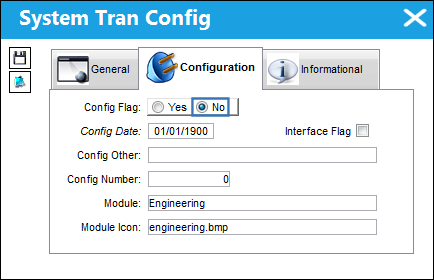
12_Engineering_No

For example, multiple resolutions have been added for Task Cards via the Task Card Work Accomplished Phrase Transaction Code. These resolutions apply to all Task Cards.
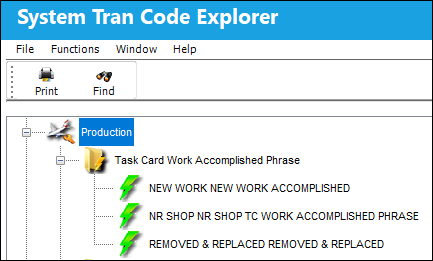
Note: For more information refer to the Task Card Work Accomplished Phrase via the Production Transaction Code Manual.

Via the T/C Work but_tc work (small) button of the W/O window, notice the W/O Task Card. Select into the T/C to close it.
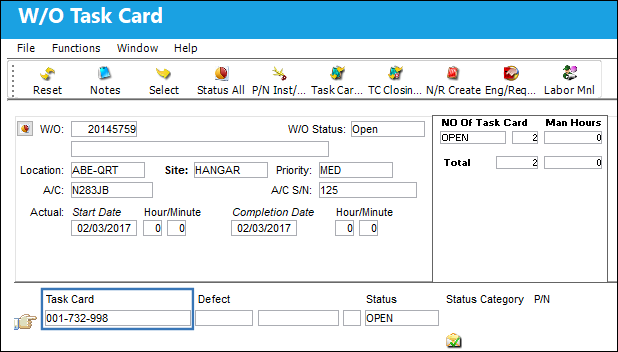
Notice the quick Resolution Items available for the Work Accomplished field contain the text entered in the Transaction Code (above). Enter all pertinent information then save. This closes the T/C.
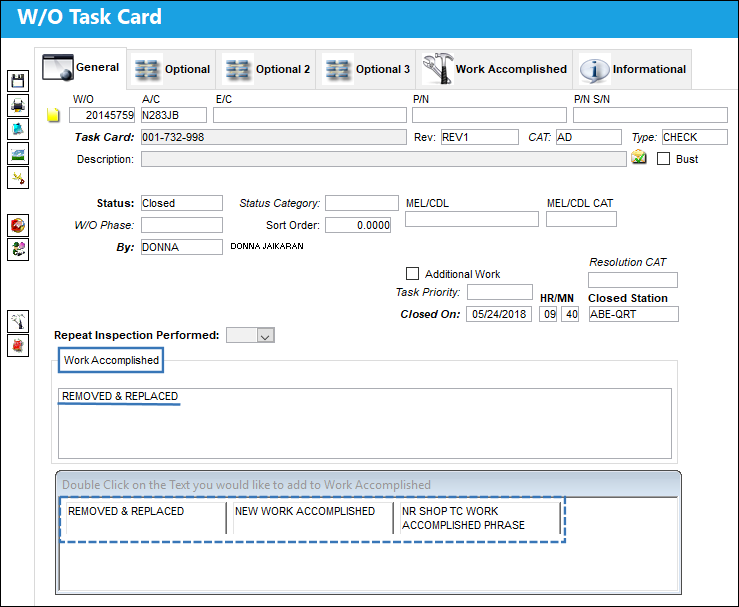
From the W/O Task Card, Work Accomplished tab, notice the Work Accomplished has been saved.
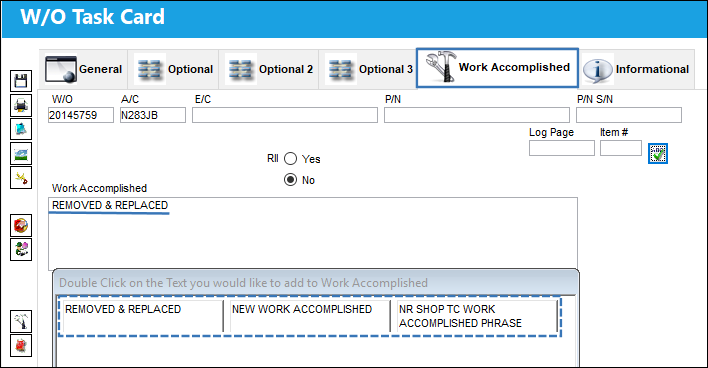
These quick Resolution Items are also available from the W/O Task Card Assignment Workshop window.

See Also

Engineering Switches

ADCOMPOPT - Display AD Component Text and AD Not Effective Checkboxes

ADDCONT - Add E/C Content Automatically

ADDSTENGRANGE - Status And Reason Field Added To The Engineering Control Window

ADEFFATCLDI - Avoid Removal of TC Effectivity When an Item is Deleted

AOVERRWOECTC - Auto Override Revised EC/TC In Open Work Orders That Have Not Yet Been Printed

ATACHPSCTMANDATORY - Task Card Mandatory ATA Chapter and Section

AUTOECPNACTUAL - Automatically Update Actual Hours/Cycles on P/N S/Ns Effective to P/N E/C

AVOIDRATCHOLD - Cannot Release Task Cards in Hold Status For Authorization

CHKPNMOD - Warning when NLA Modify To is not Part of the NHA

CHOMITEC - Characters to Omit in E/C

CHOMITTC - Characters to Omit in T/C

DCACEFFT - Enable A/C Effectivity at Document Control Level

DEFCUS - Default Customer Value For Task Card References

DONTPRINTTEXT - Do not print T/C Item text when the T/C has a TraxDoc Reference

ECATACHAPSECTMANDAT - Make Chapter and Section fields Mandatory

ECAUTH - E/C Authorization

ECAUTHPROT - Unauthorized Engineering Control fields Protected

ECAUTO - E/C Auto Creation

ECBLANKCLASSIF - E/C Classification field blank by default when creating a new E/C

ECCONTSORT - E/C Content Sort Order

ECEFFCONTROLPNAC - E/C Cannot Have Both P/N and A/C Effectivity

ECEFFTEXT - E/C Effectivity (APPLICABILITY) Code

ECEXPEMD - Make Expenditure field in E/C Mandatory

ECINTREV - Enter Revision and Revision Description on E/C Creation

ECMNLDUP - Disable E/C Affected Manual Duplicate Checks

ECNEWUPDATE - Update E/C To Be Activated

ECRENAME - E/C Rename

ECRESTRICTVENDOR - Restrict E/Cs to Specific Repair Order Vendors

ECSMPER - E/C Authorization Allowed By Creator

ECSUBCATEGORY - Make E/C Sub Category field Mandatory

ECTCLINK - Security Control to the New, Save, Delete, and Multi Task Card Select Buttons to Modify EC/TC Links

ECVIAREV - E/C Update Only Via Revision

EFFLOADATREC - Control Effectivity Application According To Load At Receiving Status

ENFORCERANGETYPE - Enforce Range Rules

ENGDFALL - Engineering Selection Window, Status Default to All

FOLLOWGRB - Track E/C Through GRB (Goods Received Batch)

IGNLOWLEVSTA - Ignore Lower Level Checkbox

LDPNWOPOS - A/C Readiness will Load P/Ns Without A/C Positions

LOCSITEALLOWED - Display Task Card, Allowed Locations Tab

LOCSITEHIDE - Hide Site field in the Allowed Locations and Location/Site Ban Tabs

MAJORREPAIRMAN - Make the Major Repair Mandatory in Engineering, Production, Shop, and Technical Records

MANLLOR - Disable Lower Level and Override checkboxes if E/C is Mandatory

MLTSKTC - Auto Populate Skill According to Previously Selected Skills

MPDLNROE - Override Effectivity in MPD Loader

NOSELECTEFECTIVITY - Cannot Select to Override Effectivity for P/N and A/C Engineering Controls

ONWINGTASK - Do Not Allow User To Edit Reset Date For Onwing P/N E/Cs

PENDAUTH - WO EC & TC Revision Override

PREIFECCOMPL - Prevent User From Removing Effectivity When EC Has Compliance History

RANGEHELPER - Display the Individual A/C Selection Button

REQDLSKL - Dual (Mechanic and Inspector) Skills for Task Card Items

REVAUTH - Task Card Authorization Revision

RINCONTROL - RIN Control

RMVRVBAR - Remove Revision Bar

RPTSCHDMAND - Make the E/C Repeat Schedule Mandatory

SAVEASEC - Save As Prompt Box for Old E/C Effectivity

SCHCTRLCHECK - Check the Child E/C Revisions

SSCONT- Stylesheet Content Sequence Number

STLARATE - Standard Labor Rate

SUPERECCANCEL - Auto Cancel E/Cs That Have Been Superseded By A Date

TASKCARD - Task Card Footer

TC/CTL - Task Card Control Master Edit

TCAREAMD - Make Area field in Task Card and Work Order Task Card Mandatory

TCAREAMDNR - Make Area field in W/O Non Routine Task Card Mandatory

TCASDEF - Task Card Instead of E/C as the Default E/C Type

TCAUTHPROT - Unauthorized Task Card fields Protected

TCCTLSHT - Task Card Control Sheet Footer

TCDCHDR - Task Card Doc Control Attachment Printing

TCDISCAUTH - Enable Authorization Process for Task Card Discrepancy

TCDUPINS - Duplicate Inspection Checkbox On Task Card

TCEDITOR - Task Card Item Editor

TCEFFECT - A/C Effectivity At Task Card Level

TCEFFRANGE - Allows Selection of a Range in Task Card Effectivity

TCEXDOC - Task Card Print Exclude Document Control Attachments and Images

TCGEDIT - Task Card GSE Item Editor

TCGRAYINSPEC - Grayed Out "Insp.By" Columns for non RII Subtasks

TCHIDERTF - Task Card Item hide RTF Editor

TCITMEFF - Task Card Item Effectivity

TCITMEFO - Task Card Item Not Effective

TCITREV - Task Card Last Revised By (field) Update at the Item Level

TCLINESSKILLGRAY - Display Straight Lines Between Each Subtask and Show Assigned Skills of Subtasks on the "Perf. By" and "Insp. By" Columns

TCMANSHP - Optional Man Hours on Shop Task Card

TCMSMAN - Make Main Skill Mandatory for Task Card Items

TCNECAUTHPROT - Protect Task Card/ Engineering Control Fields From Being Modified

TCOPTMAN - Make Man Hours and Men Required fields Mandatory

TCPNNOTREV - Allow User to Update Task Card P/N Window

TCPREDRW - Task Card Pre-Draw Print After Each Task Card

TCPREPRT - Store Task Card as PDF/Word

TCREFEX - Task Card Reference Exclusions

TCRVMAIL - Send Task Card Revision Notification to W/O Creator

TCSEDIT - Task Card Shop Item Editor

TCSKILLHEADER - Task Card Skill Header 10 Boxes

TCSMPER - Task Card Allow Authorization By Same Person Who Issued It

TCSTRHDR - Task Card Image Attachment Printing On A Structure Header

TCTMAND - Task Card Type Mandatory

TCVIAREV- Task Card Update Only Via Revision

TCWEIBAL - Show the Weight and Balance Button

TCXMLENCODING - Use UTF-8 Encoding for Task Card XML

UPDATESWCOMPLEC - Disable Auto Upload of P/N Software Configuration at E/C Compliance

WARNECOVER - Engineering Authorization Information Box

Top of Page Publication Date: 8/17/2026 Share Print