Publication Date: 8/17/2026 Share Print

Previous Topic

Next Topic

Book Contents

Book Index

TCDCHDR - Task Card Doc Control Attachment Printing

Task Card Doc Control Attachment Printing

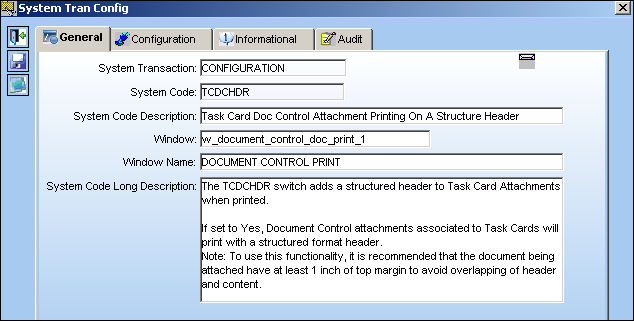
Affected Window: w_document_control_doc_print_1
.5


Switch Set to Yes:

If set to Yes, Document Control attachments associated to Task Cards will print with a structured format header. This Switch adds a structured header to Task Card Attachments when printed.
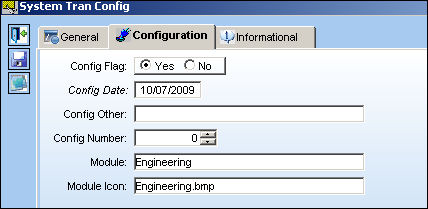
switch_cleanup1

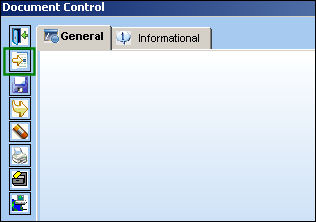
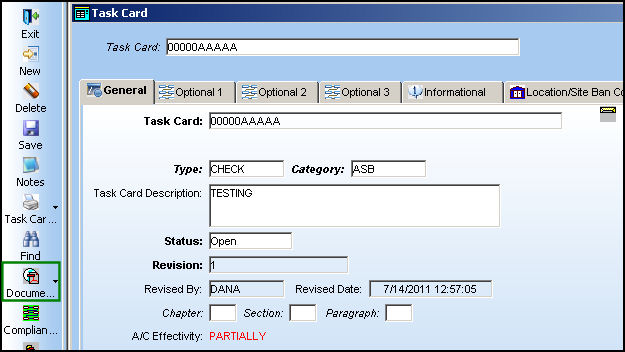
Go to Engineering/Update/Task Card. Select/Create a Task Card. Select the Document Control but_document_ctl_sm button to add/select a document.

Note: To use this functionality, it is recommended that the document being attached have at least 1 inch of top margin to avoid overlapping of header and content.
switch_cleanup1

Select the New but_new_small button to add a document.

switch_cleanup1

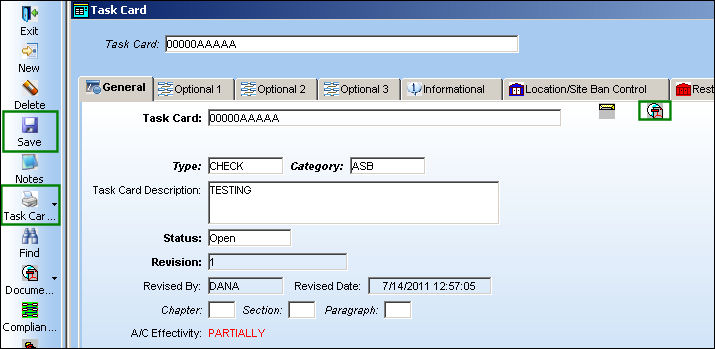
Once the PDF document has been uploaded, select the Save but_save_small button.

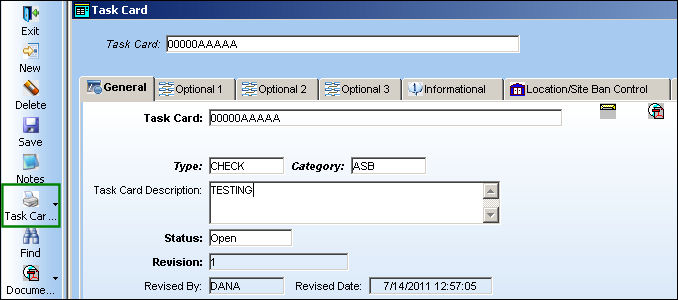
The Document but_document_ctl_sm icon is now displayed on the top right corner. Select the Save but_save_small button on the main screen. Select the Print but_print (small) button then select Task Card Print.

switch_cleanup1

TRAX displays the attachment print with a structured header.
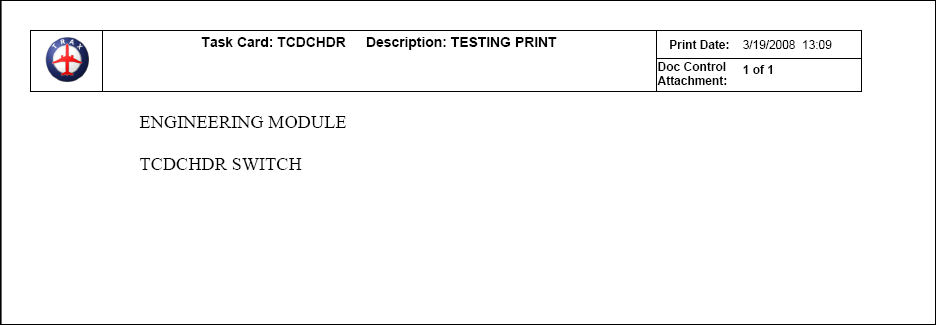
ENG_sysconf_TCDCHDR_header


Switch Set to No:

If set to No, Document Control attachments associated to Task Cards will print without a structured format header.
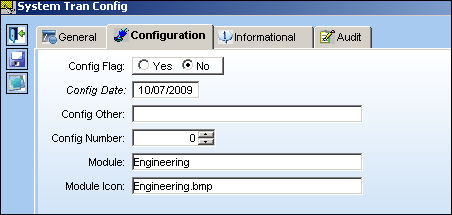
switch_cleanup1

Go to Engineering/Update/Task Card, select a Task Card with an attachment.
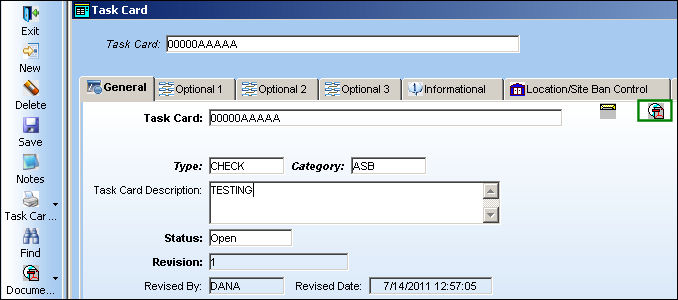
switch_cleanup1

Select the Print but_print (small) button and select Task Card Print.

switch_cleanup1

TRAX displays the document print as follows without a structured header.
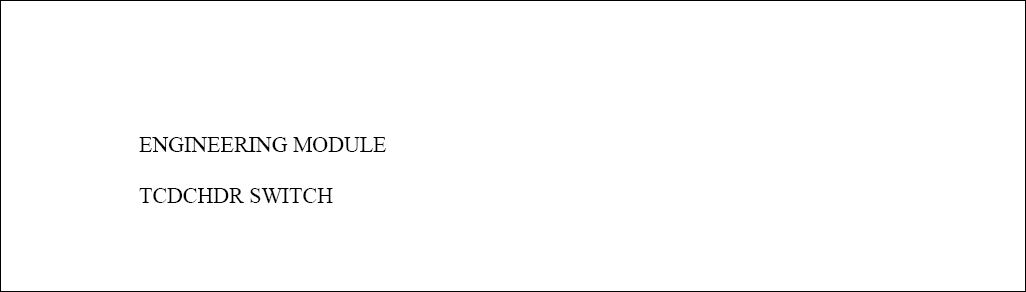
ENG_sysconf_TCDCHDR_noheader

See Also

Engineering Switches

ADCOMPOPT - Display AD Component Text and AD Not Effective Checkboxes

ADDCONT - Add E/C Content Automatically

ADDSTENGRANGE - Status And Reason Field Added To The Engineering Control Window

ADEFFATCLDI - Avoid Removal of TC Effectivity When an Item is Deleted

AOVERRWOECTC - Auto Override Revised EC/TC In Open Work Orders That Have Not Yet Been Printed

ATACHPSCTMANDATORY - Task Card Mandatory ATA Chapter and Section

AUTOECPNACTUAL - Automatically Update Actual Hours/Cycles on P/N S/Ns Effective to P/N E/C

AVOIDRATCHOLD - Cannot Release Task Cards in Hold Status For Authorization

CHKPNMOD - Warning when NLA Modify To is not Part of the NHA

CHOMITEC - Characters to Omit in E/C

CHOMITTC - Characters to Omit in T/C

DCACEFFT - Enable A/C Effectivity at Document Control Level

DEFCUS - Default Customer Value For Task Card References

DONTPRINTTEXT - Do not print T/C Item text when the T/C has a TraxDoc Reference

ECATACHAPSECTMANDAT - Make Chapter and Section fields Mandatory

ECAUTH - E/C Authorization

ECAUTHPROT - Unauthorized Engineering Control fields Protected

ECAUTO - E/C Auto Creation

ECBLANKCLASSIF - E/C Classification field blank by default when creating a new E/C

ECCONTSORT - E/C Content Sort Order

ECEFFCONTROLPNAC - E/C Cannot Have Both P/N and A/C Effectivity

ECEFFTEXT - E/C Effectivity (APPLICABILITY) Code

ECEXPEMD - Make Expenditure field in E/C Mandatory

ECINTREV - Enter Revision and Revision Description on E/C Creation

ECMNLDUP - Disable E/C Affected Manual Duplicate Checks

ECNEWUPDATE - Update E/C To Be Activated

ECRENAME - E/C Rename

ECRESTRICTVENDOR - Restrict E/Cs to Specific Repair Order Vendors

ECSMPER - E/C Authorization Allowed By Creator

ECSUBCATEGORY - Make E/C Sub Category field Mandatory

ECTCLINK - Security Control to the New, Save, Delete, and Multi Task Card Select Buttons to Modify EC/TC Links

ECVIAREV - E/C Update Only Via Revision

EFFLOADATREC - Control Effectivity Application According To Load At Receiving Status

ENFORCERANGETYPE - Enforce Range Rules

ENGDFALL - Engineering Selection Window, Status Default to All

FOLLOWGRB - Track E/C Through GRB (Goods Received Batch)

IGNLOWLEVSTA - Ignore Lower Level Checkbox

LDPNWOPOS - A/C Readiness will Load P/Ns Without A/C Positions

LOCSITEALLOWED - Display Task Card, Allowed Locations Tab

LOCSITEHIDE - Hide Site field in the Allowed Locations and Location/Site Ban Tabs

MAJORREPAIRMAN - Make the Major Repair Mandatory in Engineering, Production, Shop, and Technical Records

MANLLOR - Disable Lower Level and Override checkboxes if E/C is Mandatory

MLTSKTC - Auto Populate Skill According to Previously Selected Skills

MPDLNROE - Override Effectivity in MPD Loader

NOSELECTEFECTIVITY - Cannot Select to Override Effectivity for P/N and A/C Engineering Controls

ONWINGTASK - Do Not Allow User To Edit Reset Date For Onwing P/N E/Cs

PENDAUTH - WO EC & TC Revision Override

PREIFECCOMPL - Prevent User From Removing Effectivity When EC Has Compliance History

RANGEHELPER - Display the Individual A/C Selection Button

REQDLSKL - Dual (Mechanic and Inspector) Skills for Task Card Items

REVAUTH - Task Card Authorization Revision

RINCONTROL - RIN Control

RMVRVBAR - Remove Revision Bar

RPTSCHDMAND - Make the E/C Repeat Schedule Mandatory

SAVEASEC - Save As Prompt Box for Old E/C Effectivity

SCHCTRLCHECK - Check the Child E/C Revisions

SSCONT- Stylesheet Content Sequence Number

STLARATE - Standard Labor Rate

SUPERECCANCEL - Auto Cancel E/Cs That Have Been Superseded By A Date

TASKCARD - Task Card Footer

TC/CTL - Task Card Control Master Edit

TCAREAMD - Make Area field in Task Card and Work Order Task Card Mandatory

TCAREAMDNR - Make Area field in W/O Non Routine Task Card Mandatory

TCASDEF - Task Card Instead of E/C as the Default E/C Type

TCAUTHPROT - Unauthorized Task Card fields Protected

TCCTLSHT - Task Card Control Sheet Footer

TCDISCAUTH - Enable Authorization Process for Task Card Discrepancy

TCDUPINS - Duplicate Inspection Checkbox On Task Card

TCEDITOR - Task Card Item Editor

TCEFFECT - A/C Effectivity At Task Card Level

TCEFFRANGE - Allows Selection of a Range in Task Card Effectivity

TCEXDOC - Task Card Print Exclude Document Control Attachments and Images

TCGEDIT - Task Card GSE Item Editor

TCGRAYINSPEC - Grayed Out "Insp.By" Columns for non RII Subtasks

TCHIDERTF - Task Card Item hide RTF Editor

TCITMEFF - Task Card Item Effectivity

TCITMEFO - Task Card Item Not Effective

TCITREV - Task Card Last Revised By (field) Update at the Item Level

TCLINESSKILLGRAY - Display Straight Lines Between Each Subtask and Show Assigned Skills of Subtasks on the "Perf. By" and "Insp. By" Columns

TCMANSHP - Optional Man Hours on Shop Task Card

TCMSMAN - Make Main Skill Mandatory for Task Card Items

TCNECAUTHPROT - Protect Task Card/ Engineering Control Fields From Being Modified

TCOPTMAN - Make Man Hours and Men Required fields Mandatory

TCPNNOTREV - Allow User to Update Task Card P/N Window

TCPREDRW - Task Card Pre-Draw Print After Each Task Card

TCPREPRT - Store Task Card as PDF/Word

TCQUICKRES - Task Card Quick Resolution Available

TCREFEX - Task Card Reference Exclusions

TCRVMAIL - Send Task Card Revision Notification to W/O Creator

TCSEDIT - Task Card Shop Item Editor

TCSKILLHEADER - Task Card Skill Header 10 Boxes

TCSMPER - Task Card Allow Authorization By Same Person Who Issued It

TCSTRHDR - Task Card Image Attachment Printing On A Structure Header

TCTMAND - Task Card Type Mandatory

TCVIAREV- Task Card Update Only Via Revision

TCWEIBAL - Show the Weight and Balance Button

TCXMLENCODING - Use UTF-8 Encoding for Task Card XML

UPDATESWCOMPLEC - Disable Auto Upload of P/N Software Configuration at E/C Compliance

WARNECOVER - Engineering Authorization Information Box

Top of Page Publication Date: 8/17/2026 Share Print