
 Share
Share
 Print
Print
|
|
|
|
|


ECTCLINK - Security Control to the New, Save, Delete, and Multi Task Card Select Buttons to Modify EC/TC Links
Security Control to the New, Save, Delete, and Multi Task Card Select Buttons to Modify EC/TC Links
Affected Window: w_engineering_eu
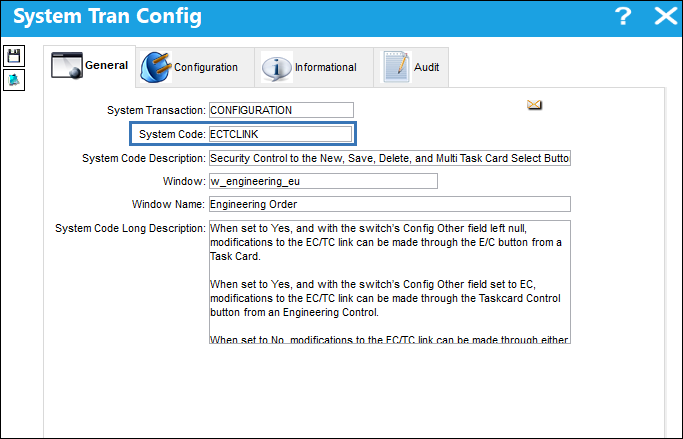
Switch Set to Yes:
When set to Yes, and with the switch's Config Other field left null, modifications to the EC/TC link can be made through the E/C  button from a Task Card.
When set to Yes, and with the switch's Config Other field set to EC, modifications to the EC/TC link can be made through the Taskcard Control  button from an Engineering Control.
Scenario 1: Config Other field is null
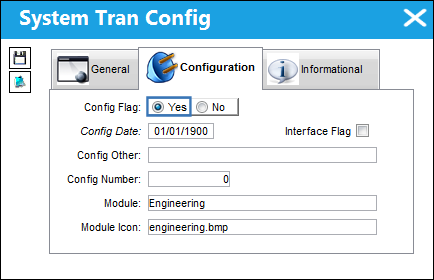
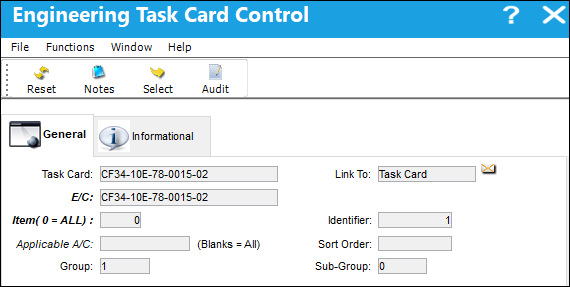
From a Task Card, the E/C button is selected.
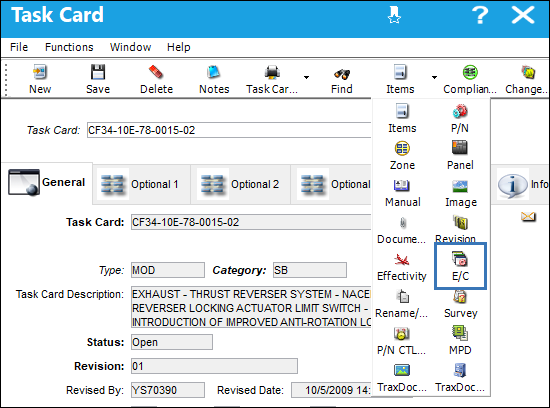
The New, Save, and Delete buttons appear in the Engineering Task Card Control window and the EC/TC link can be modified.
However, when in the Engineering Control and the Taskcard Control button is selected.
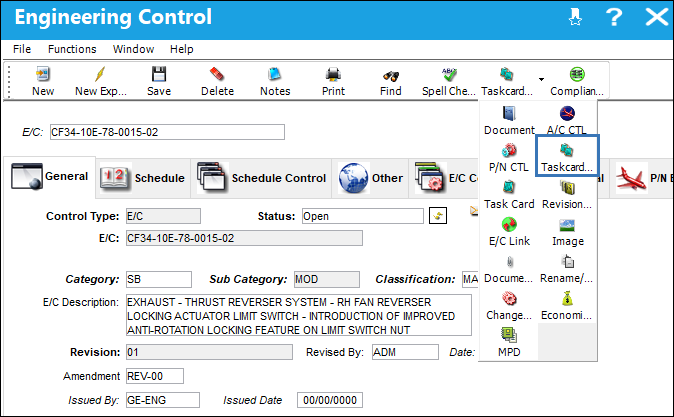
The New, Save, Delete, and Multi Task Card Select buttons do not appear for the EC/TC link to be modified.
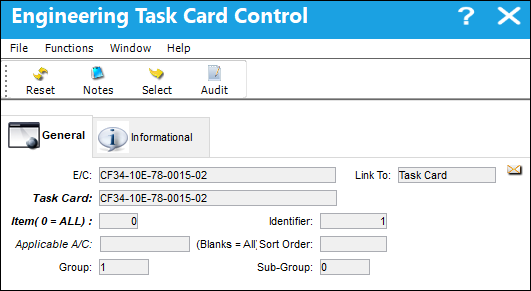
Scenario 2: Config Other field has been set to EC
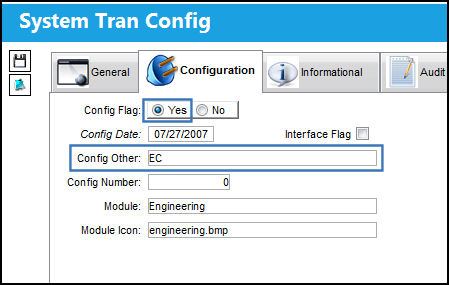
From an Engineering Control, the Taskcard Control button is selected.
The New, Save, Delete, and Multi Task Card Select buttons appear in the Engineering Task Card Control window and the EC/TC link can be modified.
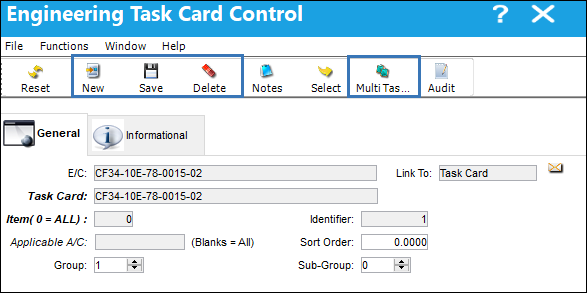
However, when in the Task Card and the E/C button is selected.
The New, Save, and Delete buttons do not appear for the EC/TC link to be modified.
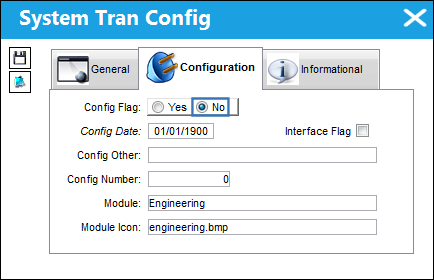
Switch Set to No:
When set to No, modifications to the EC/TC link can be made through either the Taskcard Control button through the Engineering Control, or the E/C button through the Task Card.
From a Task Card, the E/C button is selected.
The New, Save, and Delete buttons appear in the Engineering Task Card Control window and the EC/TC link can be modified.
From an Engineering Control, the Taskcard Control button is selected.
The New, Save, Delete, and Multi Task Card Select buttons appear in the Engineering Task Card Control window and the EC/TC link can be modified.
Share
Print
|
©1997-2026 Trax USA Corp. All rights reserved. This manual may not be copied, photocopied, reproduced, translated, or converted to any electronic or machine-readable form, in whole or in part, without prior written approval from Trax USA Corp. |
 |