
 Share
Share
 Print
Print
|
|
|
|
|


PICKSELORDEROVR - Override Picklist Batch Reservation Logic

Override Picklist Batch Reservation Logic
Affected Window: w_picklist_detail_sdi
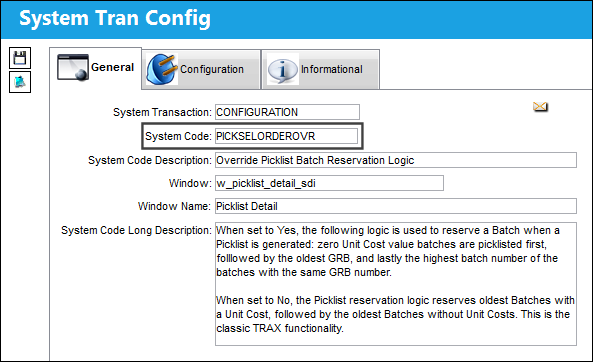
Switch Set to Yes:
When set to Yes, the following logic is used to reserve a Batch when a Picklist is generated: zero Unit Cost value batches are picklisted first, followed by the oldest GRB, and lastly the highest batch number of the batches with the same GRB number.
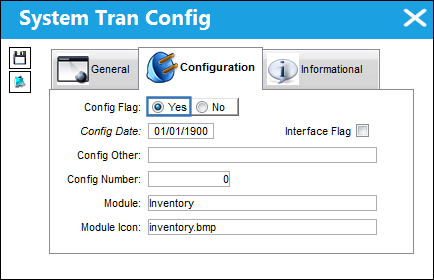
This switch allows operators to choose the logic implemented to fulfill Picklist reservations. This logic is intended to prioritize newly returned to stock batches with zero value when reserving Picklists.
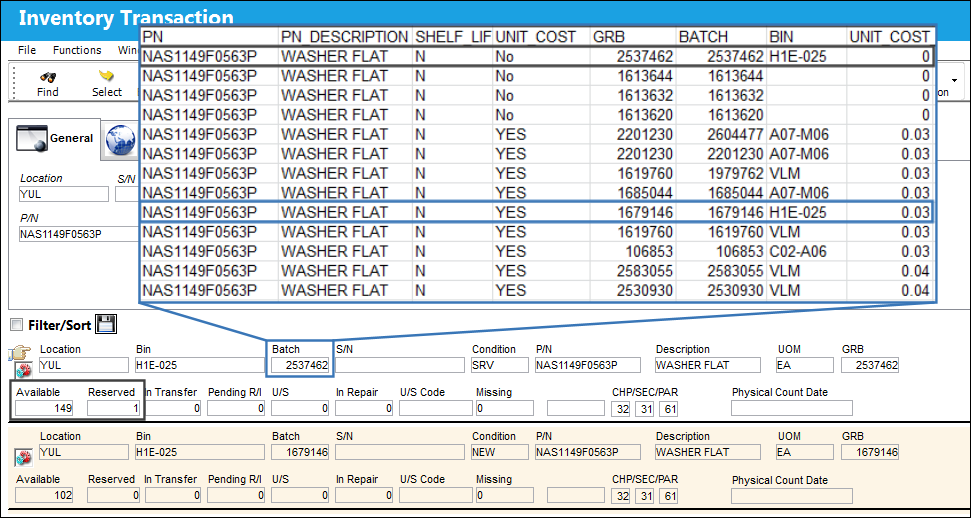
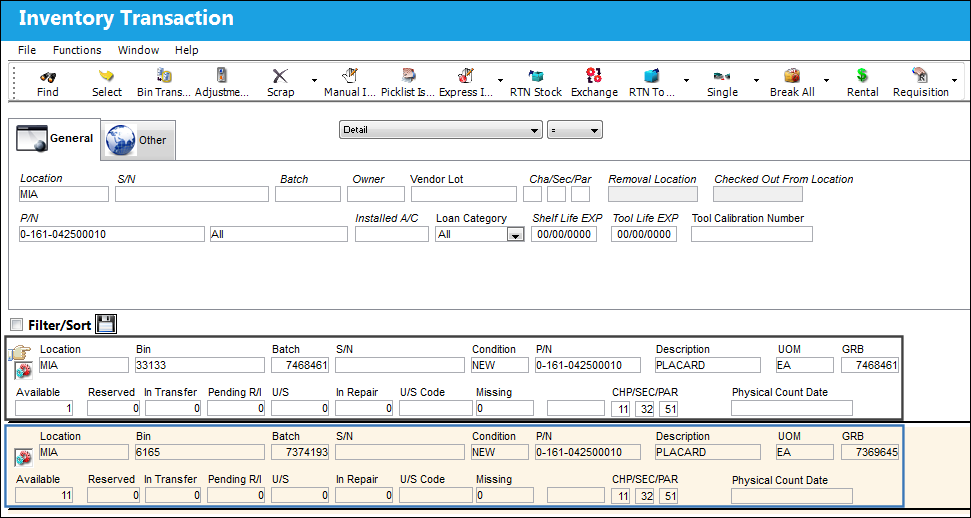
For example, the following part contains various Batches in inventory. Notice the two selected Batches. One has a newer Batch number with no Unit Cost, while the other has an older Batch number with a Unit Cost.
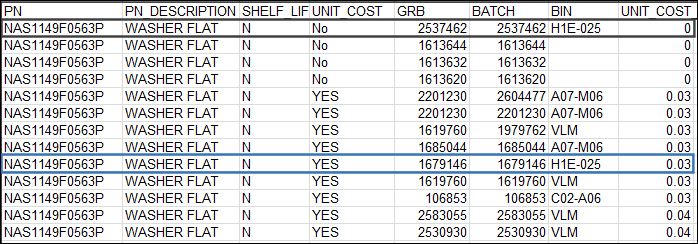
Notice the two selected Batches are in the same Location and Bin.
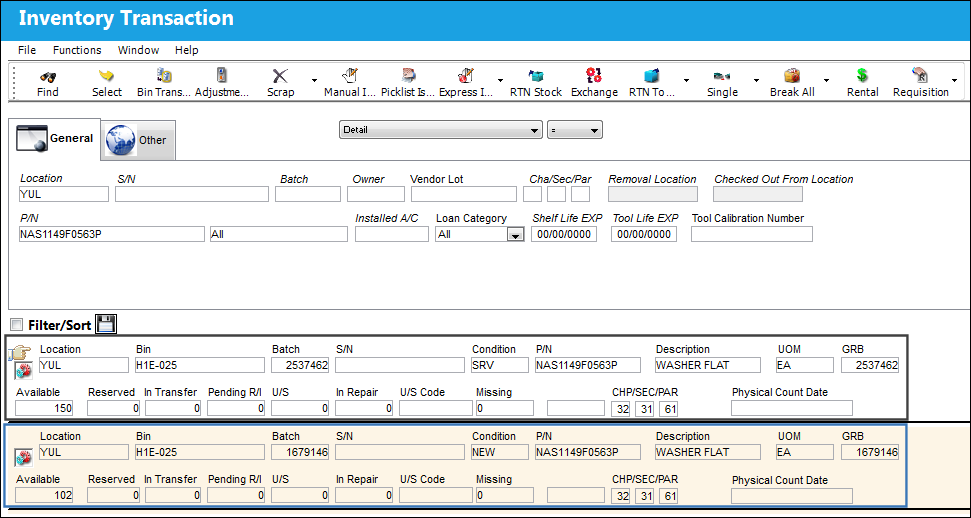
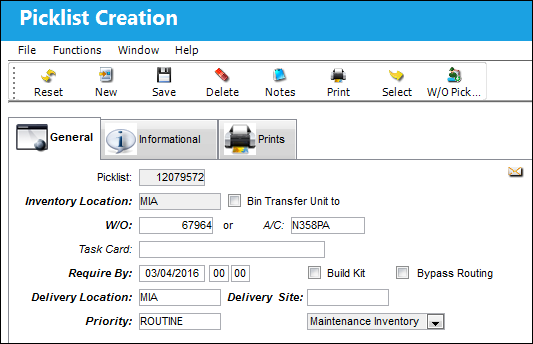
A Picklist is created for that Location.
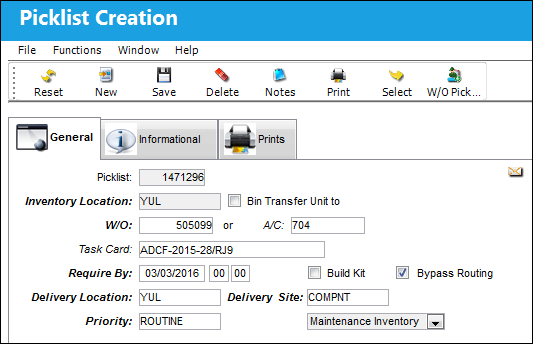
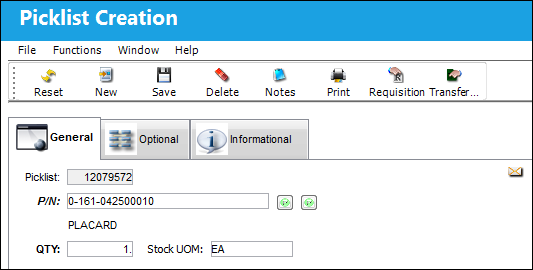
The required part is specified in detail and saved.
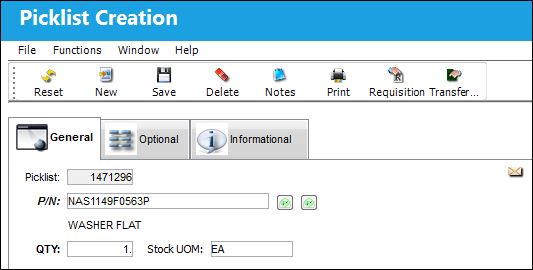
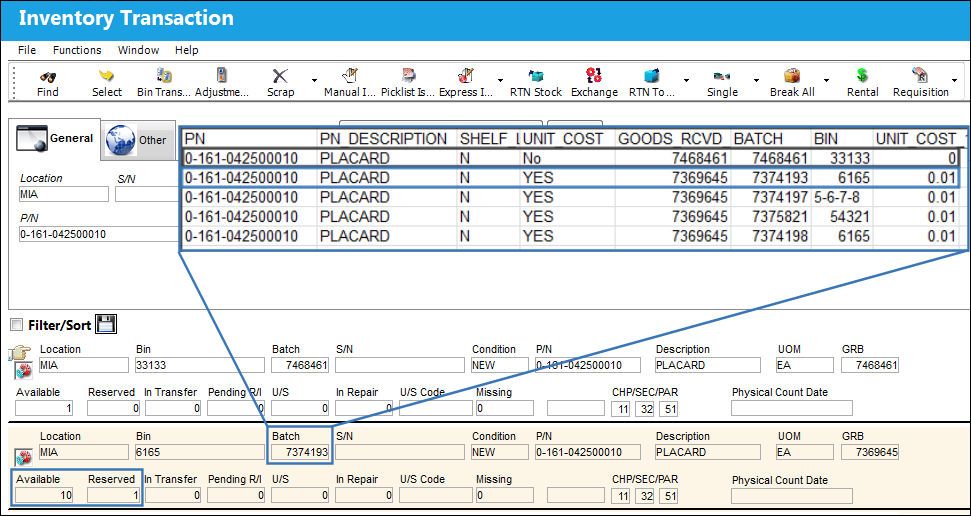
Because the switch is set to Yes, notice that the Batch with no Unit Cost was reserved instead of the Batch with the Unit Cost.
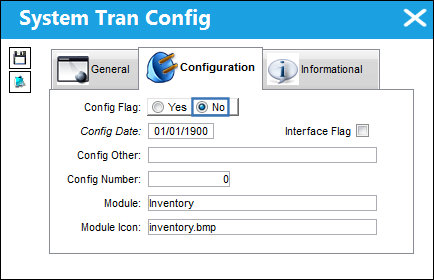
Switch Set to No:
When set to No, the Picklist reservation logic reserves oldest Batches with a Unit Cost, followed by the oldest Batches without Unit Costs. This is the classic TRAX functionality.
For example, the following part contains various Batches in inventory. Notice the two selected Batches. One has a newer Batch number with no Unit Cost, while the other has an older Batch number with a Unit Cost.

Notice the two selected Batches are in the same Location.
A Picklist is created for that Location.
The required part is specified in detail and saved.
Because the switch is set to No, notice that the Batch with a Unit Cost was reserved instead of the Batch without the Unit Cost. Also notice that the oldest Batch with a Unit Cost was reserved first.
Share
Print
|
©1997-2026 Trax USA Corp. All rights reserved. This manual may not be copied, photocopied, reproduced, translated, or converted to any electronic or machine-readable form, in whole or in part, without prior written approval from Trax USA Corp. |
 |