
 Share
Share
 Print
Print
|
|
|
|
|


ONESTEPTRANSMAINLOC - Control movement between Main Location via One Step Transfer

Control movement between Main Location via One Step Transfer
Affected window: w_inventory_one_step_transfer
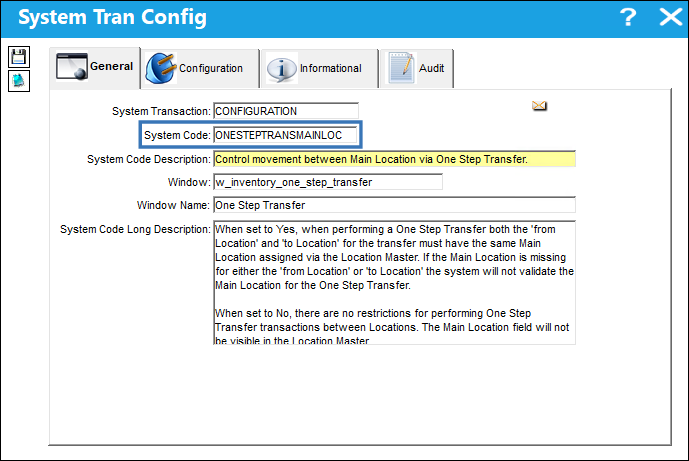
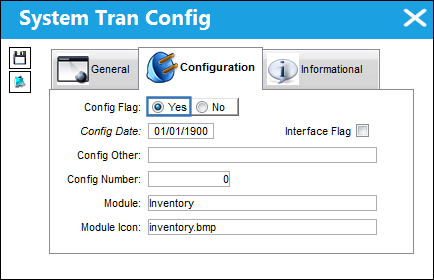
Switch Set to Yes:
When set to Yes, when performing a One Step Transfer both the 'from Location' and 'to Location' for the transfer must have the same Main Location assigned via the Location Master. If the Main Location is missing for either the 'from Location' or 'to Location' the system will not validate the Main Location for the One Step Transfer.
Scenario 1:
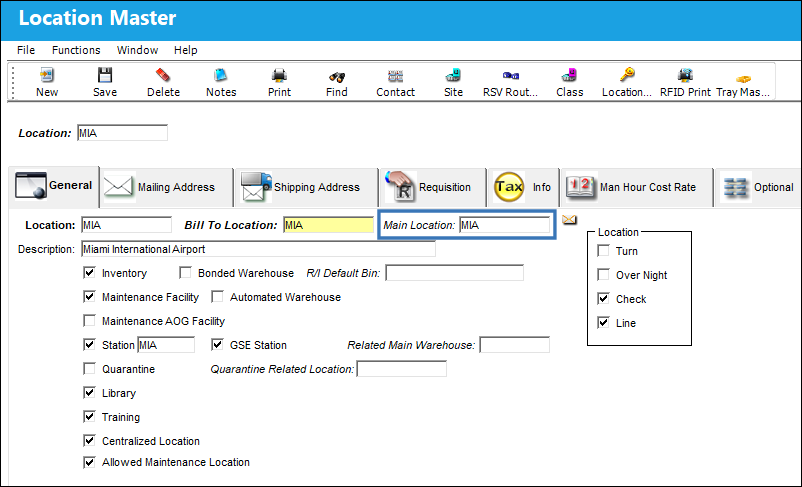
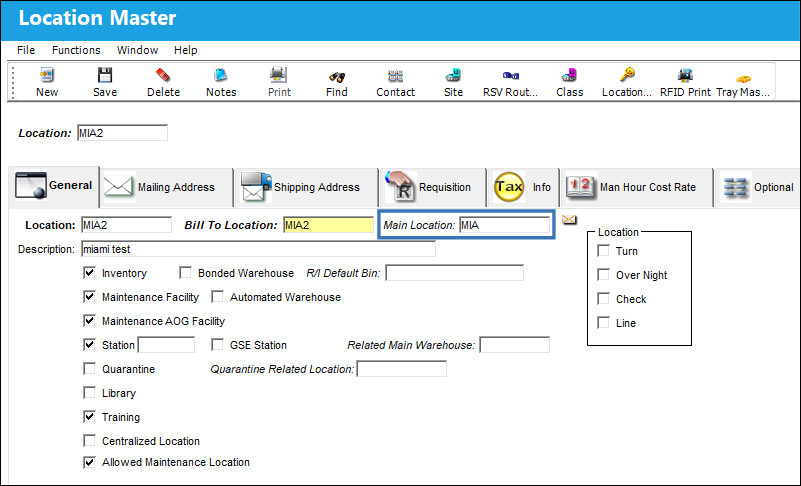
The following two Locations have the same Main Location assigned via the Location Master.
The Location the part will be moved from.
The Location the part will be moved to.
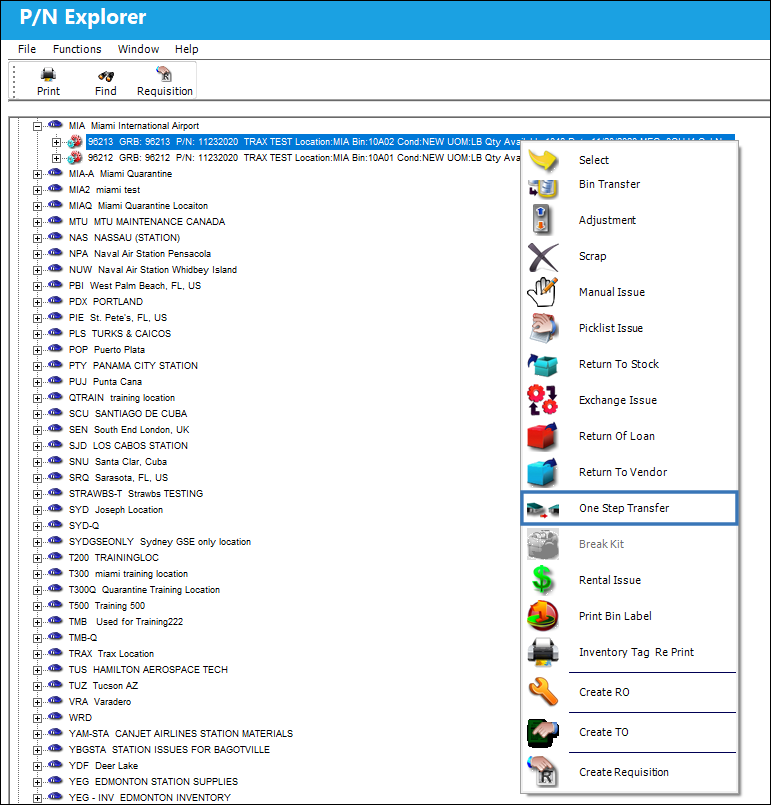
From the P/N Explorer select the One Step Transfer button.
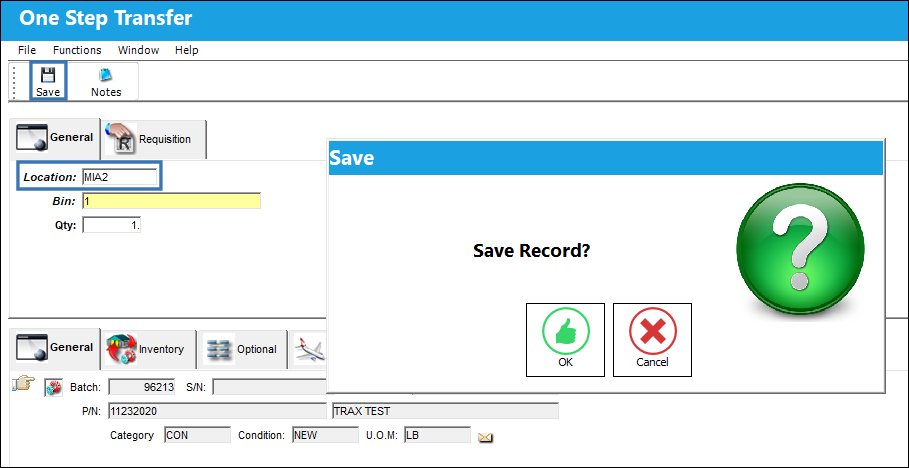
Enter the Location the part will be moved to and select the Save  button. Notice that the system allows the user to save the One Step Transfer.
Scenario 2:
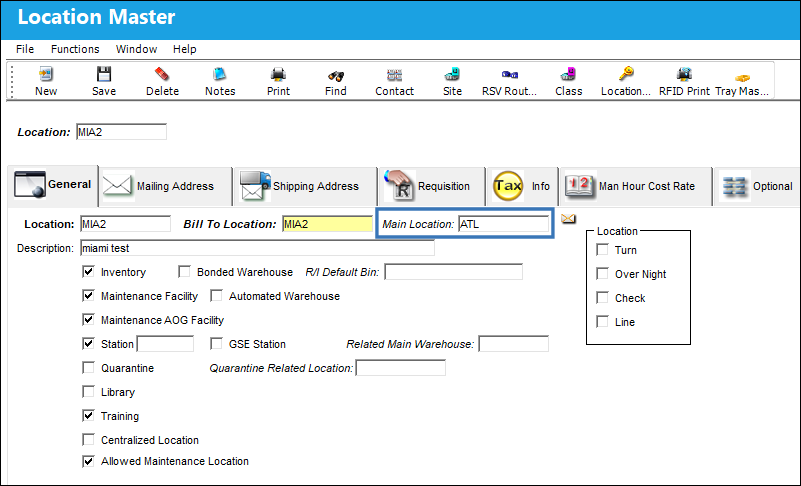
The following two Locations do not have the same Main Location assigned via the Location Master.
The Location the part will be moved from.
The Location the part will be moved to.
From the P/N Explorer select the One Step Transfer button.
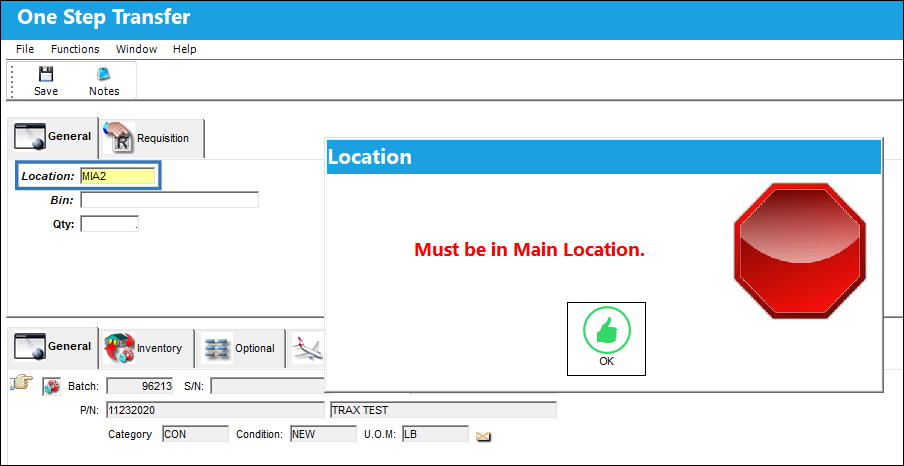
Enter the Location the part will be moved to and a hard warning "Must be in Main Location" will immediately appear.
Scenario 3:
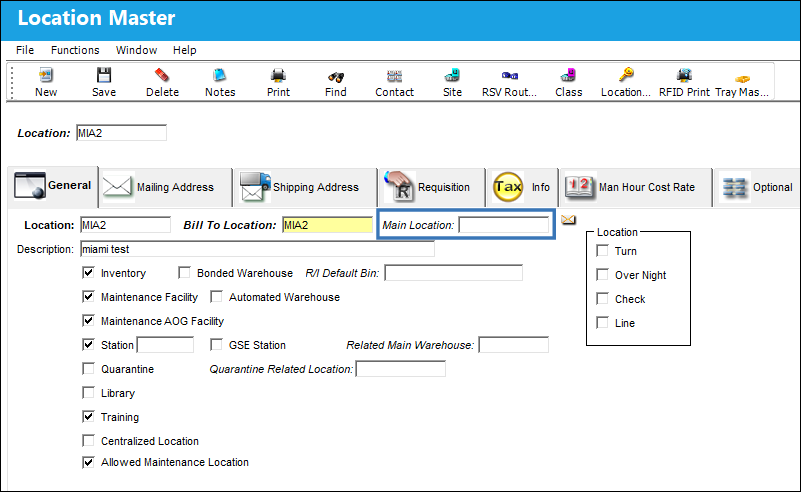
One of the following Locations has a Main Location assigned via the Location Master and the other does not have a Main Location assigned.
The Location the part will be moved from.
The Location the part will be moved to.
From the P/N Explorer select the One Step Transfer button.
Enter the Location the part will be moved to and select the Save button. Notice that the system allows the user to save the One Step Transfer.
Switch Set to No:
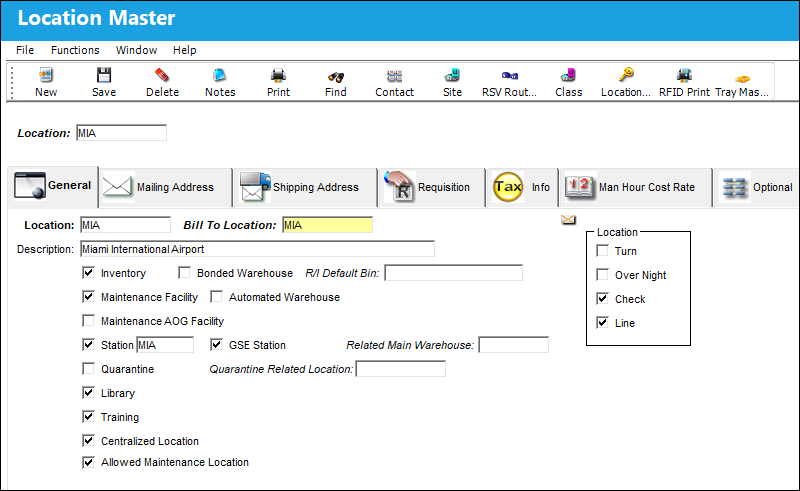
When set to No, there are no restrictions for performing One Step Transfer transactions between Locations. The Main Location field will not be visible in the Location Master.
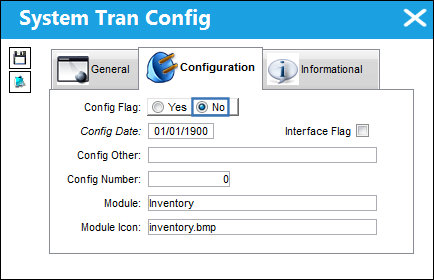
From the Location Master the Main Location field is not available.
Share
Print
|
©1997-2026 Trax USA Corp. All rights reserved. This manual may not be copied, photocopied, reproduced, translated, or converted to any electronic or machine-readable form, in whole or in part, without prior written approval from Trax USA Corp. |
 |