
 Share
Share
 Print
Print
|
|
|
|
|


CTRLAUTHPNNLA - P/N Control Authorization Defaulted through P/N N/L/A Creation
P/N Control Authorization Defaulted through P/N N/L/A Creation
Affected Window: w_pn_control_receiving_update
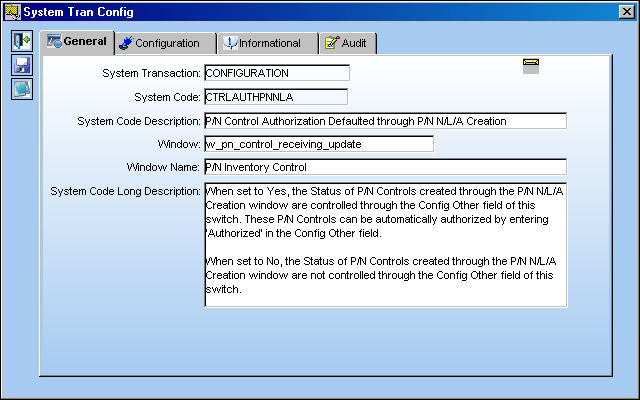
Switch Set to Yes:
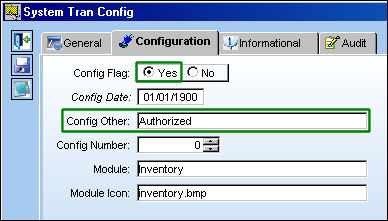
When set to Yes, the Status of P/N Controls created through the P/N N/L/A Creation window are controlled through the Config Other field of this switch. These P/N Controls can be automatically authorized by entering 'Authorized' in the Config Other field.
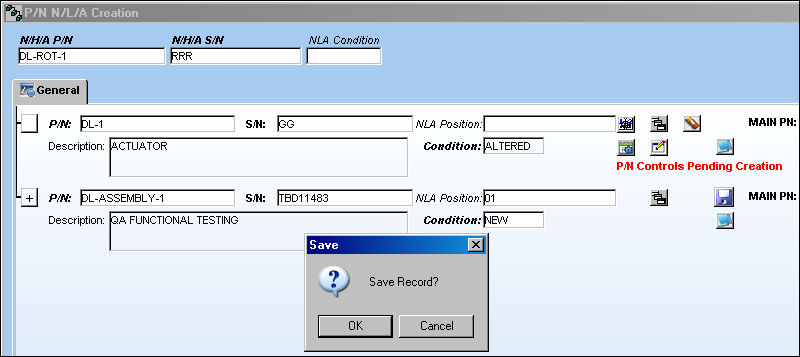
For example, open the P/N N/L/A Creation window via Technical Records/Update and enter an N/H/A. Notice that the following N/L/As are pending P/N Control creation. Save the window once all required information is entered.
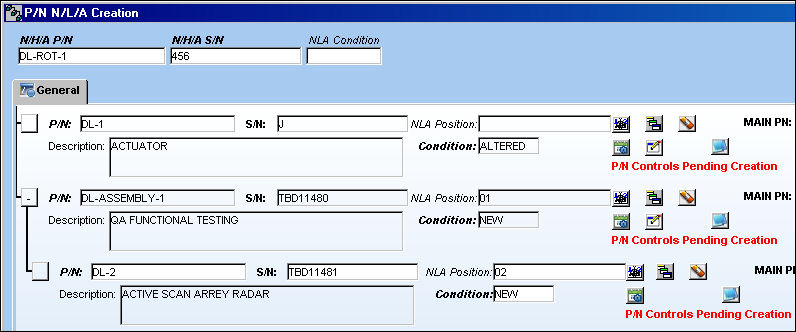
For more information regarding this window refer to P/N N/L/A Creation via the Technical Records Training Manual.
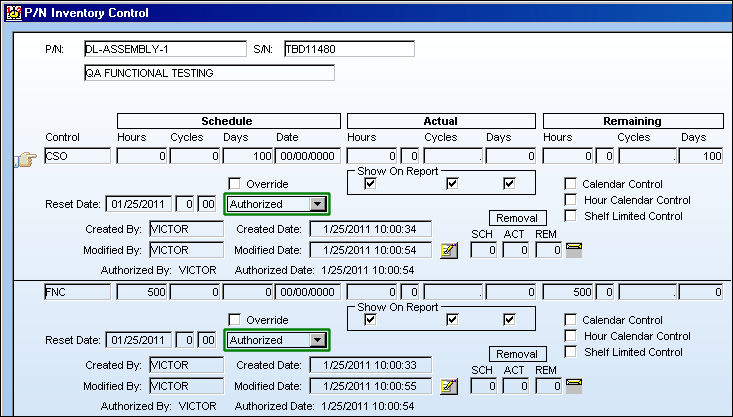
Select the P/N Control  button for each N/L/A to open the P/N Inventory Control window. Notice that the Status drop down field is set to 'Authorized' for each P/N Control as defaulted by the Config Other field of this switch. Save, then exit the window.
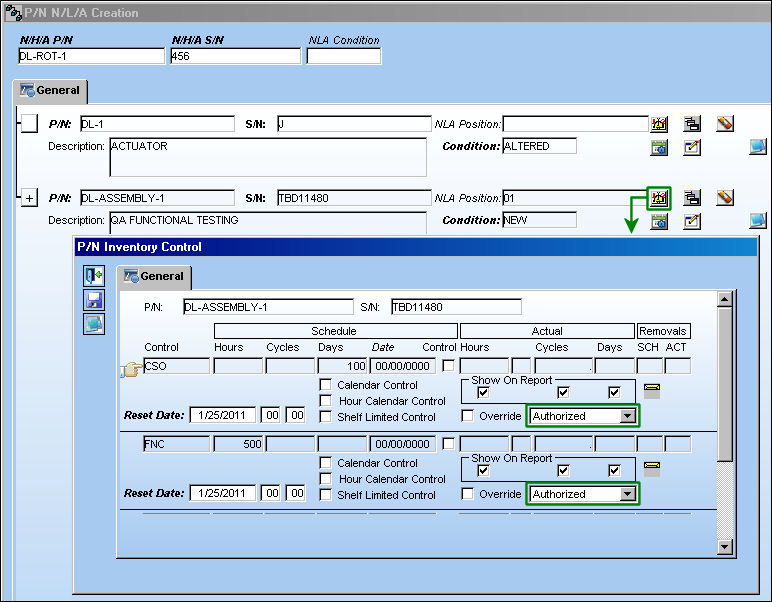
Select the N/L/A Explorer  button to open the P/N Assembly Explorer window. Right-click on one of the Assembly's P/N Controls.
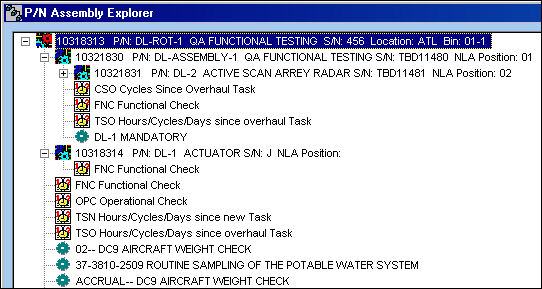
When the P/N Inventory Control window appears, notice that the P/N Control Statuses are 'Authorized.'
This functionality is also available from the P/N N/L/A Creation window that appears when P/N Initial Loading an assembly. For more information refer to the P/N Initial Load via the Inventory Training Manual.
Switch Set to No:
When set to No, the Status of P/N Controls created through the P/N N/L/A Creation window are not controlled through the Config Other field of this switch.
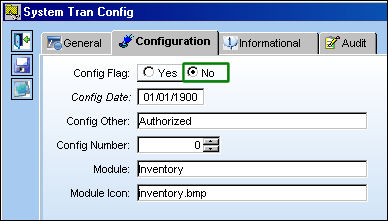
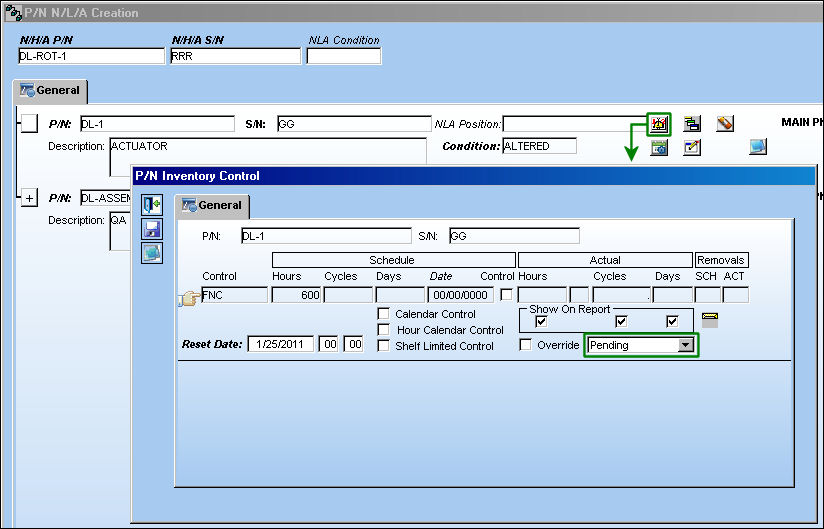
For example, open the P/N N/L/A Creation window via Technical Records/Update and enter an N/H/A. Notice that the following N/L/As are pending P/N Control creation. Save the window once all required information is entered.
Select the P/N Control button for each N/L/A to open the P/N Inventory Control window. Notice that the Status drop down field is set to 'Pending' for each P/N Control. The Status field is not being defaulted by the Config Other field of this switch. Save, then exit the window.
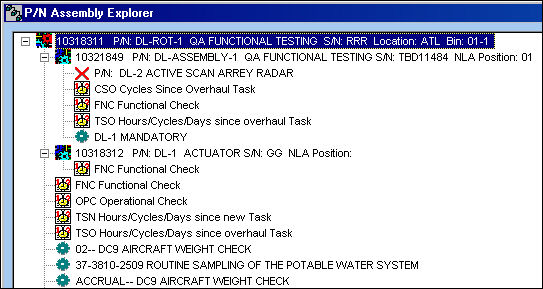
Select the N/L/A Explorer button to open the P/N Assembly Explorer window. Right-click on one of the Assembly's P/N Controls.
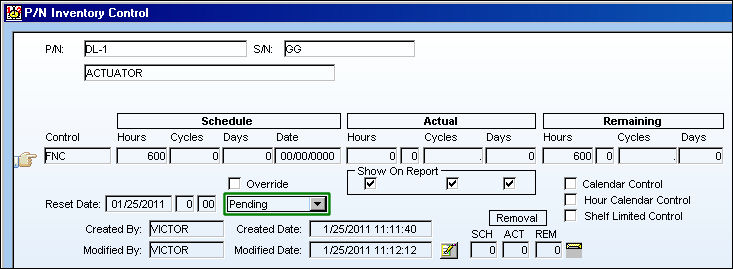
When the P/N Inventory Control window appears, notice that the P/N Control Statuses are 'Pending' authorization.
Share
Print
|
©1997-2026 Trax USA Corp. All rights reserved. This manual may not be copied, photocopied, reproduced, translated, or converted to any electronic or machine-readable form, in whole or in part, without prior written approval from Trax USA Corp. |
 |