
 Share
Share
 Print
Print
|
|
|
|
|


CONSTRCNT - Generated Quantity Remains Constant in Recount After P/N Movements
Generated Quantity Remains Constant in Recount After P/N Movements
Affected Window: w_physical_count_eu
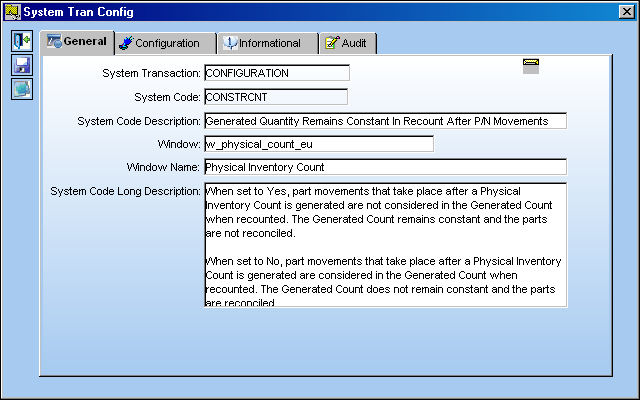
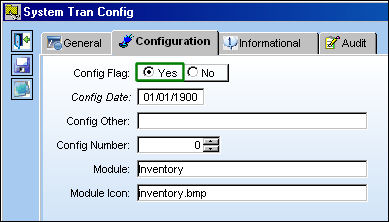
Switch Set to Yes:
When set to Yes, part movements that take place after a Physical Inventory Count is generated are not considered in the Generated Count when recounted. The Generated Count remains constant and the parts are not reconciled.
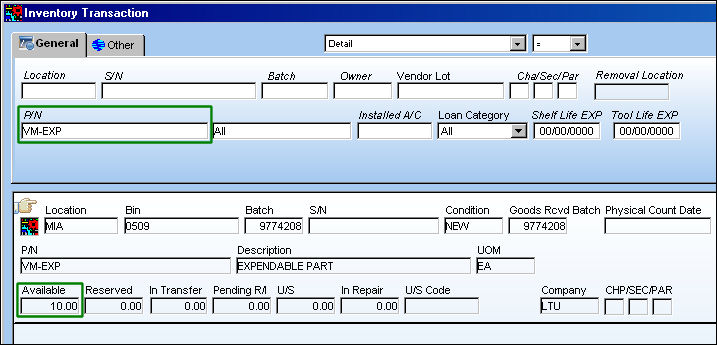
For example, notice the below part has a quantity of 10 in inventory via the Inventory Transaction window.
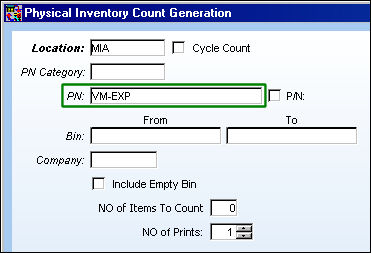
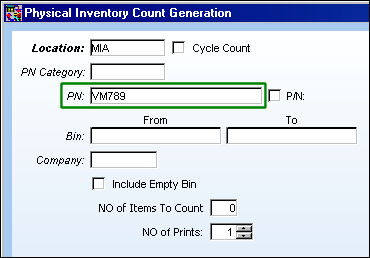
Create a Physical Inventory Count Generation for the part and location listed above.
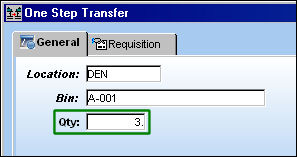
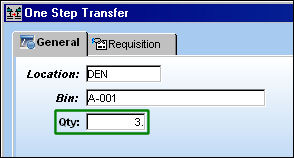
After generated, remove several parts from inventory. For this example, 3 parts are transferred to a different location.
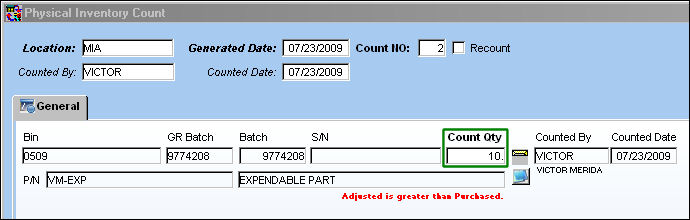
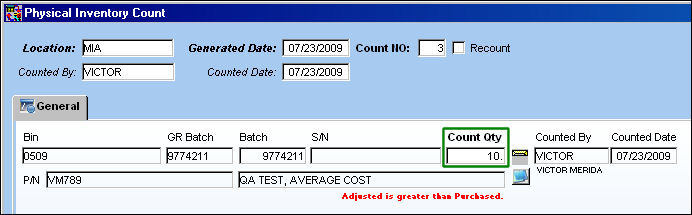
Perform the count through the Physical Inventory Count window. Note that the whole quantity (10) is entered into the Count Quantity field.
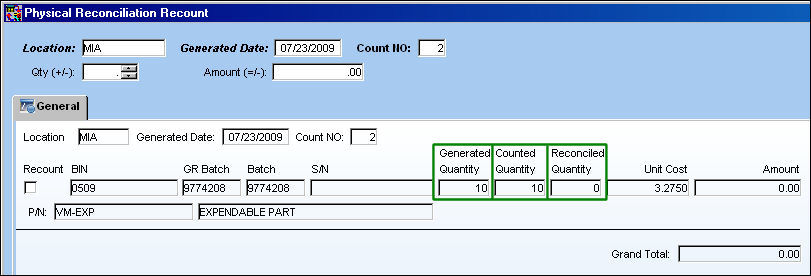
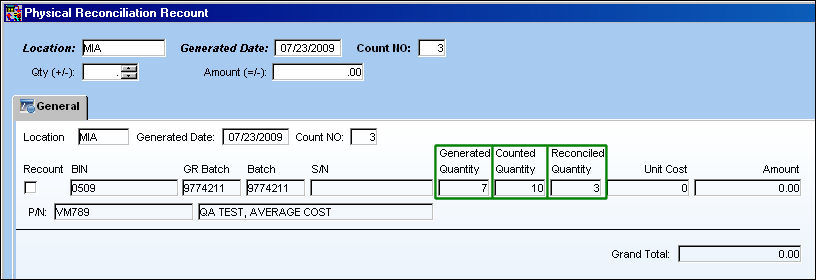
Run the Physical Reconciliation Recount and notice that the moved parts were not reconciled. The Generated Quantity remains constant.
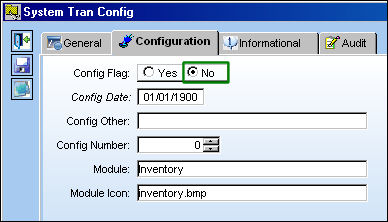
Switch Set to No:
When set to No, part movements that take place after a Physical Inventory Count is generated are considered in the Generated Count when recounted. The Generated Count does not remain constant and the parts are reconciled.
For example, notice that the below part has a quantity of 10 via the Inventory Transaction window.
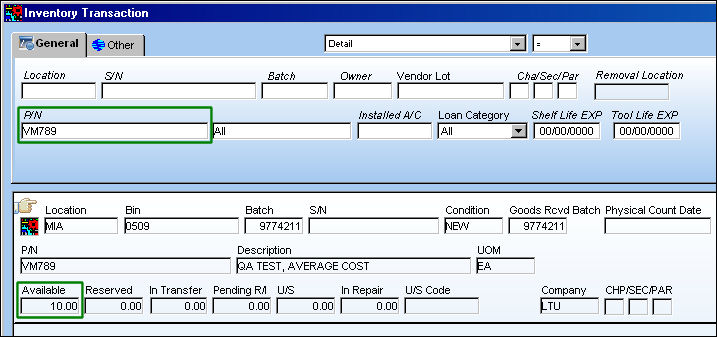
Create a Physical Inventory Count Generation for the part and location listed above.
After generated, remove several parts from inventory. For this example 3 parts are transferred to a different location.
Perform the count through the Physical Inventory Count window. Notice that the whole quantity (10) is entered into the Count quantity field.
Run the Physical Reconciliation Recount, but now notice that the removed parts are reconciled. The Generated Quantity reflects the moved parts.
Share
Print
|
©1997-2026 Trax USA Corp. All rights reserved. This manual may not be copied, photocopied, reproduced, translated, or converted to any electronic or machine-readable form, in whole or in part, without prior written approval from Trax USA Corp. |
 |