
 Share
Share
 Print
Print
|
|
|
|
|


AUTOROCAPABILITY - Auto Fill Values in R/O with Values Entered in Vendor P/N Repair Capability window

Auto fill values in R/O with values entered in Vendor P/N Repair Capability window
Affected Window: w_inventory_transaction_return_non_eu
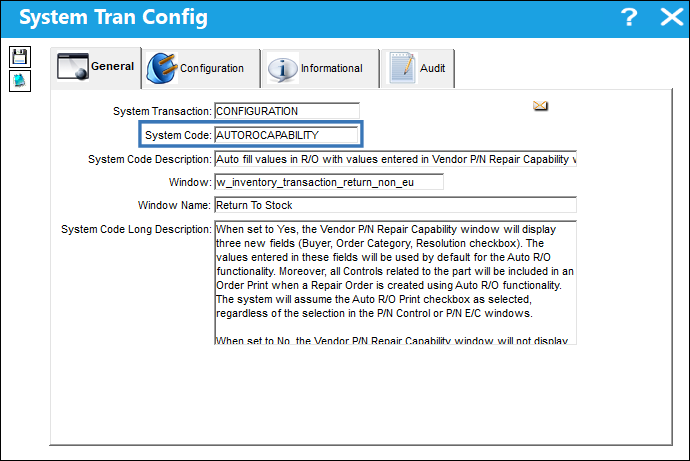
Switch Set to Yes:
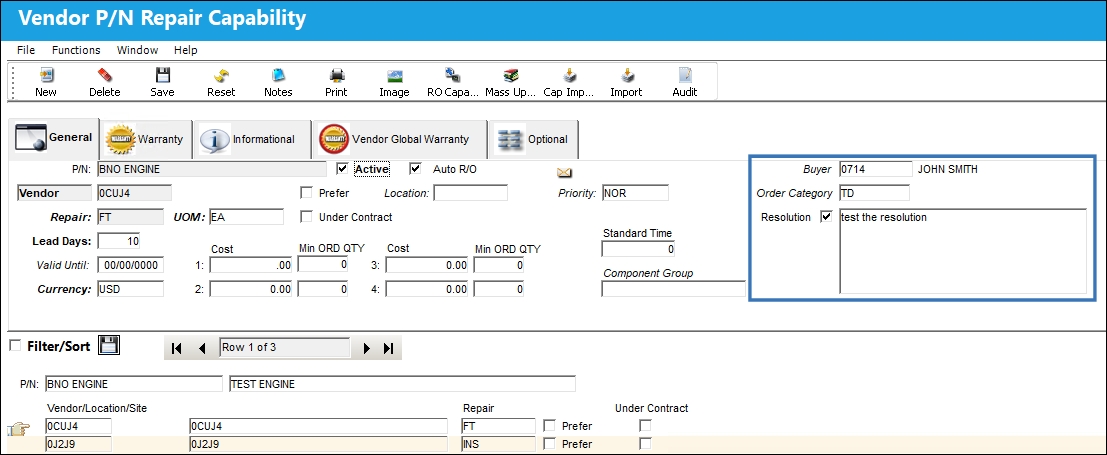
When set to Yes, the Vendor P/N Repair Capability window will display three new fields (Buyer, Order Category, Resolution checkbox). The values entered in these fields will be used by default for the Auto R/O functionality. Moreover, all Controls related to the part will be included in an Order Print when a Repair Order is created using Auto R/O functionality. The system will assume the Auto R/O Print checkbox as selected, regardless of the selection in the P/N Control or P/N E/C windows.
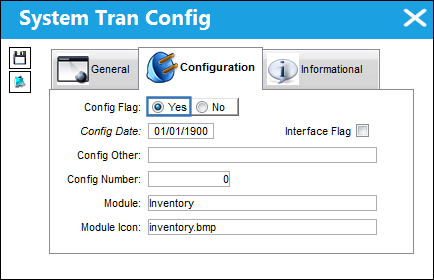
Note: If the Auto R/O checkbox is selected for a part, the setting of Switch  RTSAURO will be overridden.
Navigate to Settings/ Update/ P/N Master/ R/O Capability button. From the Vendor P/N Repair Capability window populate the Buyer, Order Category, and Resolution checkbox.
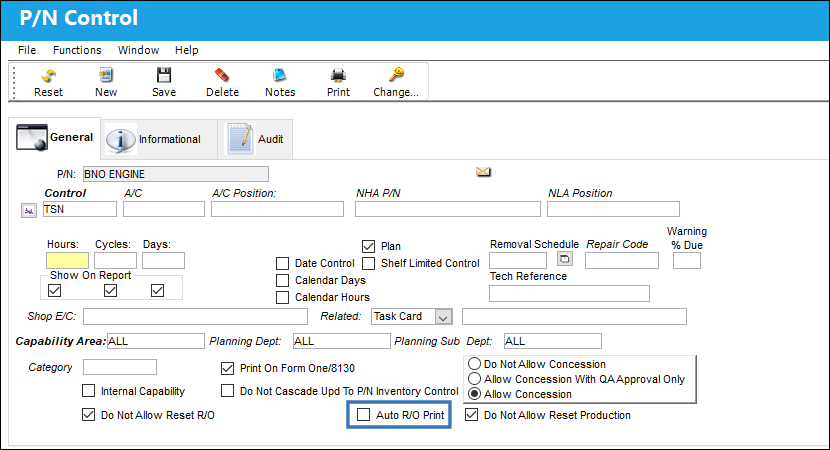
Notice the following Control related to the part does not have the Auto R/O Print checkbox selected.
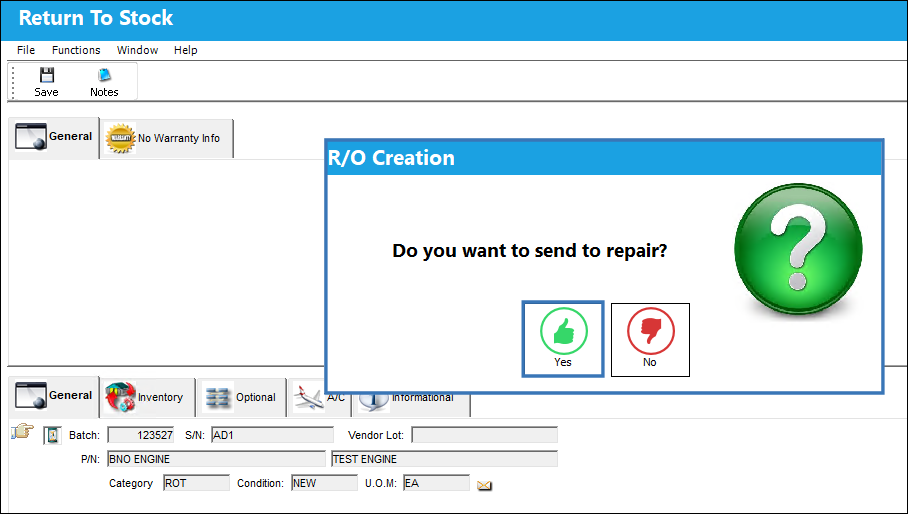
When saving a Return To Stock transaction, the system will automatically prompt the user to send the part for repair. To create the Repair Order, select the Yes button on the prompt.
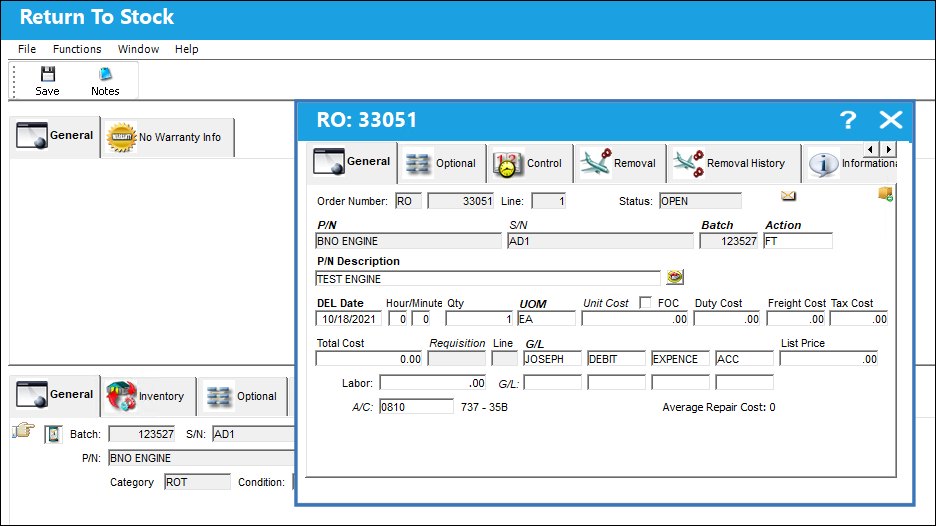
The system will then generate a Repair Order for the record.
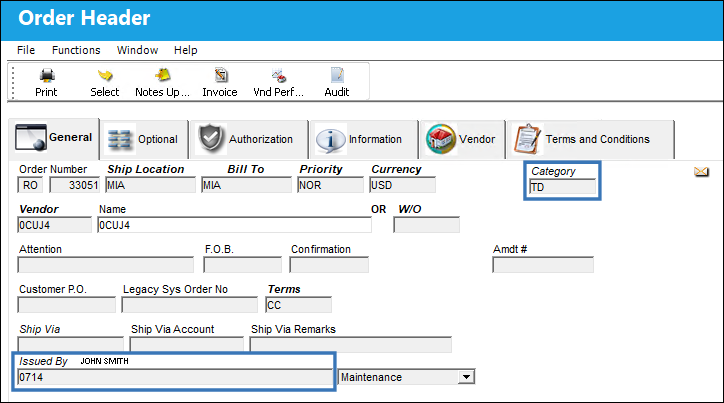
Navigate to Orders/ Update/ Order Update. The Order Header will display the values entered in the Vendor P/N Repair Capability window. Notice that the Buyer and Order Category fields have been auto-populated in the Order Header.
When an Order Print is generated, the text entered in the Resolution checkbox field will be displayed under the P/N Vendor Price Resolution section.
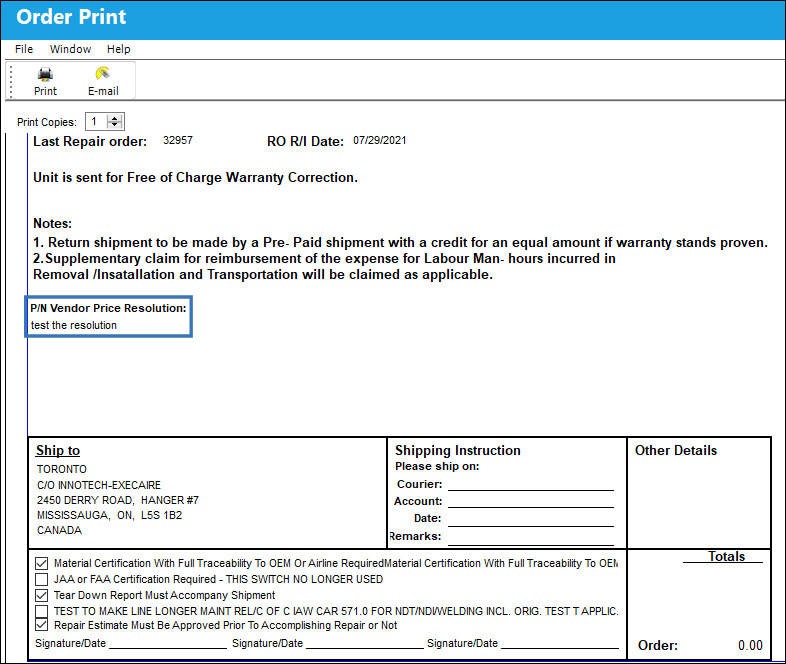
Notice all Controls related to the part have been included in the Order Print, regardless of the Auto R/O Print checkbox selection.
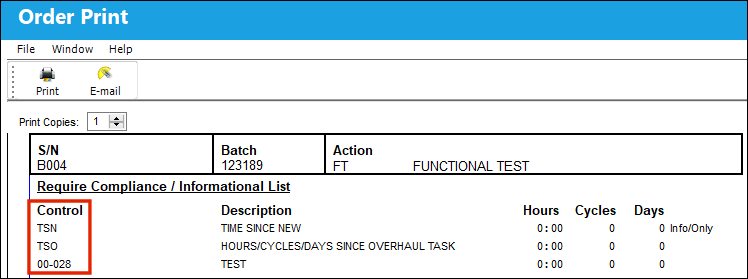
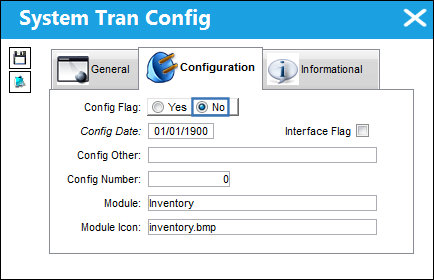
Switch Set to No:
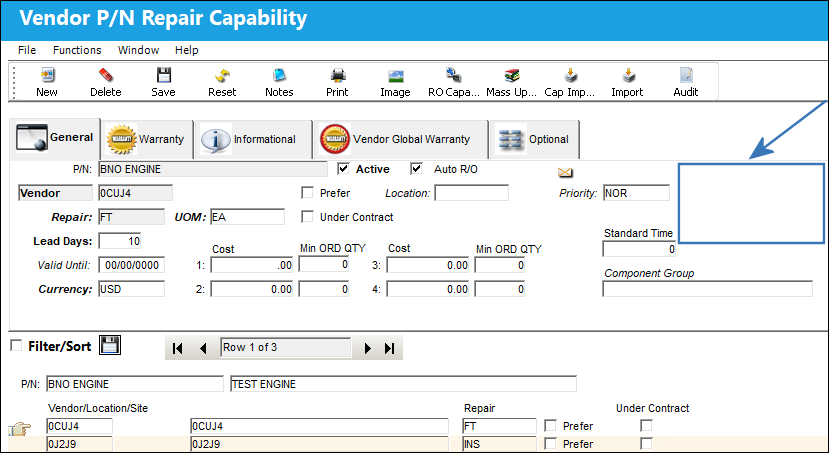
When set to No, the Vendor P/N Repair Capability window will not display the Buyer, Order Category, and Resolution checkbox. In addition, the system will not assume the Auto R/O checkbox is selected for Controls related to the part.
Navigate to Settings/ Update/ P/N Master/ R/O Capability button. From the Vendor P/N Repair Capability notice that the Buyer, Order Category, and Resolution checkbox fields are not available.
Share
Print
|
©1997-2026 Trax USA Corp. All rights reserved. This manual may not be copied, photocopied, reproduced, translated, or converted to any electronic or machine-readable form, in whole or in part, without prior written approval from Trax USA Corp. |
 |