
 Share
Share
 Print
Print
|
|
|
|
|


PNSNCHG/EFFECTIVITY - Remove Engineering Effectivity on the old P/N S/N after P/N S/N Change Transaction

Remove Engineering Effectivity on the old P/N S/N after P/N S/N Change Transaction
Affected Window: w_inventory_detail_pn_sn_change
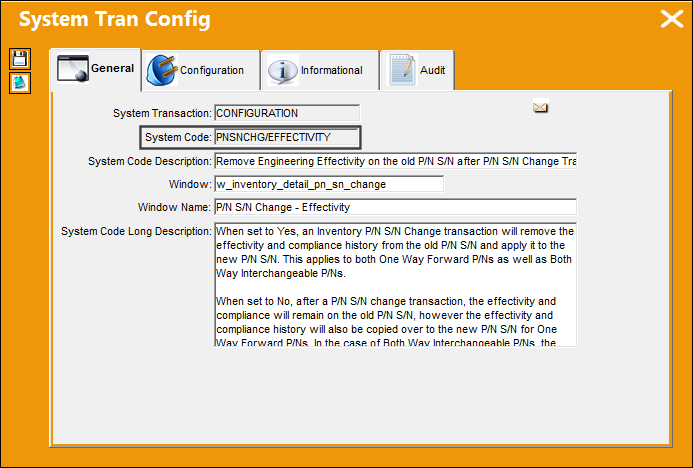
The following three configuration work in conjunction: Inventory switch FOLLOWGRB, the Follow GRB checkbox in the Engineering Control P/N window, and Engineering switch PNSNCHG/EFFECTIVITY. For more detailed information on how these various configurations affect P/N E/C Effectivity, refer to P/N Change Transactions.
Switch Set to Yes:
When set to Yes, an Inventory P/N S/N Change transaction will remove the effectivity and compliance history from the old P/N S/N and apply it to the new P/N S/N. This applies to both One Way Forward P/Ns as well as Both Way Interchangeable P/Ns.
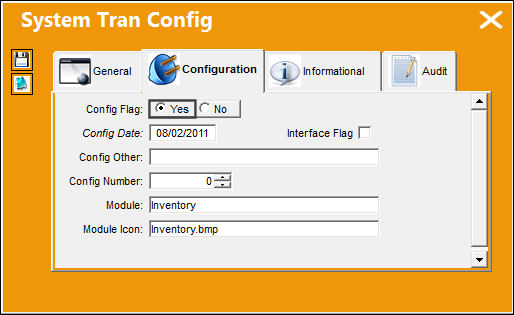
It is recommended that this switch remain set to Yes to ensure a streamlined transfer of compliance and effectivity data.
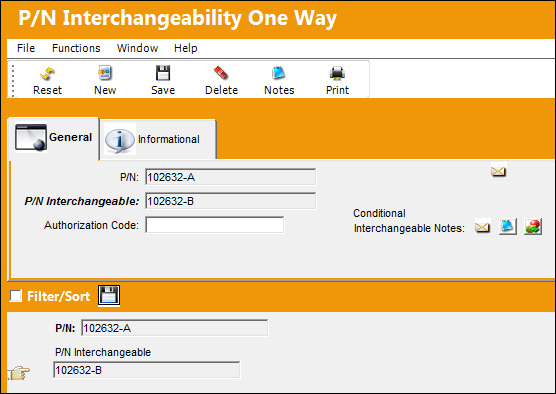
Note the Main P/N and its respective One Way Forward P/N.
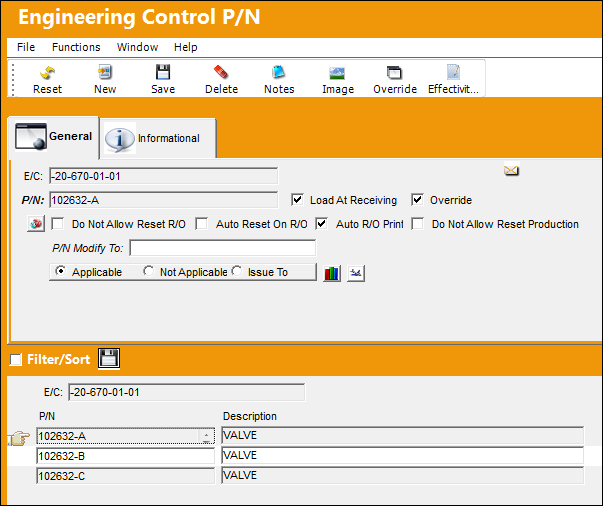
Both the Main P/N and the One Way Forward are linked to the following E/C.
The status of the Main P/N S/N is currently in Open status. For the purposes of this example, the P/N S/N will be Terminated.
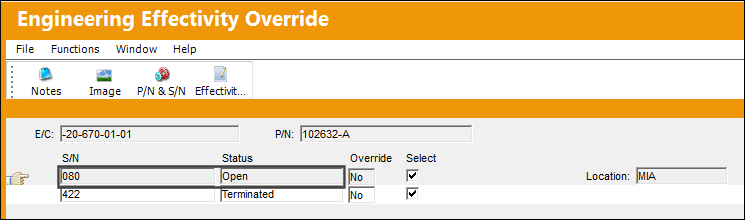
The P/N E/C is terminated manually. Select the Display Compliance History  button.
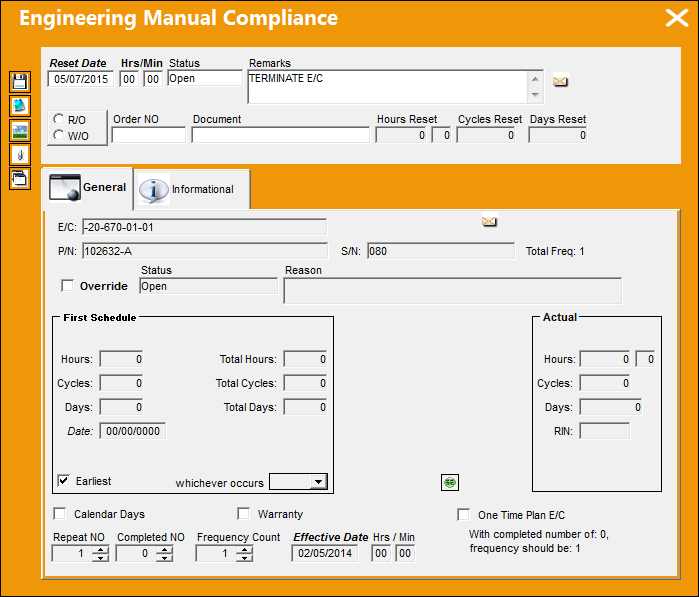
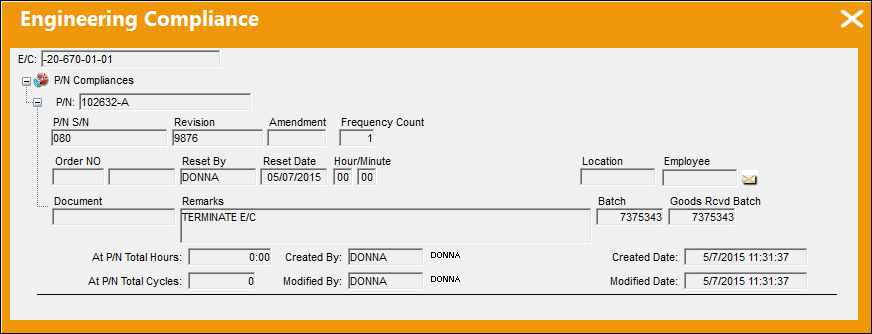
Note the Compliance history of the P/N S/N.
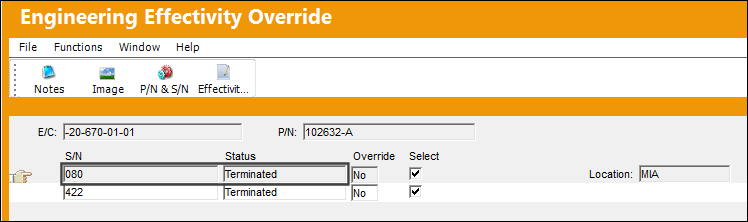
The P/N S/N is successfully terminated.
A P/N S/N Change transaction is completed. The Main P/N is changed to the One Way Forward P/N.
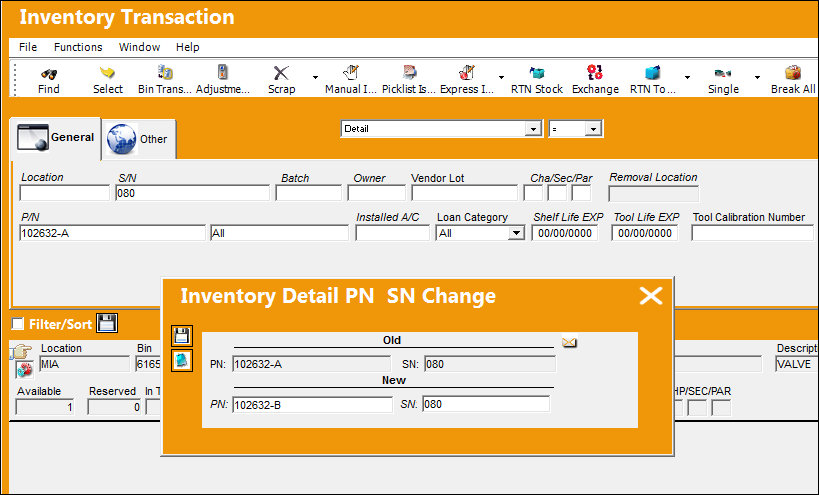
Return to the Engineering Effectivity Override for the Main P/N. Serial Number 080 is no longer available for the Main P/N.
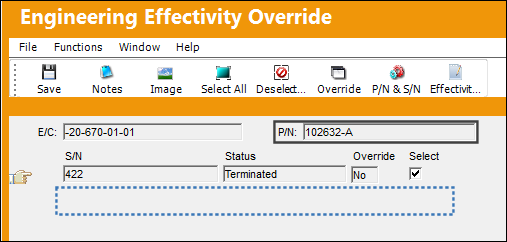
The effectivity of the Main P/N has been transferred to the One Way Forward P/N.
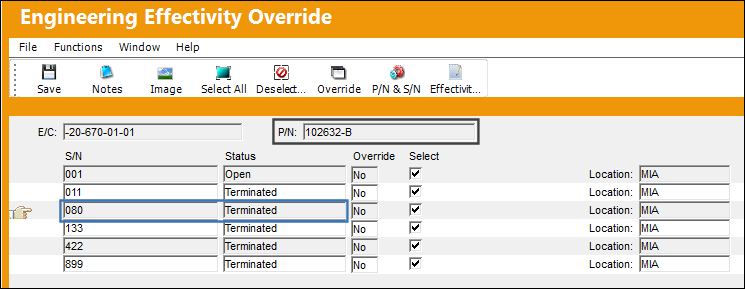
With PNSNCHG/EFFECTIVITY set to Yes (along with switch FOLLOWGRB set to Yes, and the Follow GRB checkbox deselected for the P/N E/C), the P/N E/C Effectivity will change accordingly regardless of P/N Interchangeability when the P/N S/N Change button is used via Inventory Transaction.
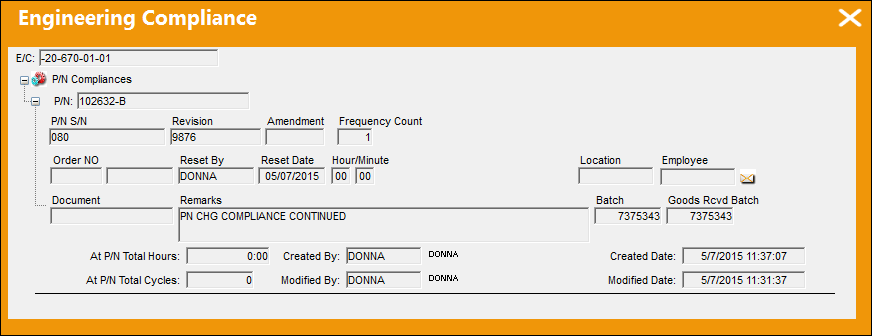
From the Engineering Effectivity Override window, select the Display Compliance History button.
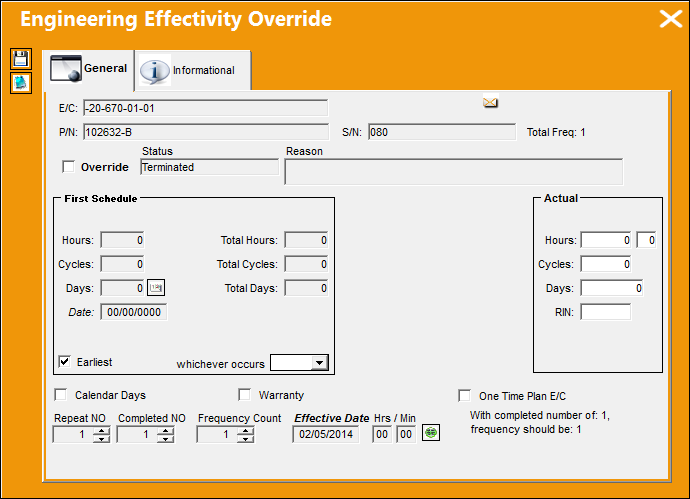
The Compliance history has also been transferred over to the One Way forward P/N.
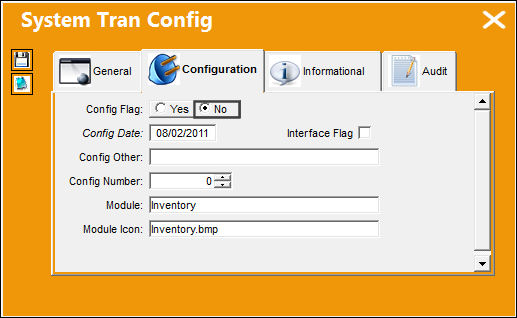
Switch Set to No:
When set to No, after a P/N S/N change transaction, the effectivity and compliance will remain on the old P/N S/N, however the effectivity and compliance history will also be copied over to the new P/N S/N for One Way Forward P/Ns. In the case of Both Way Interchangeable P/Ns, the effectivity will remain on the Both Way Interchangeable P/N S/N, however the compliance history will be removed. The effectivity as well as the compliance history will however be copied over to the One Way Forward P/N S/N.
Example 1: Main P/N to One Way Forward P/N:
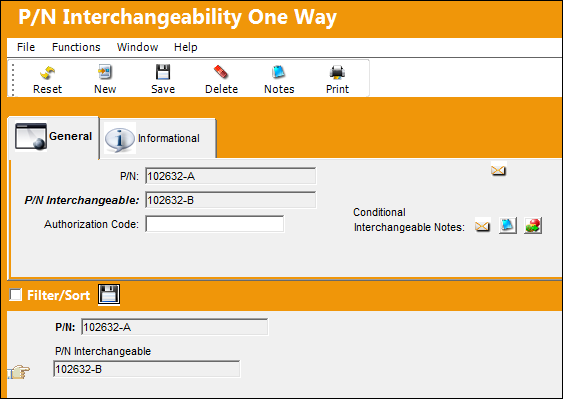
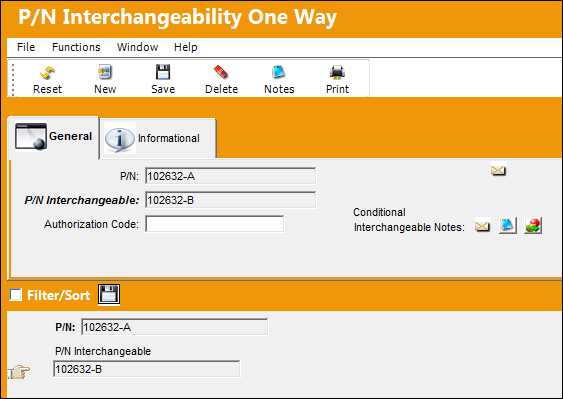
Note the One Way Forward relationship between 102632-A (Main P/N) and 102632-B (One Way Forward P/N)
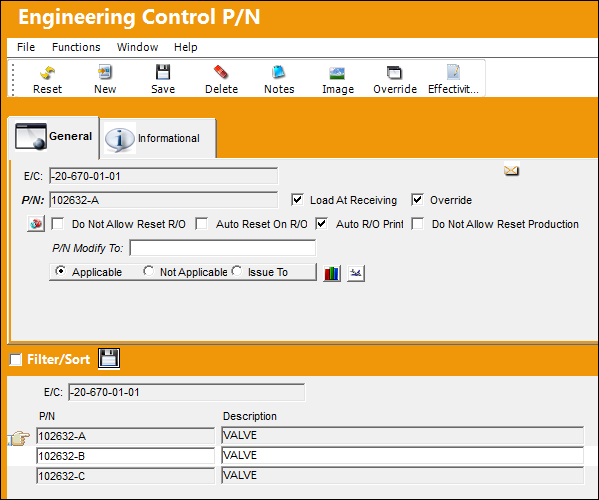
Both P/Ns are linked to the following E/C.
The S/N for the Main P/N is Terminated.
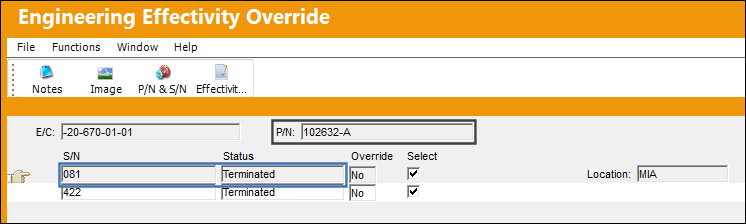
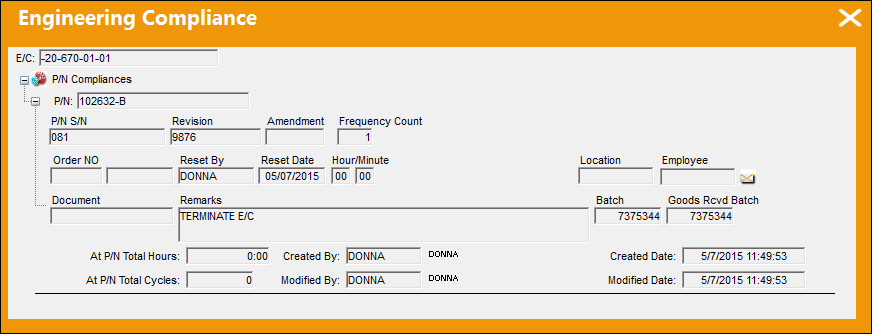
Note the Compliance history.
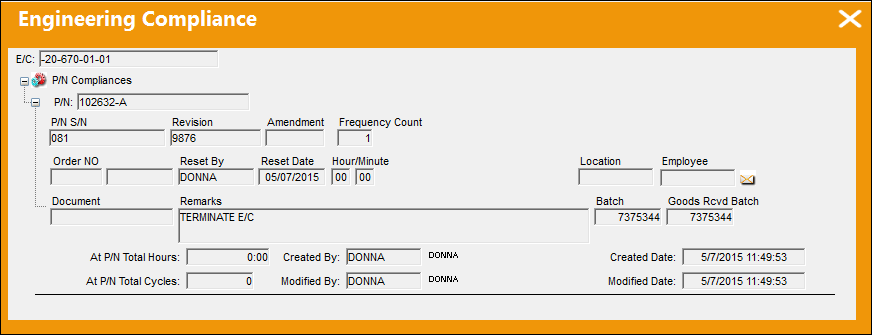
A P/N S/N Change transaction is completed. The Main P/N is changed to the One Way Forward P/N.
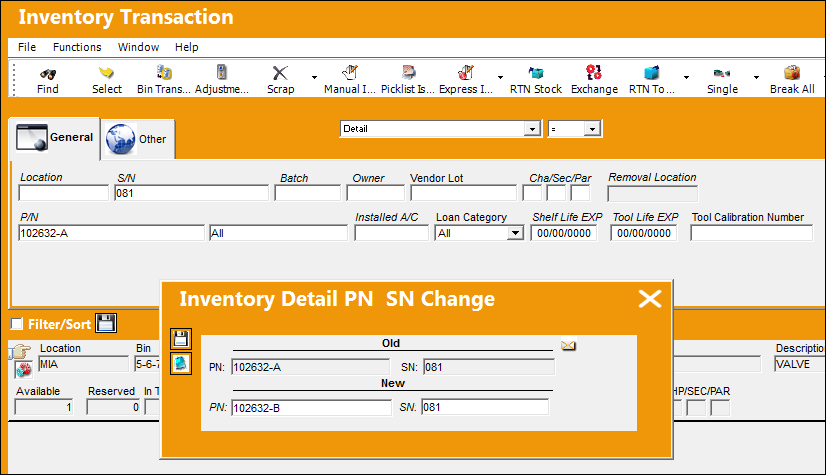
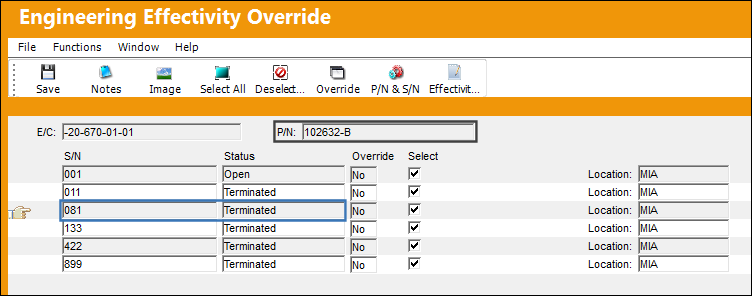
Return to the Engineering Effectivity Override for the Main P/N. The S/N and it's effectivity is still available.
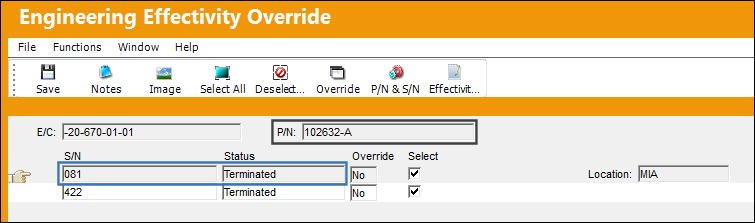
A new record is created for the One Way Forward and the effectivity is copied over to the new P/N S/N.
The Compliance history is also carried over.
Example 2: Both Way Interchangeable P/N to One Way Forward P/N:
Note the Both Way Interchangeability of 102632-C.
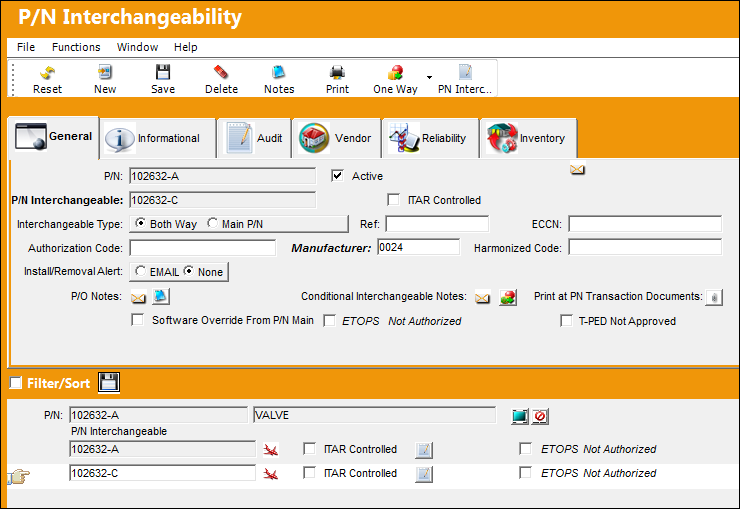
P/N 102632-B is a One Way Forward for P/N 102632-A.
Both P/Ns are linked to the following E/C.
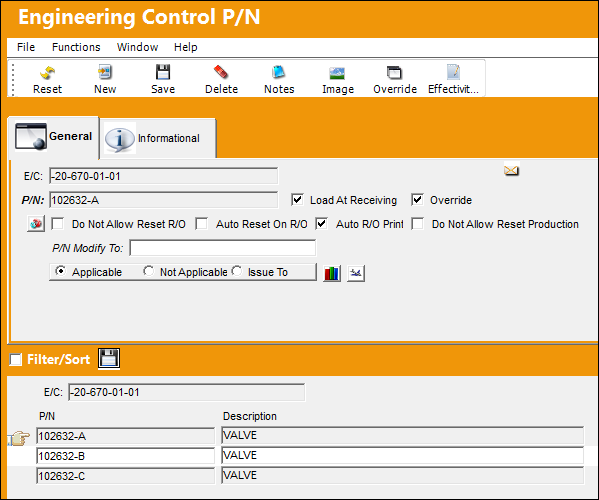
The S/N for the Both Way Interchangeable has been terminated.
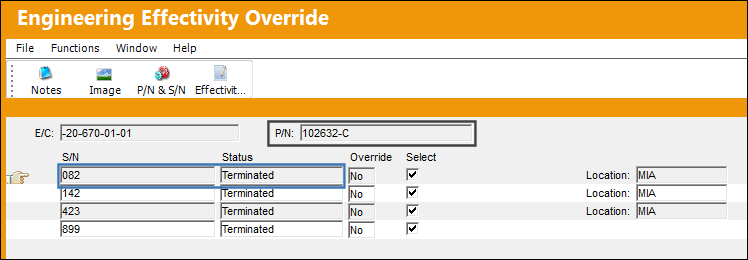
Note the Compliance history.
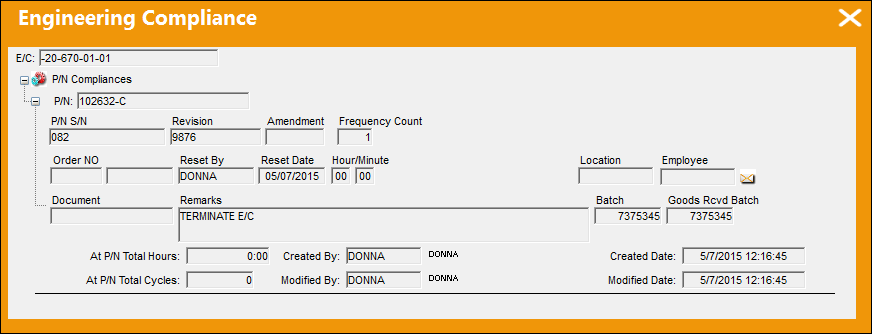
A P/N S/N Change transaction is completed. The Both Way Interchangeable P/N has been changed to the One Way Forward P/N.
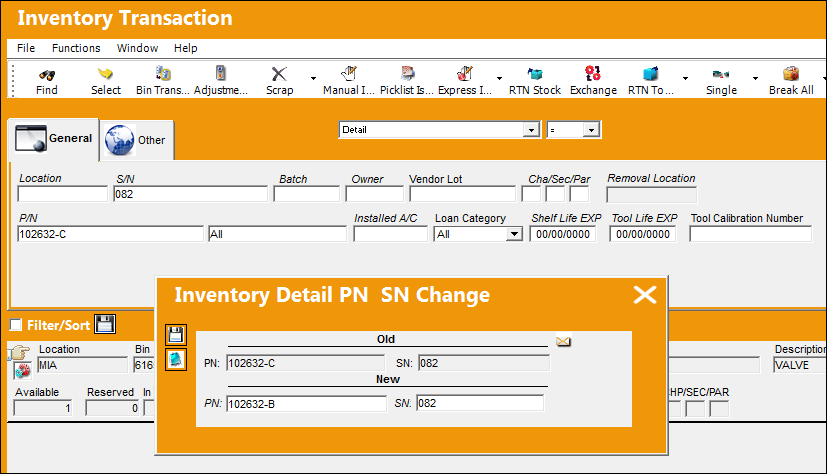
The P/N S/N for the Both Way Interchangeable is still available and has maintained its effectivity.
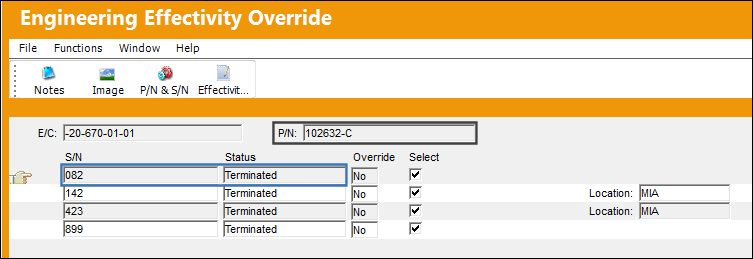
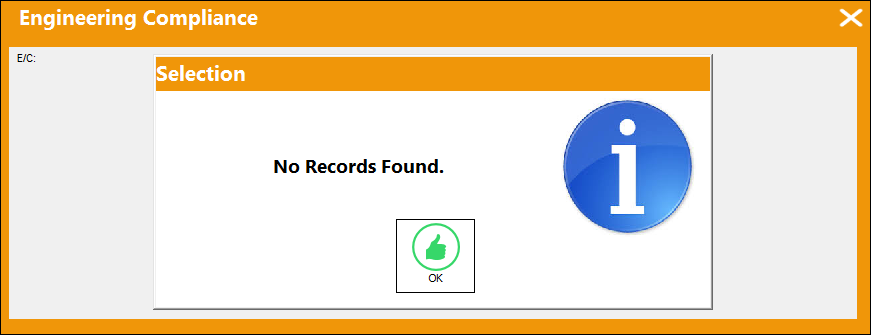
The Compliance history however has been removed from the P/N S/N.
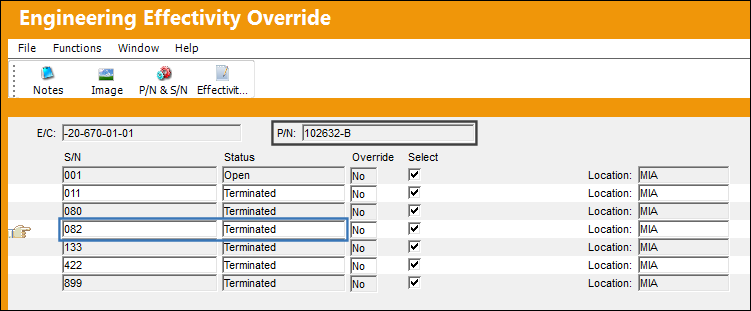
The effectivity for the One Way Forward P/N SN has been copied over.
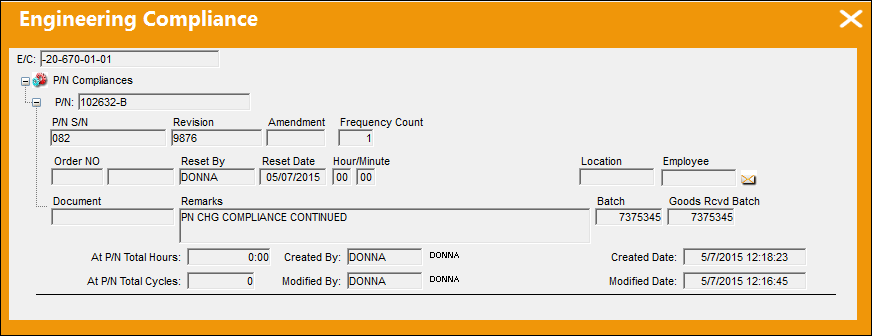
The Compliance history has been transferred over.
Share
Print
|
©1997-2026 Trax USA Corp. All rights reserved. This manual may not be copied, photocopied, reproduced, translated, or converted to any electronic or machine-readable form, in whole or in part, without prior written approval from Trax USA Corp. |
 |