
 Share
Share
 Print
Print
|
|
|
|
|


PKQTYOWNER - Picklist Reservation of Owned Parts First for 3rd Party W/Os
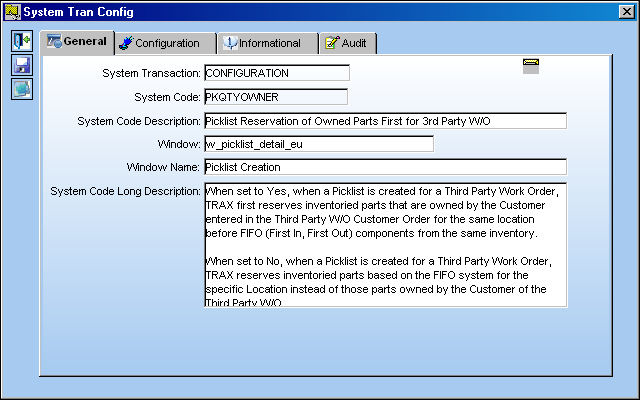
Picklist Reservation of Owned Parts First for 3rd Party W/Os
Affected Window: w_picklist_detail_eu
Switch Set to Yes:
When set to Yes, when a Picklist is created for a Third Party Work Order, TRAX first reserves inventoried parts that are owned by the Customer entered in the Third Party W/O Customer Order for the same location before FIFO (First In, First Out) components from the same inventory.
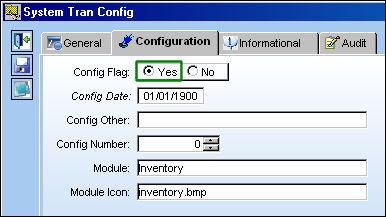
This switch must be set to Yes for Customers that have multiple Inventory Owners selected through the Multi Owners  button of the Customer Master. For more information refer to the Customer Master, General Tab via the Settings Training Manual.
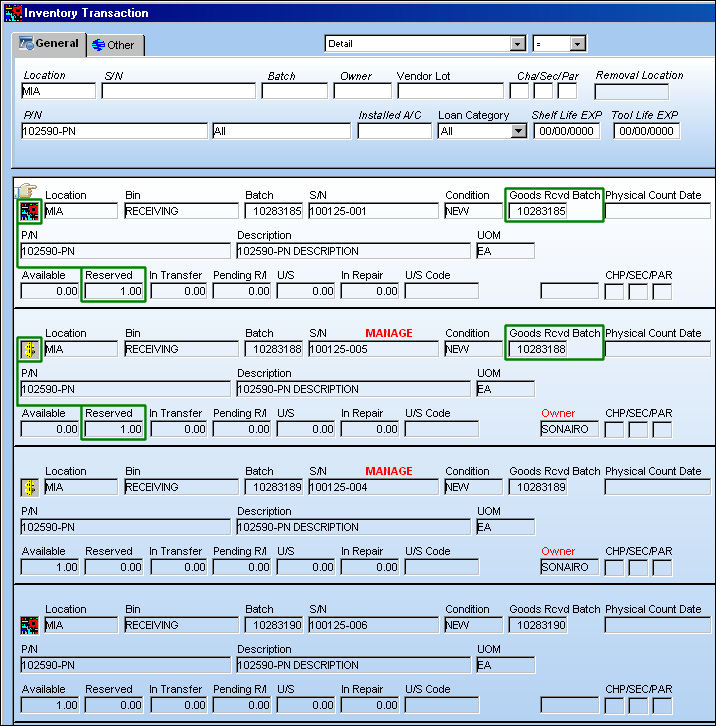
For example, notice the following available Inventory for part 102590-PN at location MIA. There is a total of four (4) parts in stock: two (2) are owned, the other two (2) are not. (The owned parts belong to Customer 'SONAIRO', see below.)
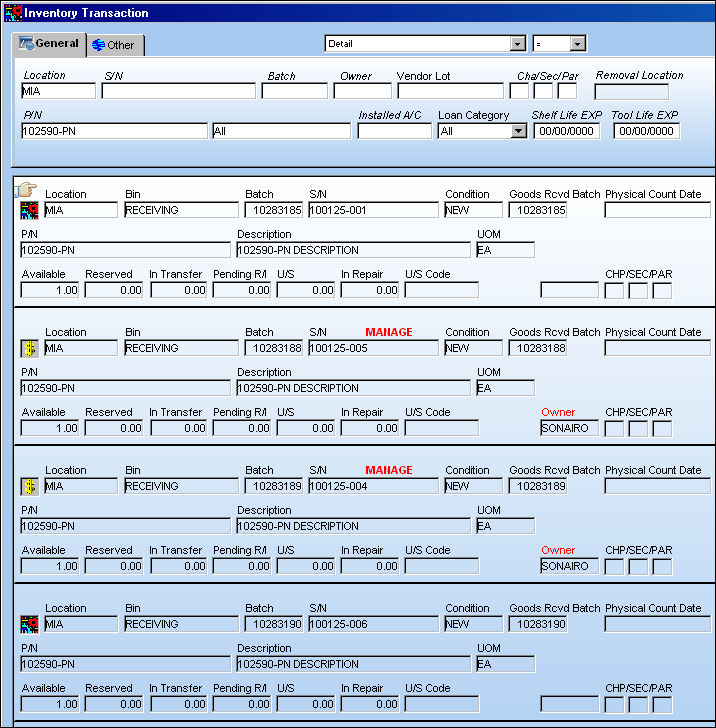
The Inventory Transaction results are sorted by Goods Received Batch (GRB). The basic FIFO system corresponds to these batch numbers.
Create a Third Party Work Order for Location 'MIA' then select the Third Party  button.
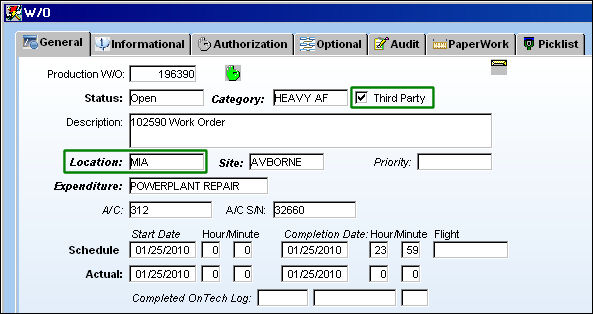
Enter all of the Customer Order information including the Customer. In this case the Customer is 'SONAIRO' as they own two (2) of the parts in Inventory.
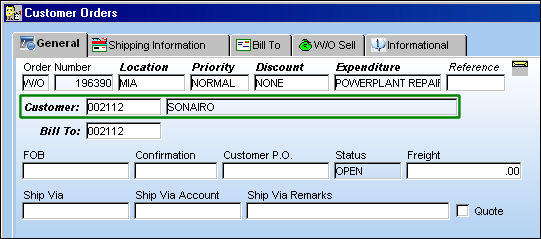
The Third Party W/O should have a Customer Order and that Customer should have the Owner entered in the Inventory Owner field of the Customer Master for this switch to function correctly. For more information refer to Customer Master, General Tab via the Settings Training Manual.
Create a Picklist for the Third Party Work Order through the Picklist  button of the Work Order window or through the Inventory/Update/Picklist Creation window.
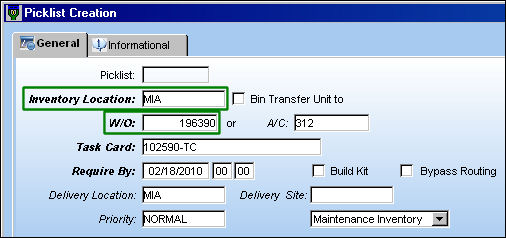
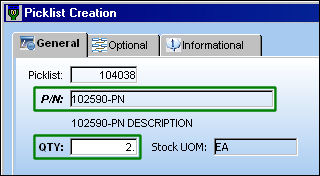
From the Picklist Creation Detail window enter the P/N to be reserved and the Quantity. In this case, a Quantity of two (2) components is being reserved.
From the Inventory Transaction window, notice that the two (2) components that were reserved from the location are the ones that are owned. The Batch numbers were overlooked; the FIFO system was not carried out with the switch set to 'Yes.'
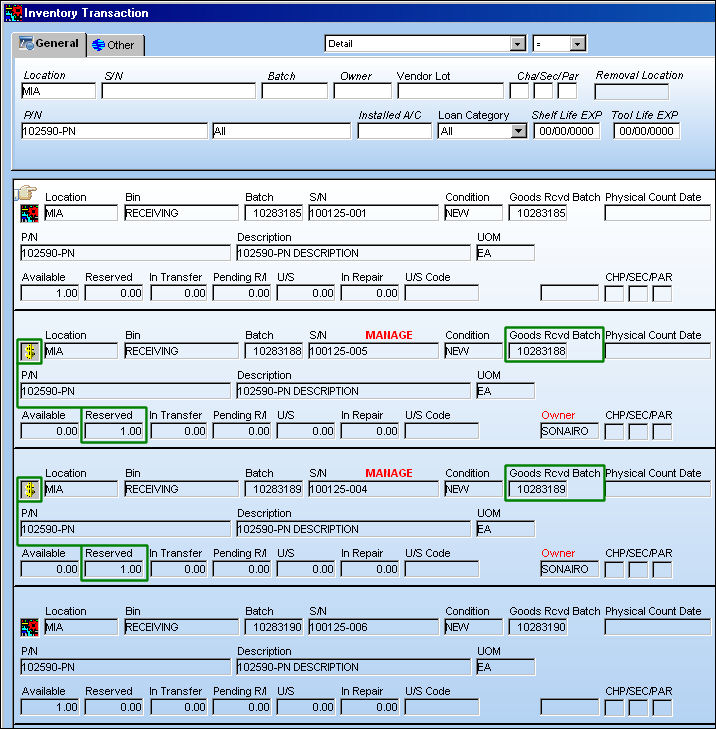
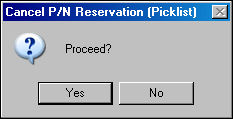
For this example the Picklist is canceled to illustrate the changes when the switch is set to No.
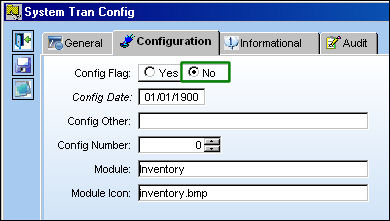
Switch Set to No:
When set to No, when a Picklist is created for a Third Party Work Order, TRAX reserves inventoried parts based on the FIFO system for the specific Location instead of those parts owned by the Customer of the Third Party W/O.
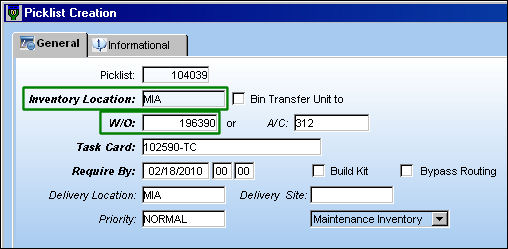
For example, create a Picklist for the same Third Party W/O and Inventory Location as above.
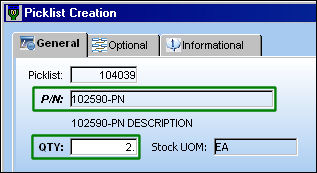
Enter the same Part Number and the Quantity needed (2).
From the Inventory Transaction window, notice that the two (2) parts reserved for the W/O Location correspond to the Goods Received Batch numbers instead of those components owned by the Third Party W/O Customer. The FIFO system is applied.
Share
Print
|
©1997-2026 Trax USA Corp. All rights reserved. This manual may not be copied, photocopied, reproduced, translated, or converted to any electronic or machine-readable form, in whole or in part, without prior written approval from Trax USA Corp. |
 |