
 Share
Share
 Print
Print
|
|
|
|
|


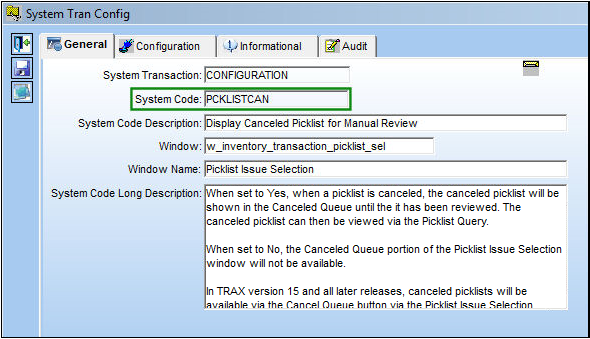
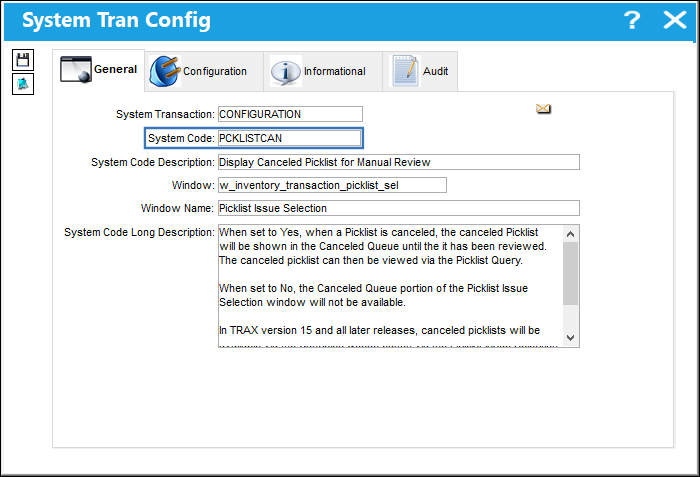
PCKLISTCAN - Display Canceled Picklist for Manual Review
Display Canceled Picklist for Manual Review
Affected Window: w_inventory_transaction_picklist_sel
 Note: In TRAX version 15 and all later releases, canceled picklists will be available via the Cancel Queue
  button via the Picklist Issue Selection window. When the switch is set to No, the Cancel Queue button will not be available. See below for more information.
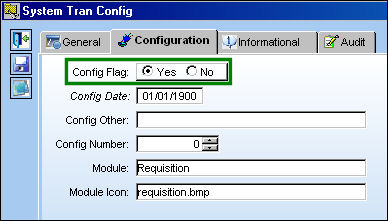
Switch Set to Yes:
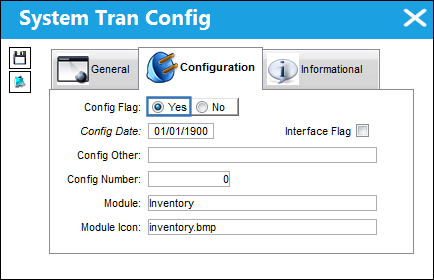
When set to Yes, when a Picklist is canceled, the canceled picklist will be shown in the Canceled Queue until it has been reviewed. The canceled picklist can then be viewed via the Picklist Query.
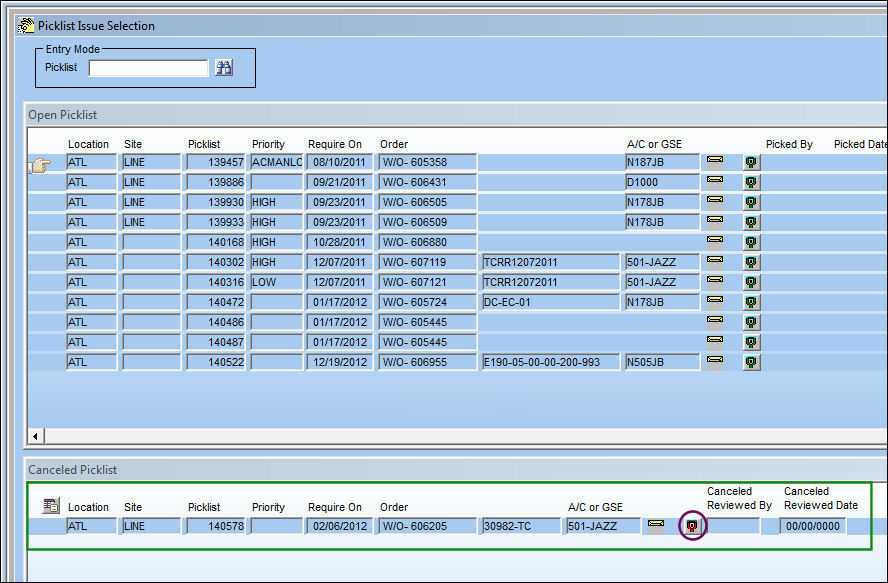
From the Picklist Issue Selection window, the Canceled Picklist queue is available. Select the Mark As Reviewed  button.
The Marked As Picked  button only appears if Switch
  PKLSTMRVW is set to Yes.
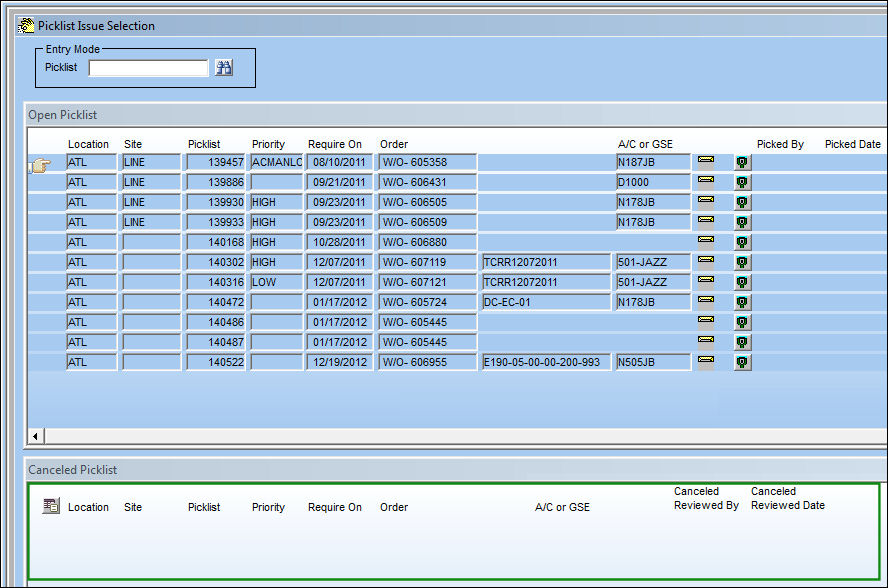
The picklist disappears from the Canceled Picklist queue.
The canceled picklist can still be viewed from the Picklist Query window as shown below.
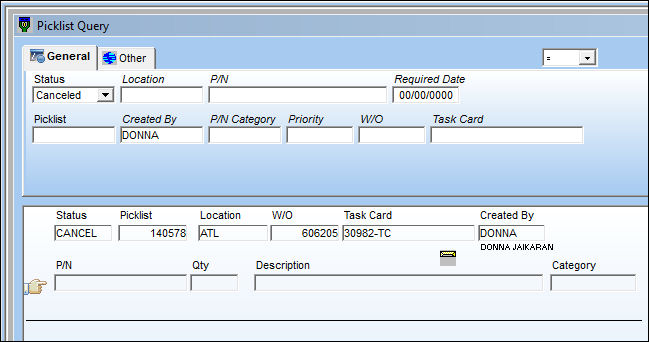
This switch functions the same way for every instance in the system where a picklist has been deleted. A picklist can be deleted via the following windows.
- Picklist Creation, via Inventory
- Picklist Creation Supervisor, via Inventory
- Picklist Issue (Quantity field), via Inventory
- W/O (Cancel Reservation Button), via Production
Switch Set to No:
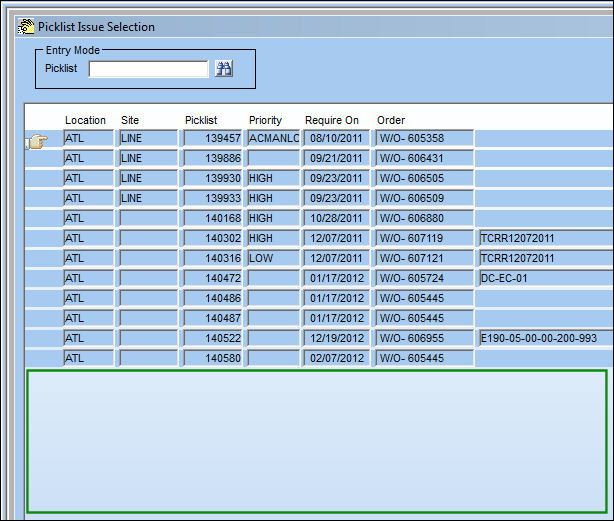
When set to No, the Canceled Queue portion of the Picklist Issue Selection window will not be available.
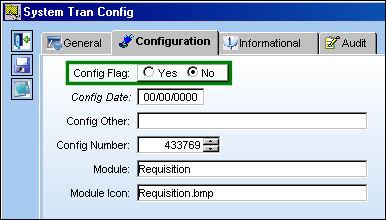
The Canceled Queue is unavailable.
TRAX Version 15
In TRAX version 15 and all later releases, canceled picklists will be available via the Cancel Queue button via the Picklist Issue Selection window. When the switch is set to No, the Cancel Queue button will not be available.
Switch Set to Yes:
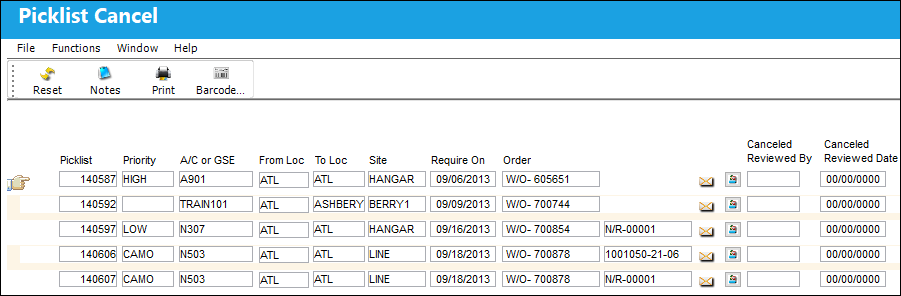
When set to Yes, when a picklist is canceled, canceled picklists will be shown in the Picklist Cancel window, via the Cancel Queue button until it has been reviewed. The canceled picklist can then be viewed via the Picklist Query.
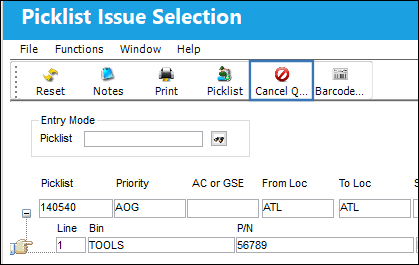
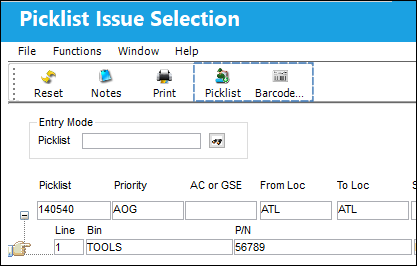
From the Picklist Issue Selection window, select the Cancel Queue button.
All canceled picklists can be viewed via the Picklist Cancel window.
Switch Set to No:
When set to No, the Cancel Queue button is not available via the Picklist Issue Selection window.
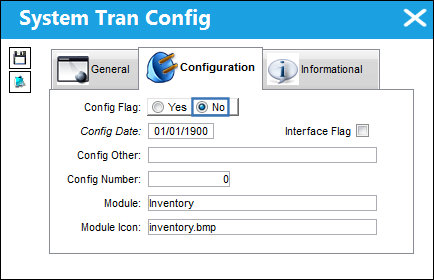
The Cancel Queue button is not available
Share
Print
|
©1997-2026 Trax USA Corp. All rights reserved. This manual may not be copied, photocopied, reproduced, translated, or converted to any electronic or machine-readable form, in whole or in part, without prior written approval from Trax USA Corp. |
 |