
 Share
Share
 Print
Print
|
|
|
|
|


SHOWEXPEC - Show all expired E/Cs during Manual Issue
Show all expired E/Cs during Manual Issue
Affected Window: w_inventory_transaction_manual_issue
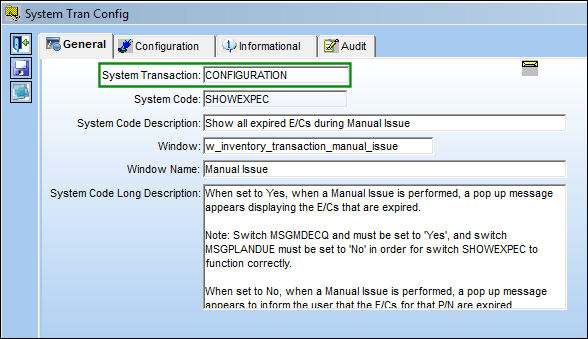
Switch  MSGMDECQ and must be set to 'Yes,' and Switch MSGPLANDUE must be set to 'No' in order for Switch SHOWEXPEC to function correctly.
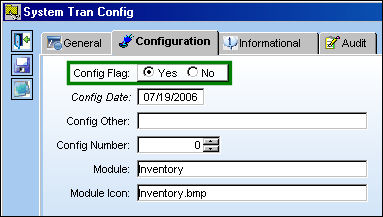
Switch Set to Yes:
When set to Yes, when a Manual Issue is performed, a pop up message appears displaying the E/Cs that are expired.
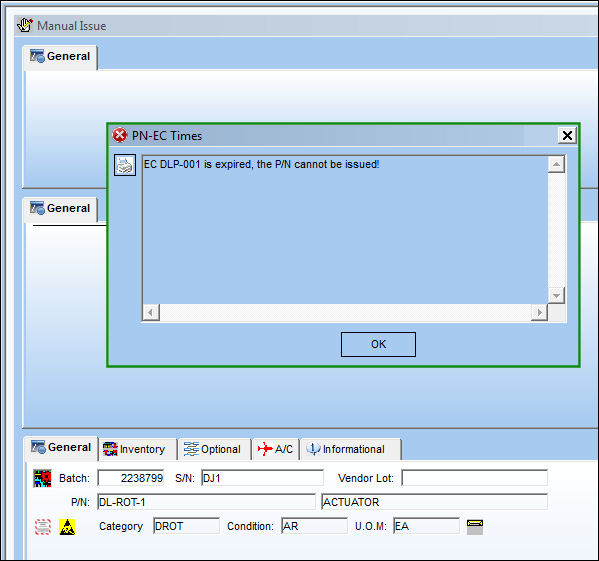
From Inventory Transaction, select a P/N and perform a manual issue.
The following pop up message appears informing the user that the E/C associated to the P/N is expired. The pop up message also includes which E/C is expired.
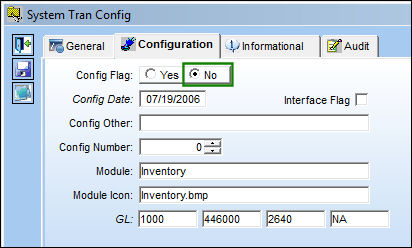
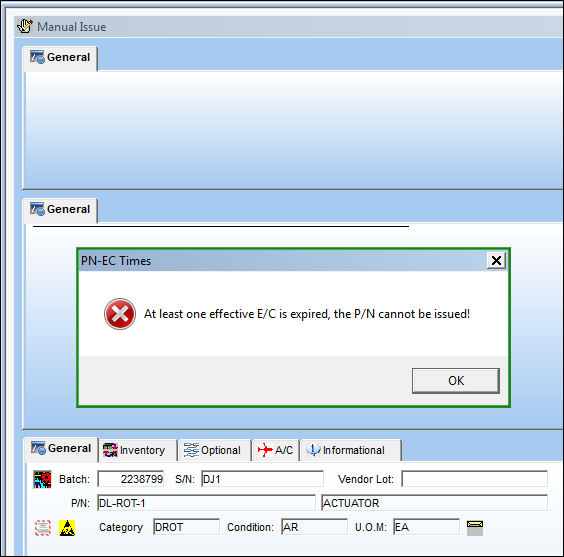
Switch Set to No:
When set to No, when a Manual Issue is performed, a pop up message appears to inform the user that the E/Cs for that P/N are expired.
From Inventory Transaction, select a P/N and perform a manual issue.
The following pop up message appears informing the user that an E/C associated to the P/N is expired.
Share
Print
|
©1997-2026 Trax USA Corp. All rights reserved. This manual may not be copied, photocopied, reproduced, translated, or converted to any electronic or machine-readable form, in whole or in part, without prior written approval from Trax USA Corp. |
 |