
 Share
Share
 Print
Print
|
|
|
|
|


NOTBOGUSPART - Blocks BOGUS Parts From Importing Into Inventory

Blocks BOGUS Parts From Importing Into Inventory
Affected Window: w_inventory_bogus_pn_eu
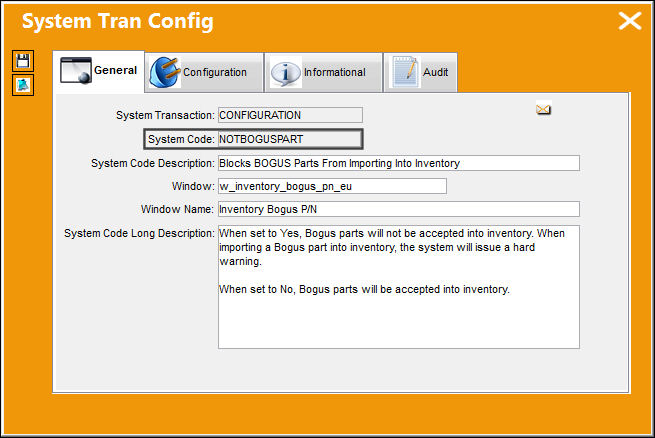
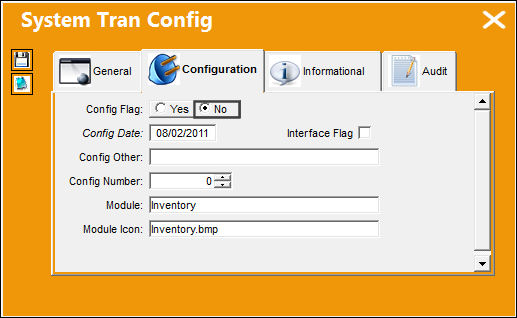
Switch Set to Yes:
When set to Yes, Bogus parts will not be accepted into inventory. When importing a Bogus part into inventory, the system will issue a hard warning.
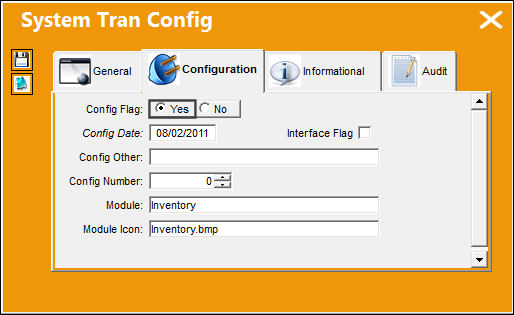
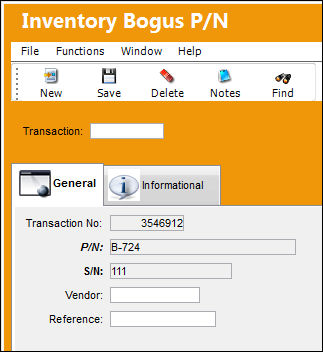
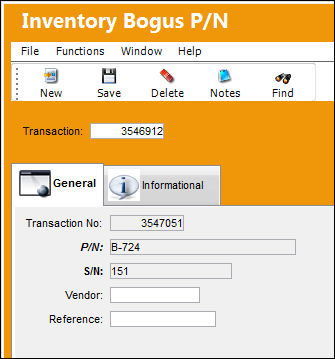
Enter the part number and serial number in the required fields of the Inventory Bogus P/N window.
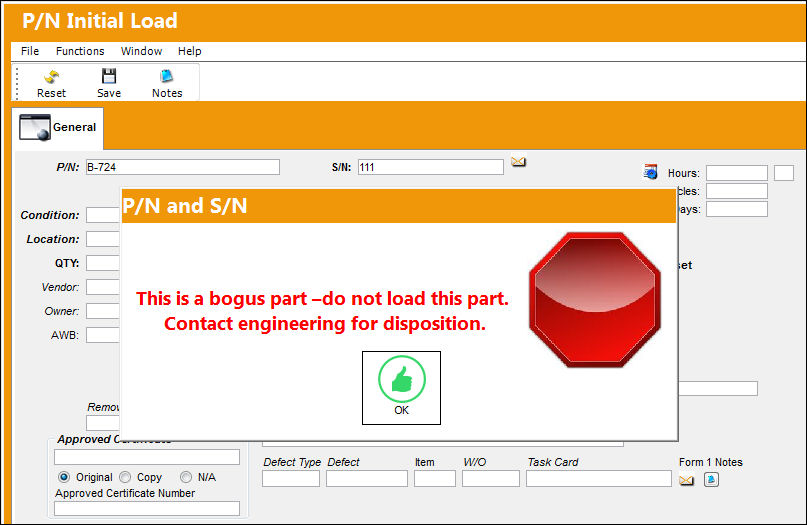
Attempt to load the part into inventory through the P/N Initial Load window. The following hard warning is displayed alerting the user that the part is reported as Bogus.
Attempt to load the bogus part onto an aircraft through the A/C Initial P/N Load window. The following hard warning is displayed alerting the user that the specified part is reported as Bogus.
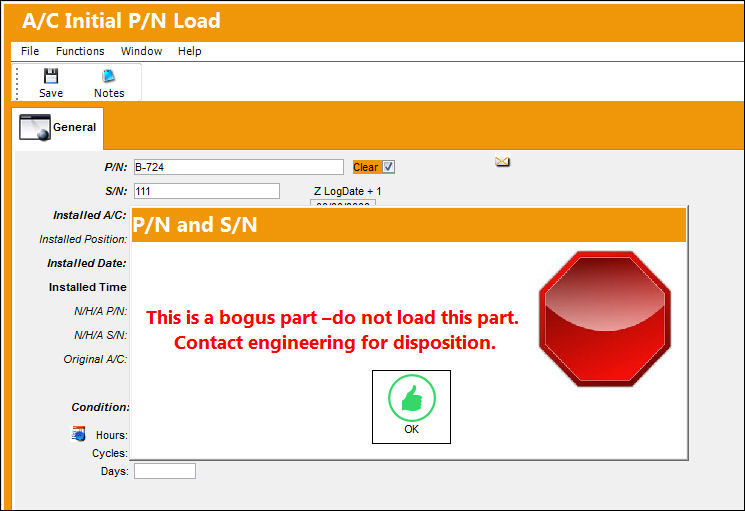
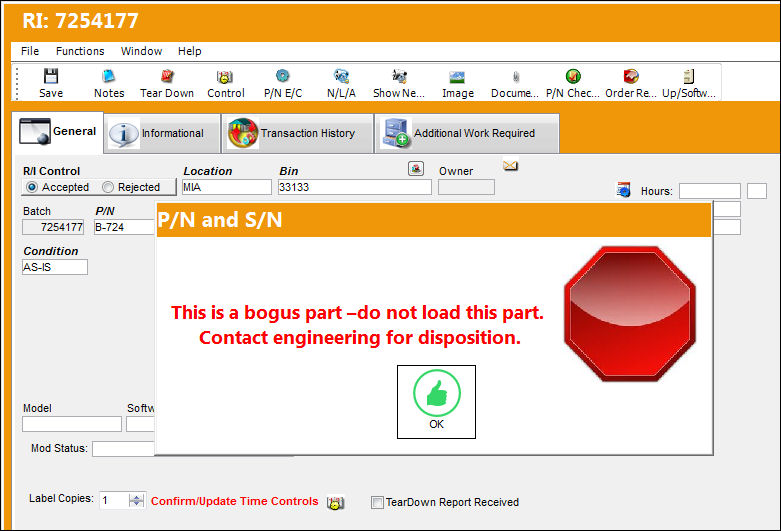
If the part was imported through an interface then it will initially bypass the switch. However during the receiving inspection process, the system will display the following hard warning alerting the user that the part is reported as Bogus.
Switch Set to No:
When set to No, Bogus parts will be accepted into inventory.
Enter the part number and serial number in the required fields of the Inventory Bogus P/N window.
Attempt to load the part into inventory through the P/N Initial Load window. The system allows the Bogus part to be entered and the Save prompt is displayed:
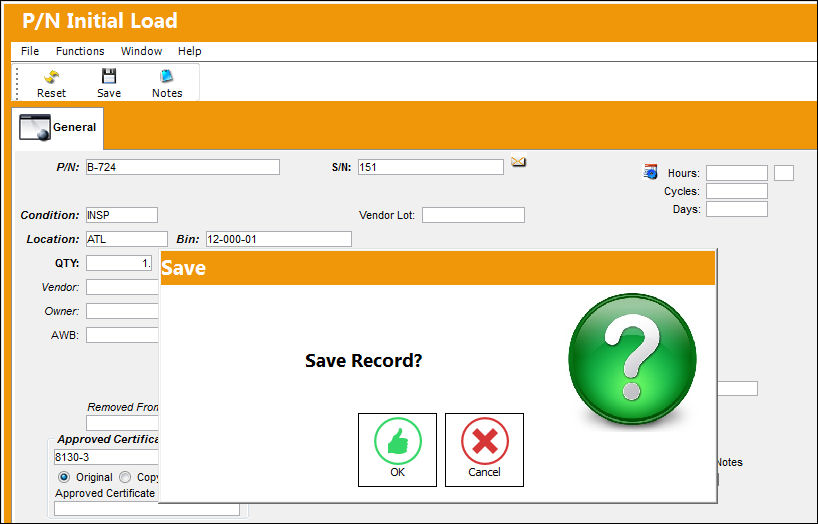
Attempt to load the bogus part onto an aircraft through the A/C Initial P/N Load window. The system allows the Bogus part to be loaded onto the specified aircraft and the Save prompt is displayed.
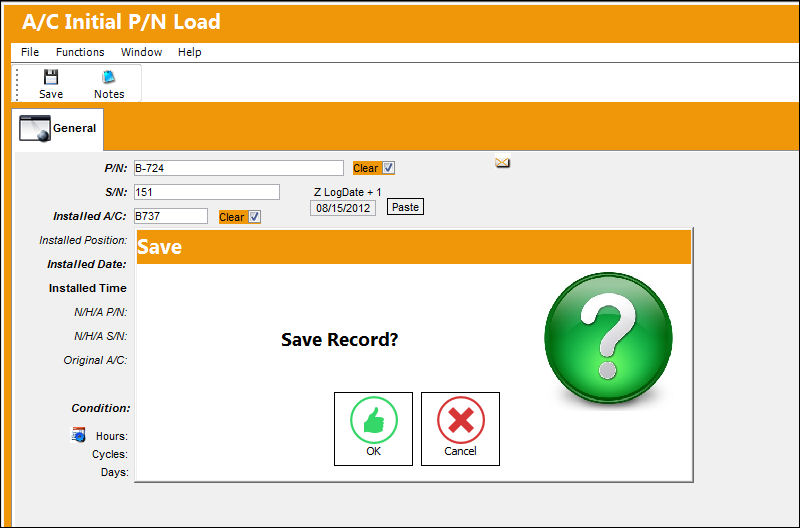
If the Bogus part has to undergo Receiving Inspection, the following soft warning will display alerting the user that the part is reported as stolen/ bogus.
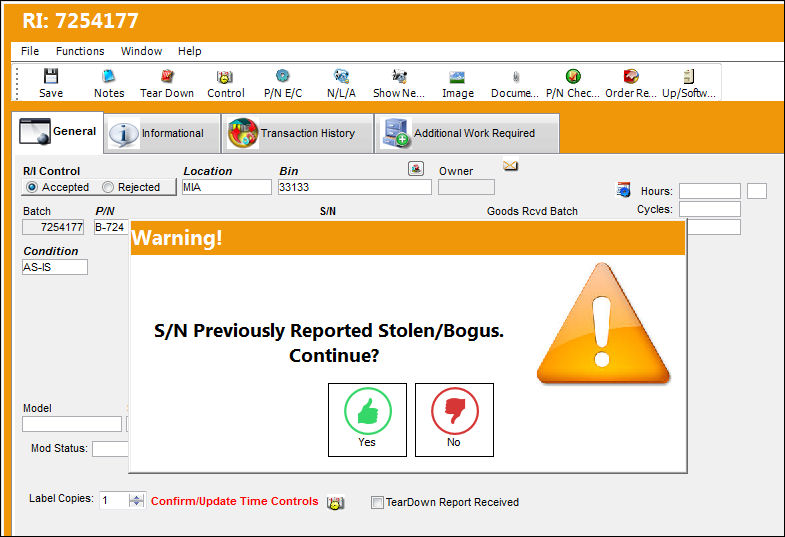
Share
Print
|
©1997-2026 Trax USA Corp. All rights reserved. This manual may not be copied, photocopied, reproduced, translated, or converted to any electronic or machine-readable form, in whole or in part, without prior written approval from Trax USA Corp. |
 |