
 Share
Share
 Print
Print
|
|
|
|
|


MSGPLANDUE - Show the message if the P/N Control or P/N E/C has reached or surpassed the percentage of their schedule
Show the message if the P/N Control or P/N E/C has reached or surpassed the percentage of their schedule
Affected Window: w_inventory_transaction_manual_issue
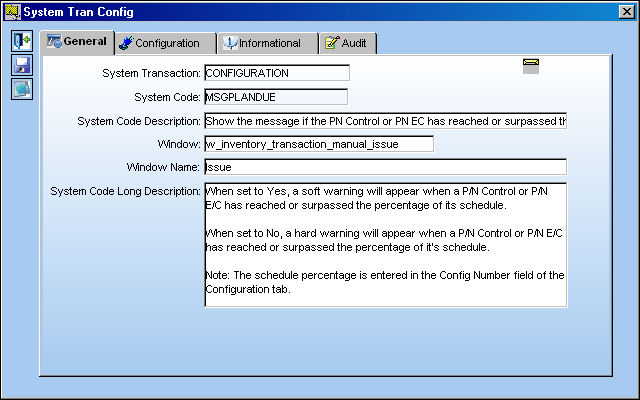
Switch Set to Yes:
When set to Yes, a soft warning will appear when a P/N Control or P/N E/C has reached or surpassed the percentage of its schedule. The schedule percentage is entered in the Config Number field of the Configuration tab.
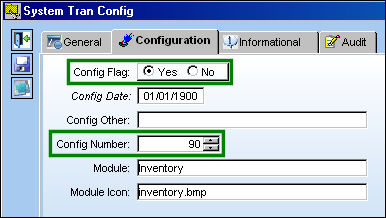
The Config Number for this example is 90.
Go to Inventory/Update/Inventory Transaction.
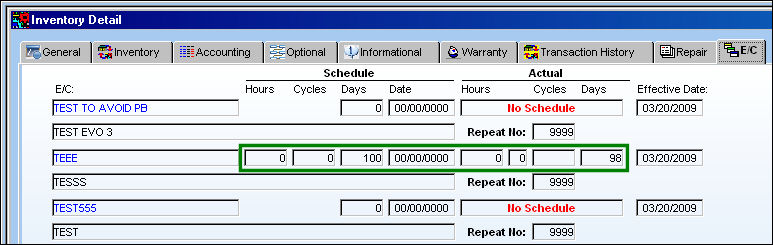
Select a P/N that has at least one P/N Control or P/N E/C that has reached or surpassed the percentage specified in the Config Number field.
The following P/N has an E/C that is 98% completed.
From the Inventory Transaction window, select the Manual Issue  button.
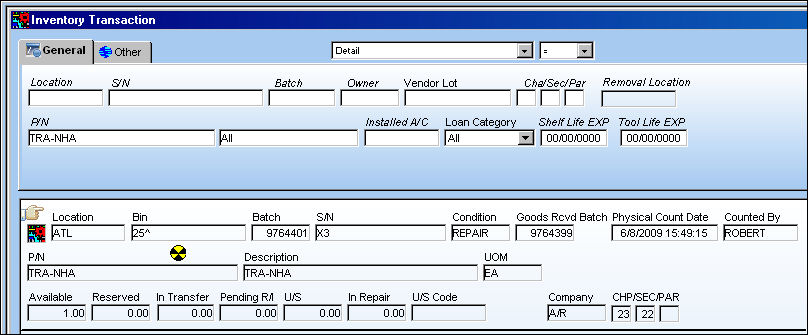
The following soft warning appears:
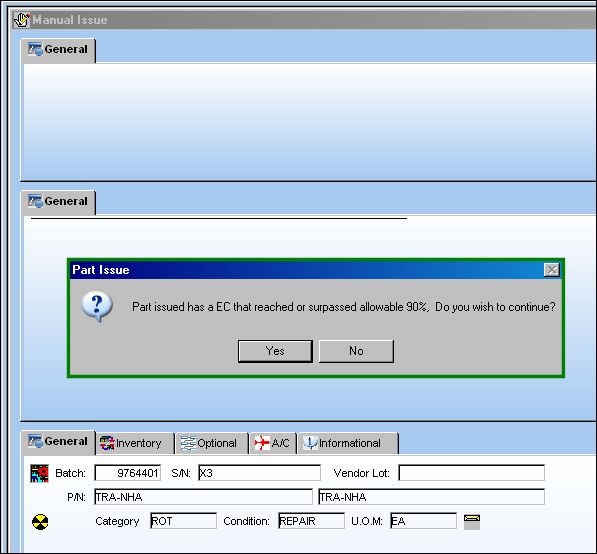
 This switch also applies to the Tool Check-In/Check-Out functionality. Tools that contain expired P/N Controls or expired P/N E/Cs will receive the same soft warning displayed above when the Tool Check Out
  button is selected via Inventory Transaction. For more information refer to the Tool Check Out Button via the Inventory Training Manual.
Switch Set to No:
When set to No, a hard warning will appear when a P/N Control or P/N E/C has reached or surpassed the percentage of it's schedule. The schedule percentage is entered in the Config Number field of the Configuration tab.
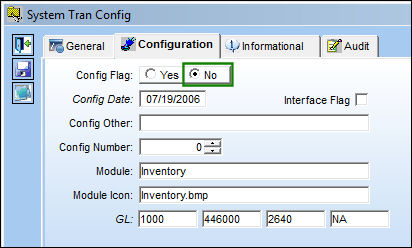
From the Inventory Transaction window, select the same P/N from the above example and select the Manual Issue button.
The following hard warning appears:
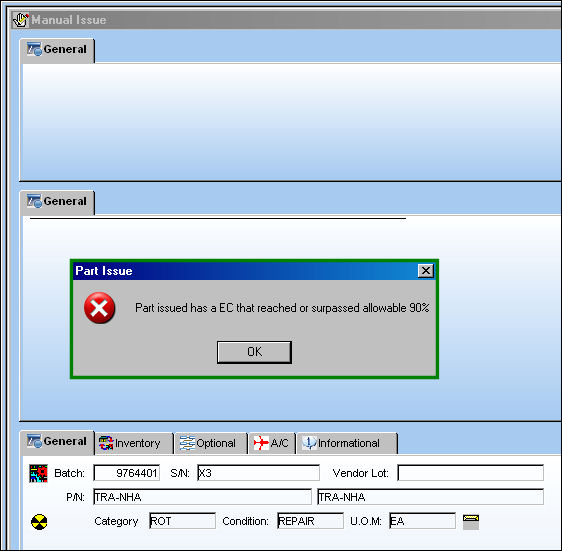
This switch also applies to the Tool Check-In/Check-Out functionality. Tools that contain expired P/N Controls or expired P/N E/Cs will receive the same hard warning displayed above when the Tool Check Out button is selected via Inventory Transaction. For more information refer to the Tool Check Out Button via the Inventory Training Manual.
Share
Print
|
©1997-2026 Trax USA Corp. All rights reserved. This manual may not be copied, photocopied, reproduced, translated, or converted to any electronic or machine-readable form, in whole or in part, without prior written approval from Trax USA Corp. |
 |